CyberDefenders - T1595
Analyze the PCAP file to identify malicious activity, using tools like Wireshark to detect threats, IP origins, and attacker techniques.
Adversaries may execute active reconnaissance scans to gather information that can be used during targeting. In these scans, the adversary probes the victim infrastructure via network traffic, as opposed to other forms of reconnaissance that do not involve direct interaction.
Adversaries may perform different forms of active scanning depending on what information they seek to gather. These scans can also be performed in various ways, including using native features of network protocols such as ICMP. Information from these scans may reveal opportunities for other forms of reconnaissance (ex: Search Open Websites/Domains or Search Open Technical Databases), establishing operational resources (ex: Develop Capabilities or Obtain Capabilities), and/or initial access (ex: External Remote Services or Exploit Public-Facing Application).
A link to the lab can be found here: https://cyberdefenders.org/blueteam-ctf-challenges/t1595/
Questions
-
What is the Zero-tier network ID?
I hadn't heard about Zero-Tier before this question, so I assumed it was a networking term I was unfamiliar with, but looking at the hint it talked about the properties of the capture file, so I just opened the statistics window in Wireshark and saw that there was a network interface called ZeroTier One with an Id in front:
544aaeed1673158e.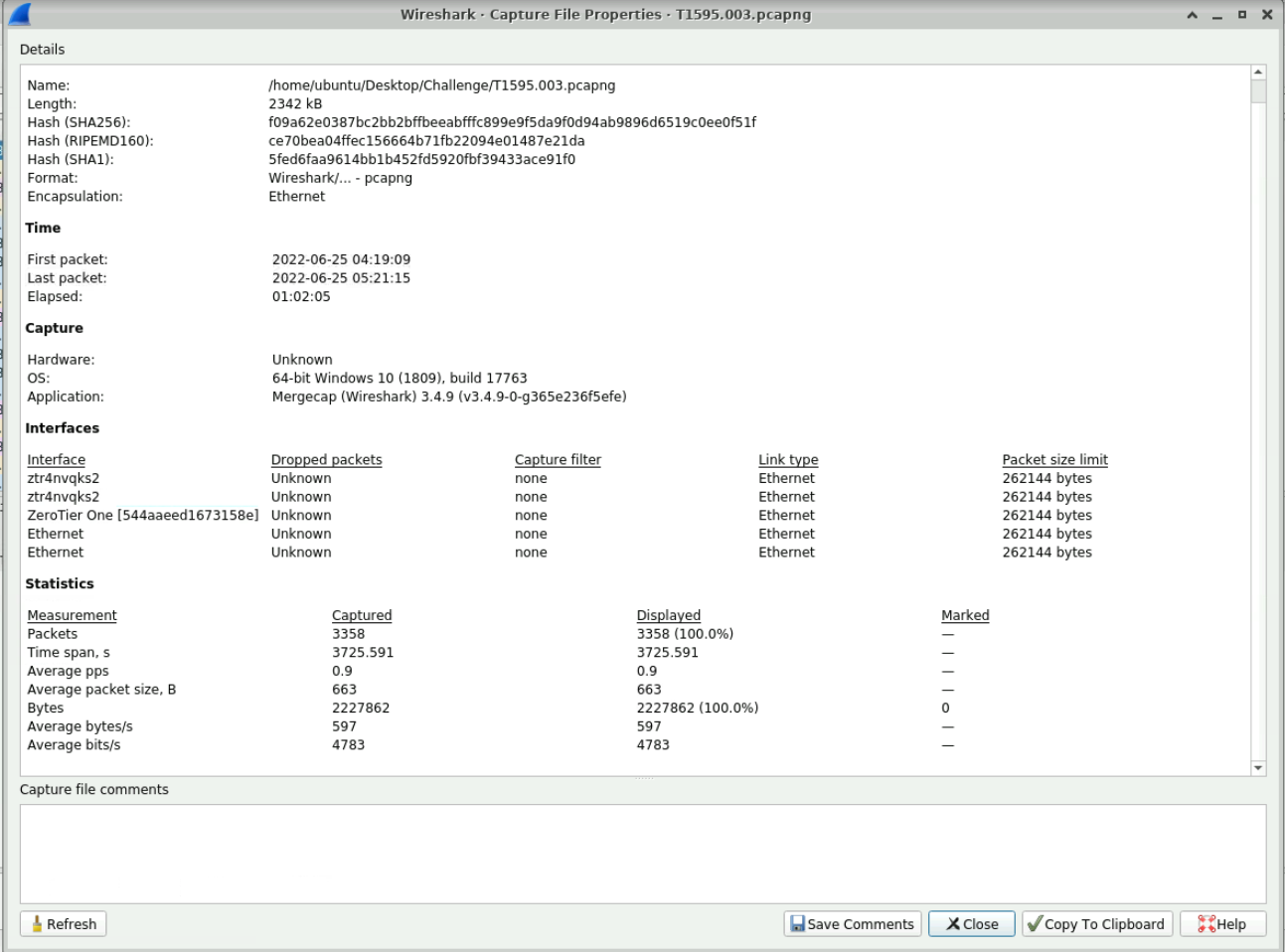
-
What is the size of ARP packets in bytes?
At first I thought this was asking for the size of any random ARP packet, but the question actually wants the Total bytes of ARP packets captured, which is 9184 bytes.

-
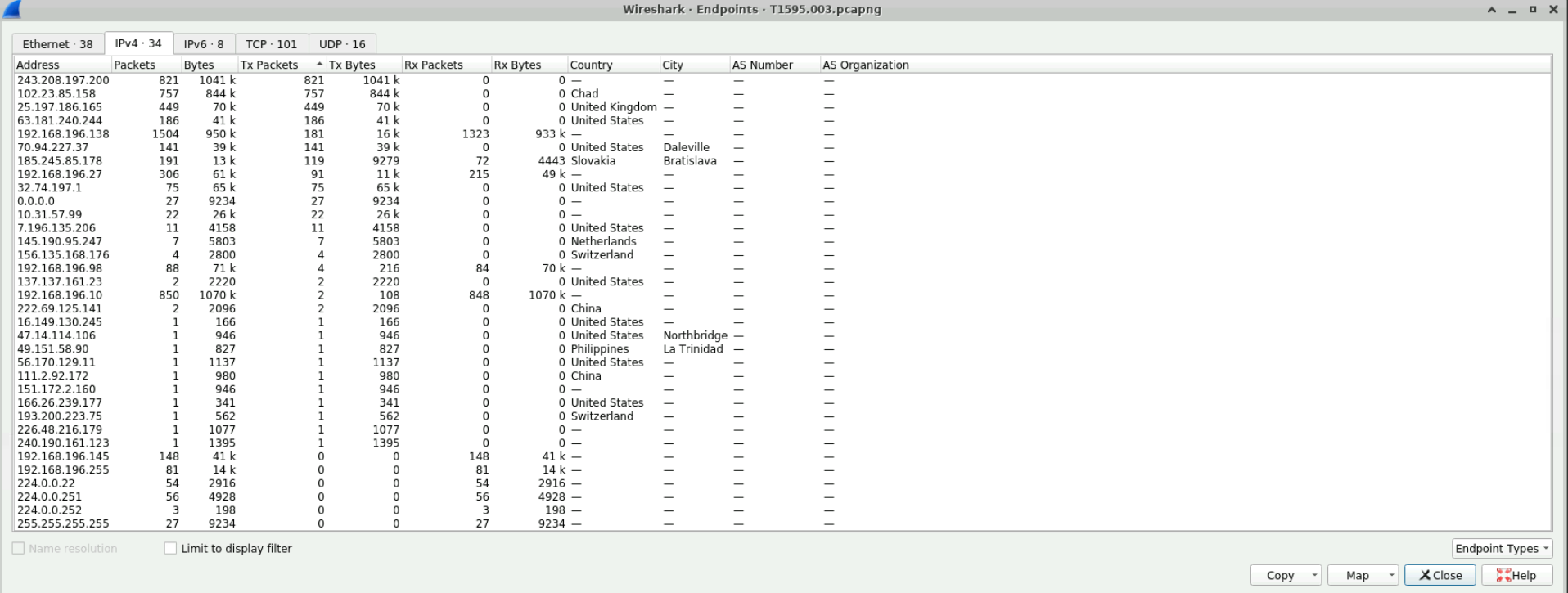
What is the address that sent the most packets?
We can look into the statistics to find the address with the most sent packets (TX Packets).
-
What is the City of the IP is connected to in the Philippines?
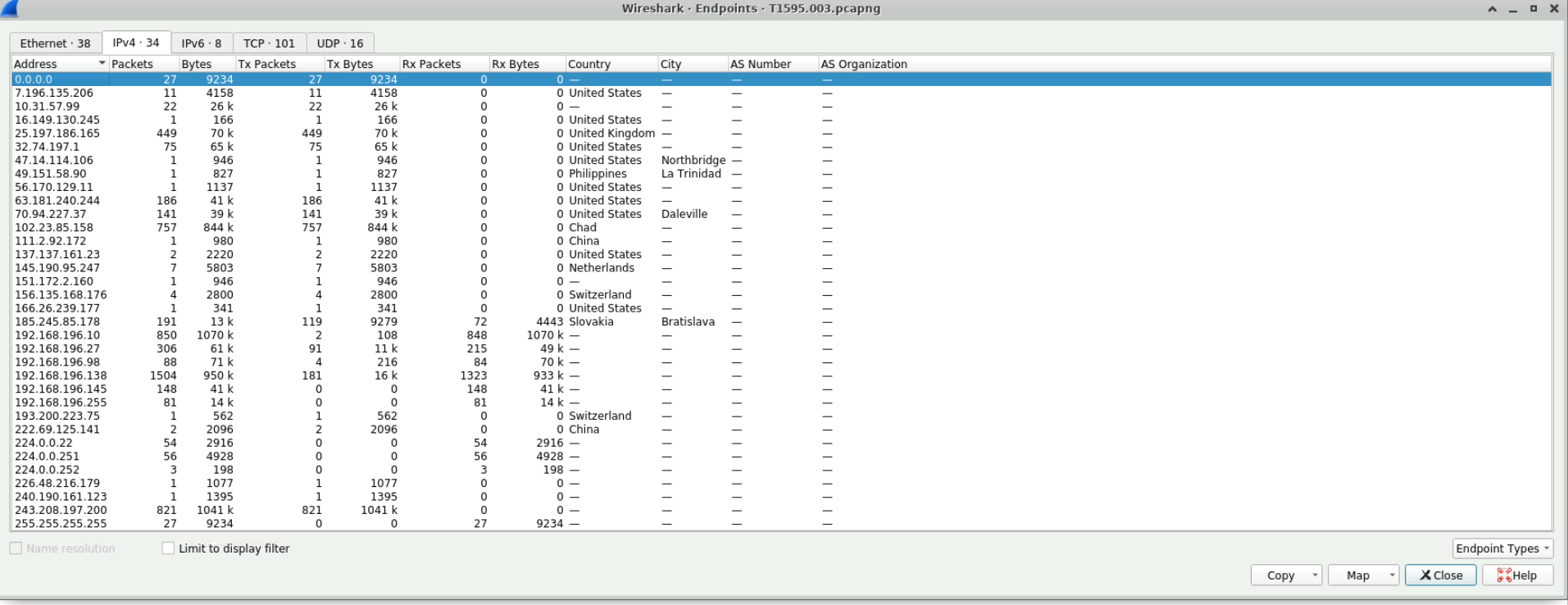
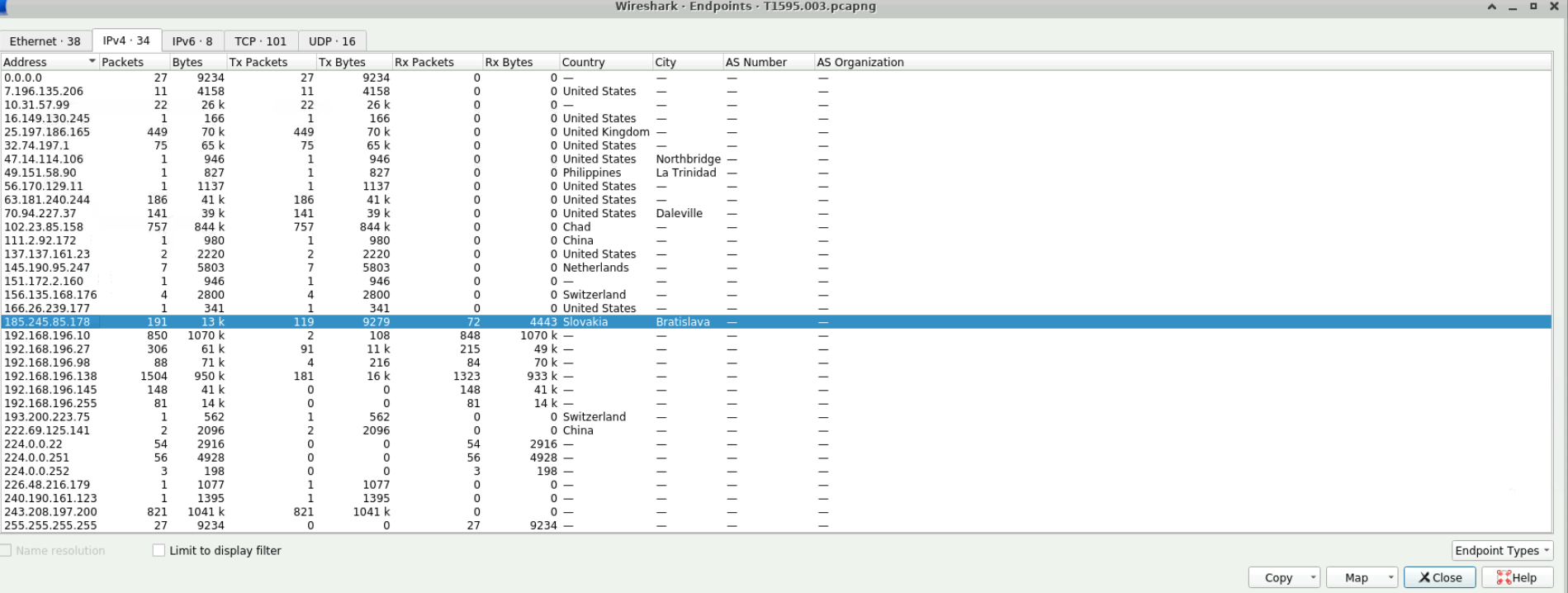
Another question that I think is badly written, they just want to know what city the IP from the Philippines is connected to. This is visible in the screenshot above, we can see that the city is La Trinidad.
-
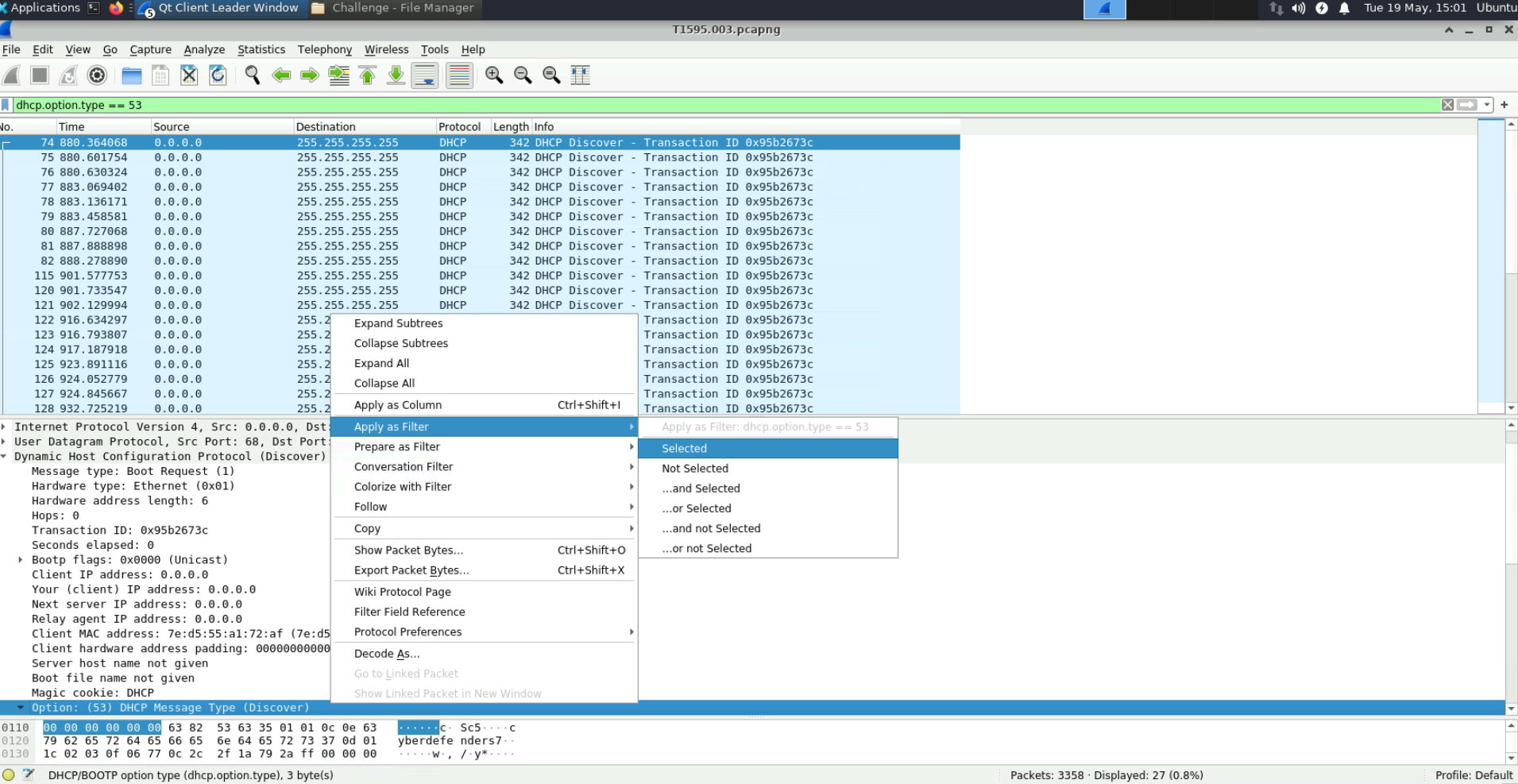
How many DHCP Discover messages are in the PCAPNG file?
We can use Wireshark's filters to help with this, opening up the packet information and applying a filter based on the DHCP option field, we can see that we have 27 Discover messages.
-
What is the "Target MAC address" for packet 37?
Looking at the packet information, we can see the destination MAC address is
0e:9d:89:55:b2:02.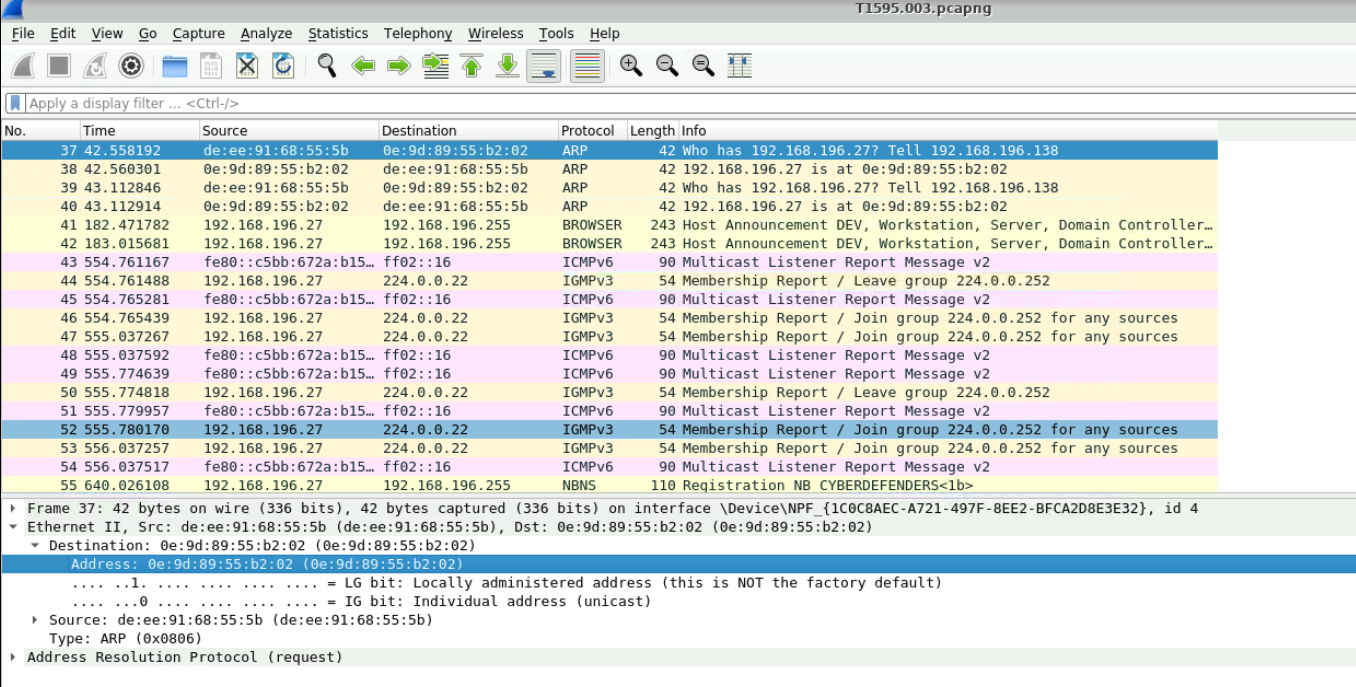
-
How many ARP reply packets are present in the PCAPNG file?
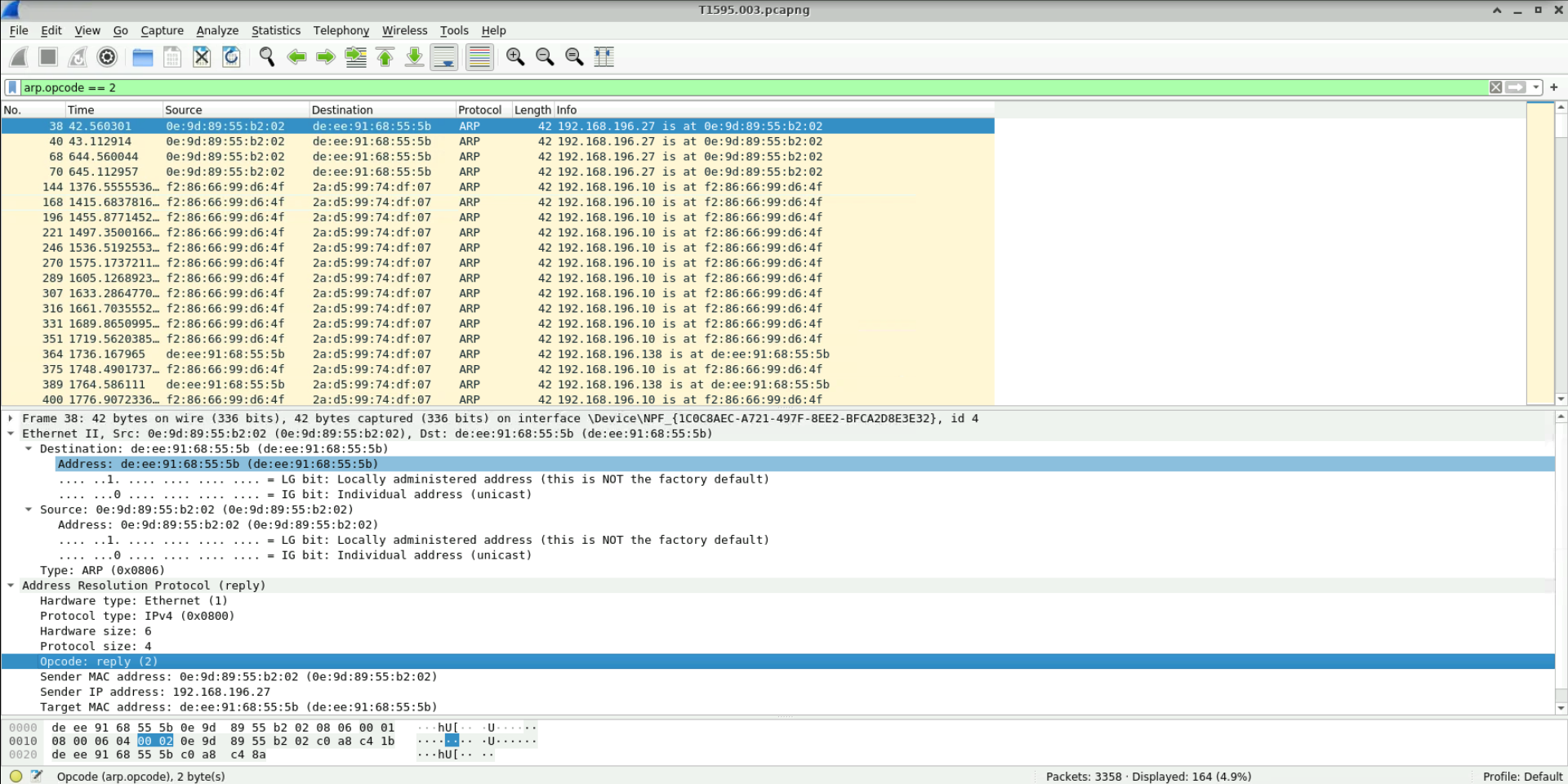
We can use Wireshark's filters to help with this, opening up the packet information and applying a filter based on the ARP opcode field, we can see that we have 164 reply packets.
-
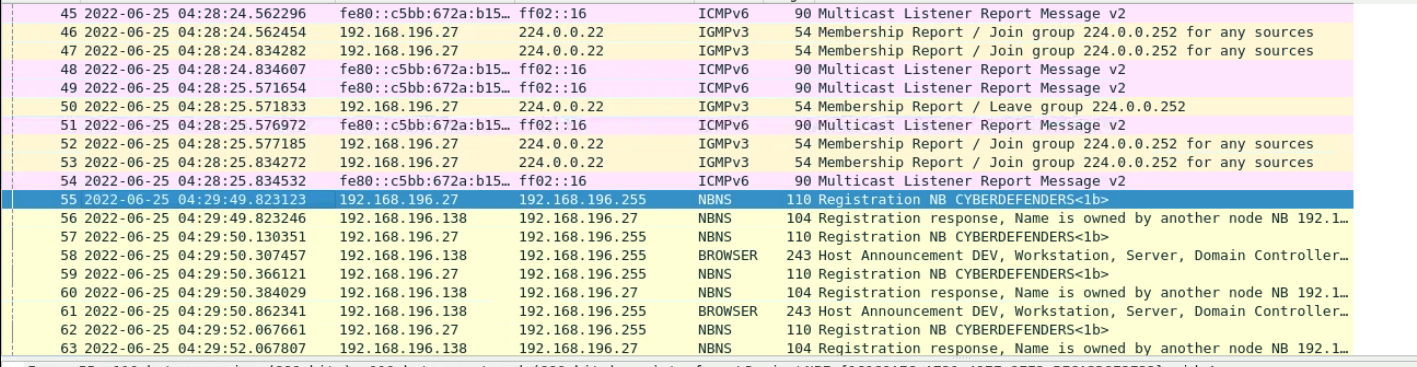
What is the time packet 55 sent?
We need to change the default display format for time in Wireshark to answer this.
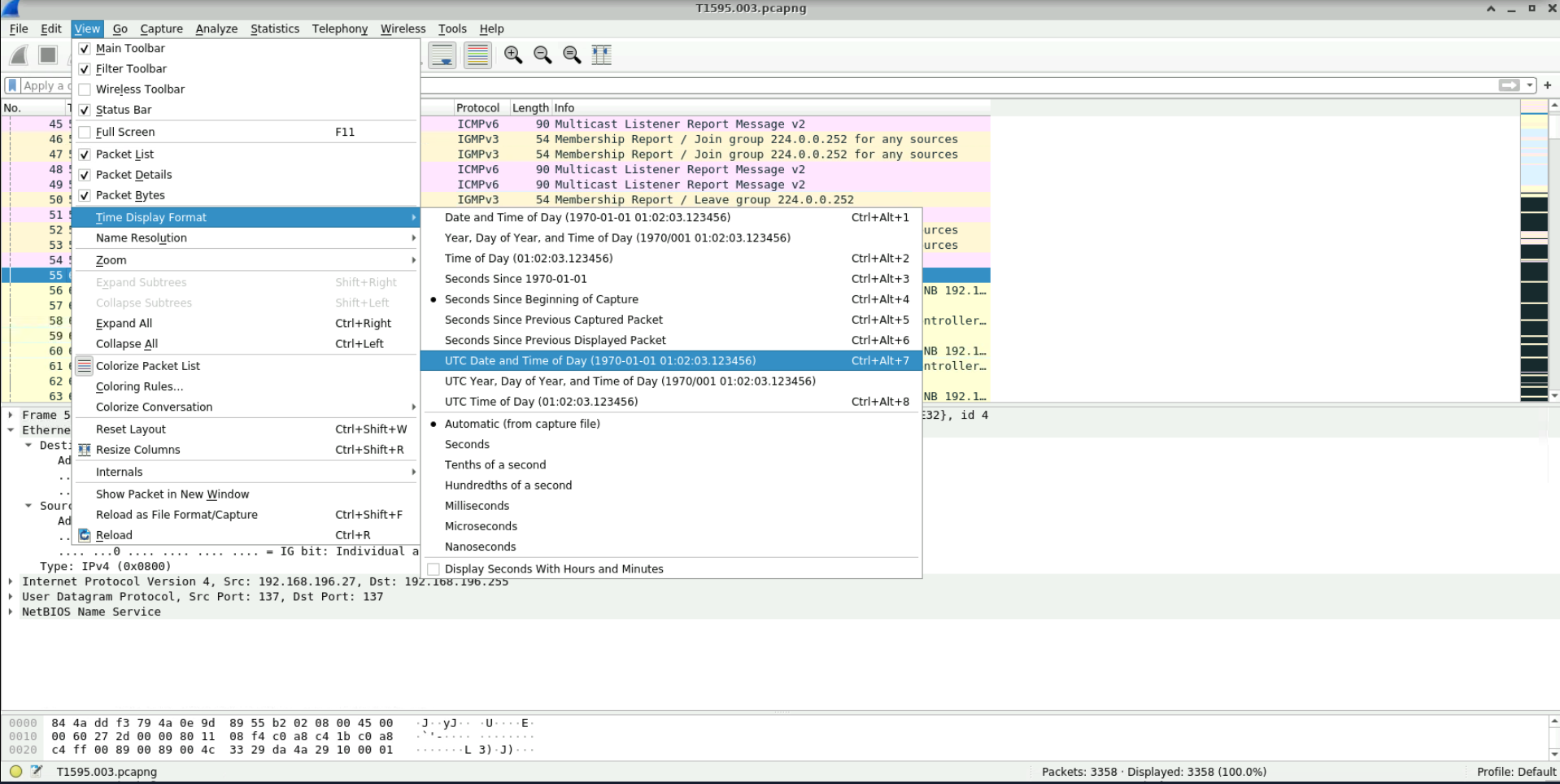
After doing that, we can clearly see the time:
-
What is the range of the targeted network IP addresses?
Looking back at the endpoint data, we can see that the attackers were targeting the 192.168.196.0/24 subnet.
-
What are the port numbers targeted by the attacker?
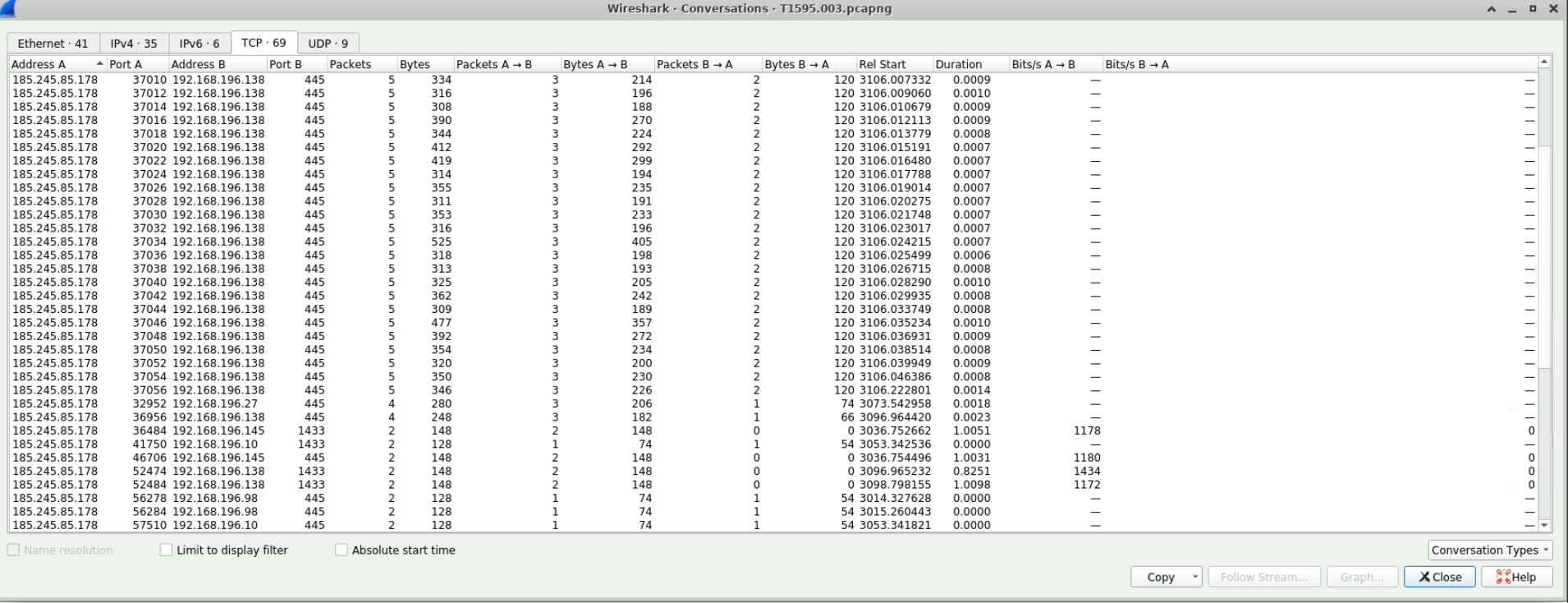
Looking at the statistics in the TCP tab, we can see multiple references to 445 and 1433 in the IP range we saw in the last question.
-
What is the country where the attacker is located?
We're looking for the country associated with 185.245.85.178. We could search online for it, but we can also just find it in the statistics tab for IPv4. The attacker is from Slovakia.
-
What is the name of the Threat Actor with which this technique is associated?
Plugging the IP into VirusTotal and looking in the Community Tab, we can see that this IP is associated with
APT28.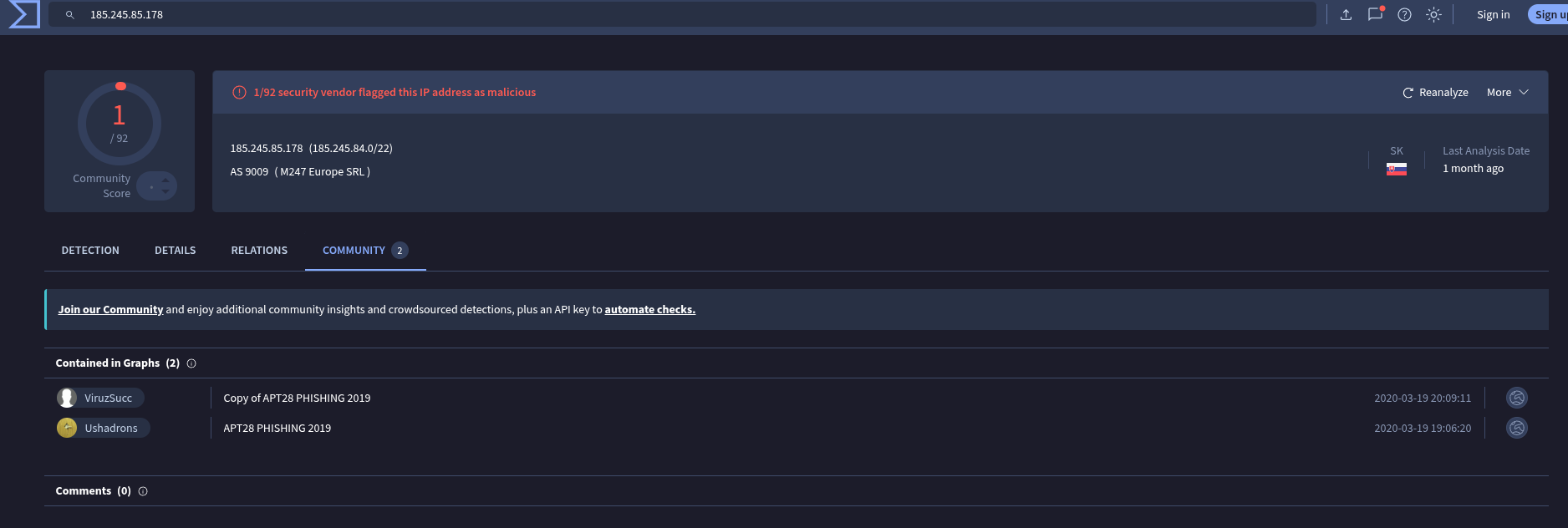
Conclusion
I found this lab kinda rough around the edges, but with some good questions, that lead to a better understanding on how to filter and get data from Wireshark.
Thanks for reading,
Bernardo