CyberDefenders - BYOD Breach
BYOD Defenders Walkthrough
Intro Text
The SOC team detected malicious activity involving an employee who uses his personal Android device under the company's BYOD policy. The employee reported recently installing what appeared to be a legitimate financial application after being contacted on social media.
Initial triage indicates the incident may involve both the employee's personal device and corporate assets, with signs of potential data exfiltration. The timeline suggests the attack may have originated from the mobile device before affecting company resources.
You have been provided with data from both the Android device and Windows workstation. Your mission is to reconstruct the complete attack chain, identify all malicious components, and determine the full scope of the compromise. Splunk Credentials:
User: student Password: CyDefStudent
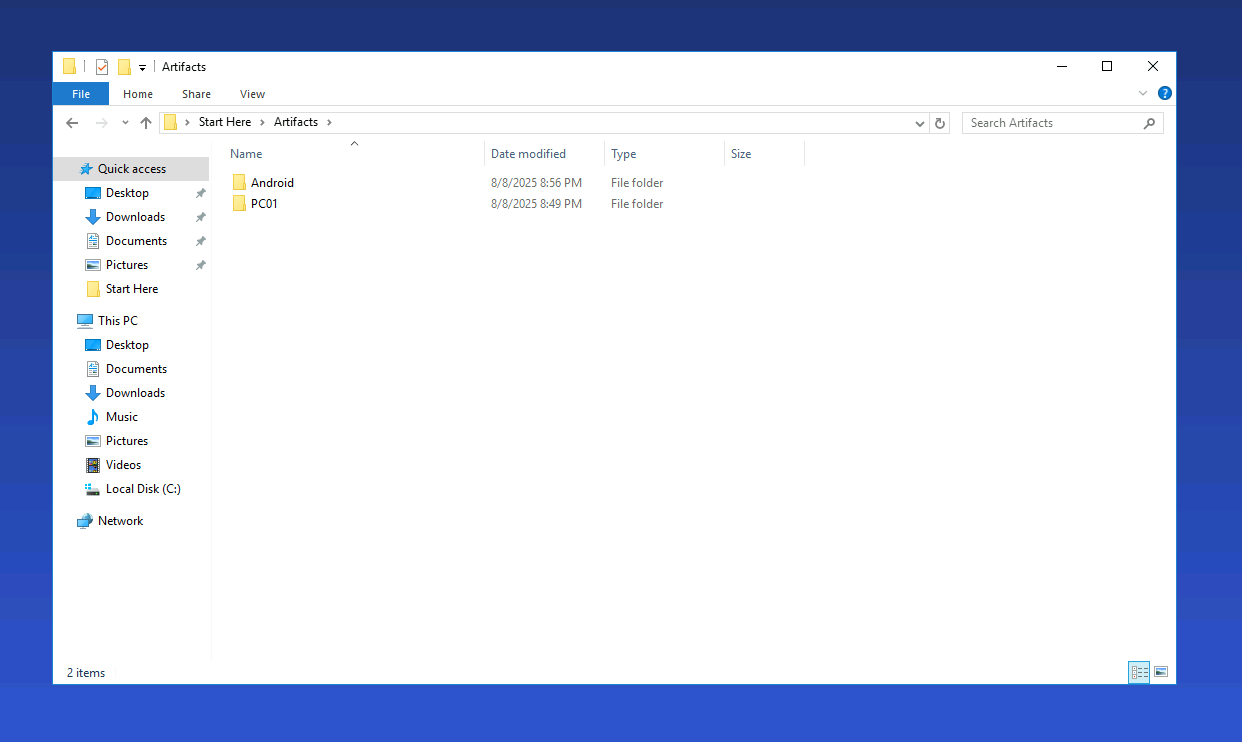
Pretty simple introduction, we can start by locating the artifacts that we were left with to carry out our investigation, we can see that we have an Android Image and a computer image.
Initial Access
- The threat actor used Discord to conduct a phishing campaign and deliver a malicious application by sending phishing messages to its victims. What is the timestamp when the first phishing message was sent to the victim? (in UTC)
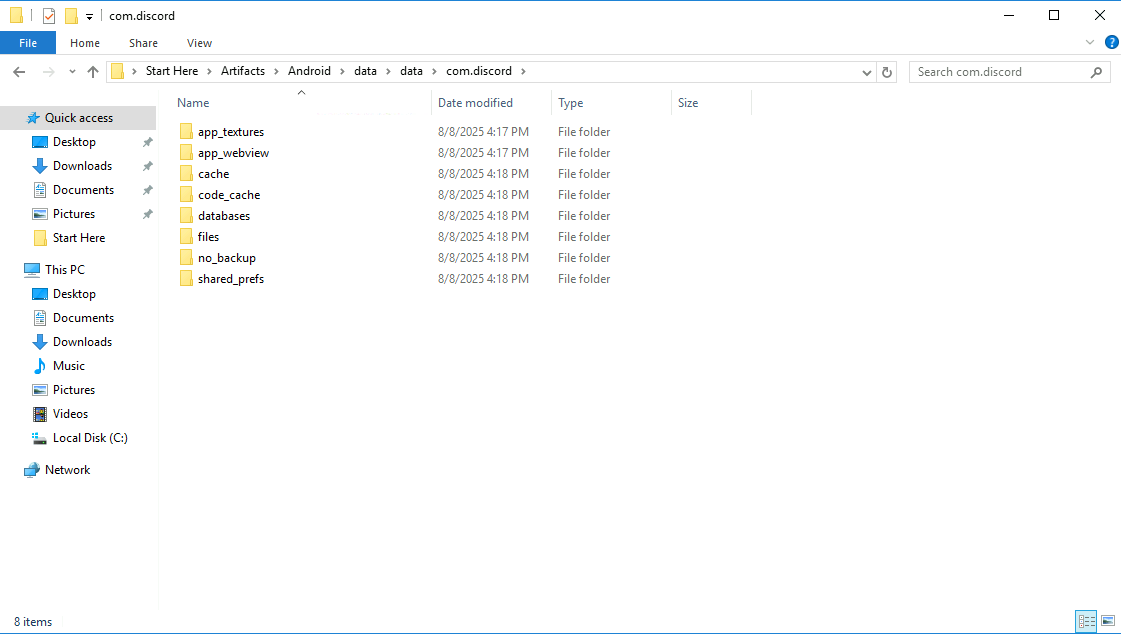
Let's dig into the the Android data, and find the data associated with Discord. Application data usually resides inside the data/data directory, and we can see that discord is indeed found there.
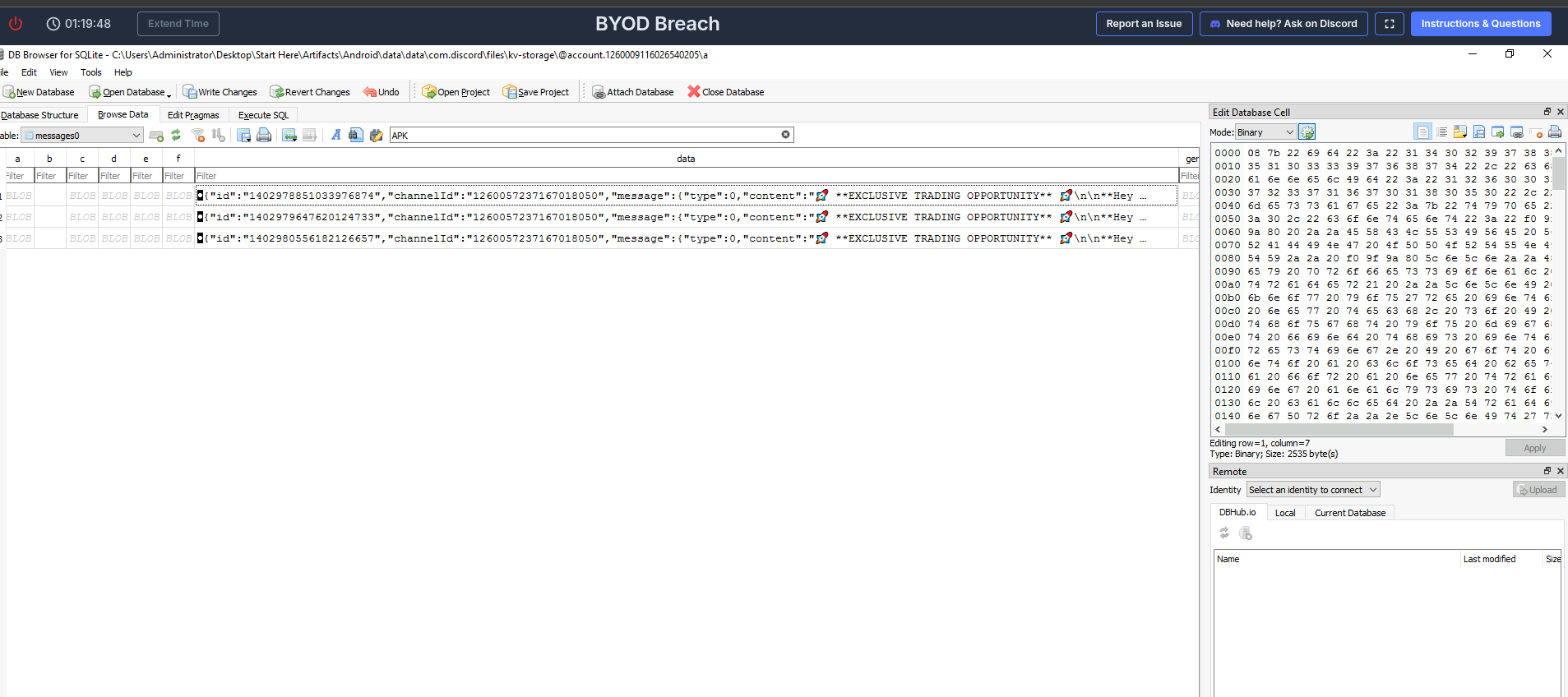
After poking around, we can find an sqlite database which contains the Discord messages stored on the device, and filtering those by the string "APK" we can find 3 results:
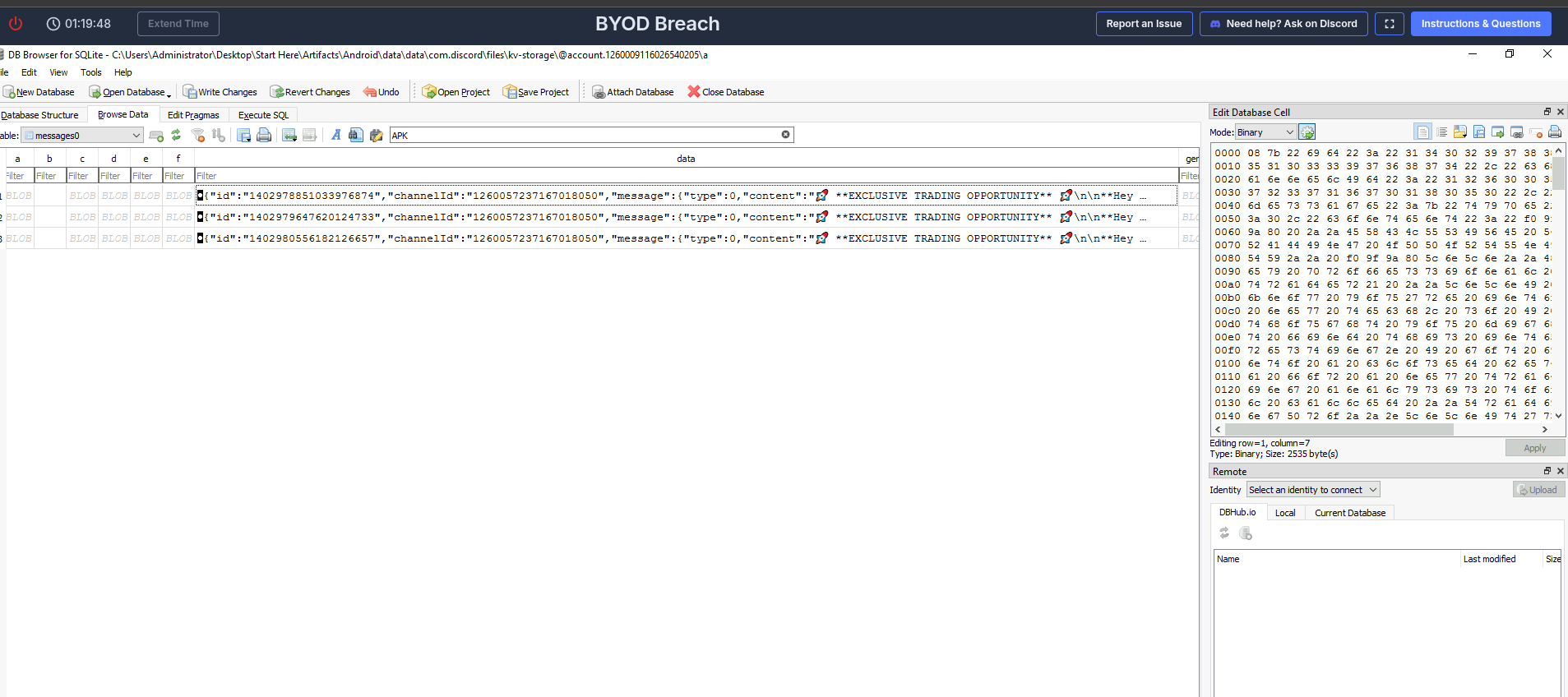
We can copy the data of the first row to read the JSON formatted message and metadata clearly, and we can read the message, promising riches to those who install a new application which is not available in the Play Store (🚩🚩🚩) . We can also see the message timestamp on the metadata ().
{"id":"1402978851033976874","channelId":"1260057237167018050","message":{"type":0,"content":"🚀 **EXCLUSIVE TRADING OPPORTUNITY** 🚀\n\n**Hey professional trader! **\n\nI know you're into new tech, so I thought you might find this interesting. I got into a closed beta for a new trading analysis tool called **TradingPro**.\n\nIt's not an auto-trader, but more of an AI-powered signal generator. It scans market data (stocks and crypto) and flags potential entry and exit points based on its algorithms. The idea is to help you spot opportunities you might otherwise miss.\n\nI've been using it to supplement my own research for a few weeks, and some of its calls have been impressively accurate. It's still a bit rough around the edges (it's a beta, after all), but the core tech seems really promising.\n\nThe dev team gave beta users a few invite codes to share for feedback before the public launch. The invite gives you free access for 6 months.\n\nHere’s my invite link if you want to check it out:\n[TradingPro.apk](https://download947.mediafire.com/ksko53k8zbnghfi24VNm5LrQVL9K7xDvwGUqblir8x6pGn5dTbqWWDvCxh0g_8Cgl745u5I7tXwjexpUs5yD_VPayF3gO5pJCqz_LRUGYTLGMrqj9iYQ3TQHg50UGG2BpGRN82SZomhRaRGv2j362rdIPoVAKnoU36smiys66oqKeT4/2ofb3adsq2qojdf/TradingPro.apk)\n\nCode: TradingPro_Beta8516584655\n\n(You have to sideload the APK on Android since it's not on the Play Store yet. Let me know what you think if you try it out).","mentions":[],"mention_roles":[],"attachments":[],"embeds":[],"timestamp":"2025-08-07T11:37:04.173000+00:00","edited_timestamp":null,"flags":0,"components":[],"id":"1402978851033976874","channel_id":"1260057237167018050","author":{"id":"1259338416290795682","username":"tradingpro9_","avatar":"d3a7da8f180e0087b33d91b828223b30","discriminator":"0","flags":0,"banner":null,"accent_color":null,"collectibles":null,"display_name_styles":null,"clan":null,"primary_guild":null,"(...)
}
Execution
- The victim fell for the phishing campaign and installed the malicious application on his device. What is the package name of this malicious application?
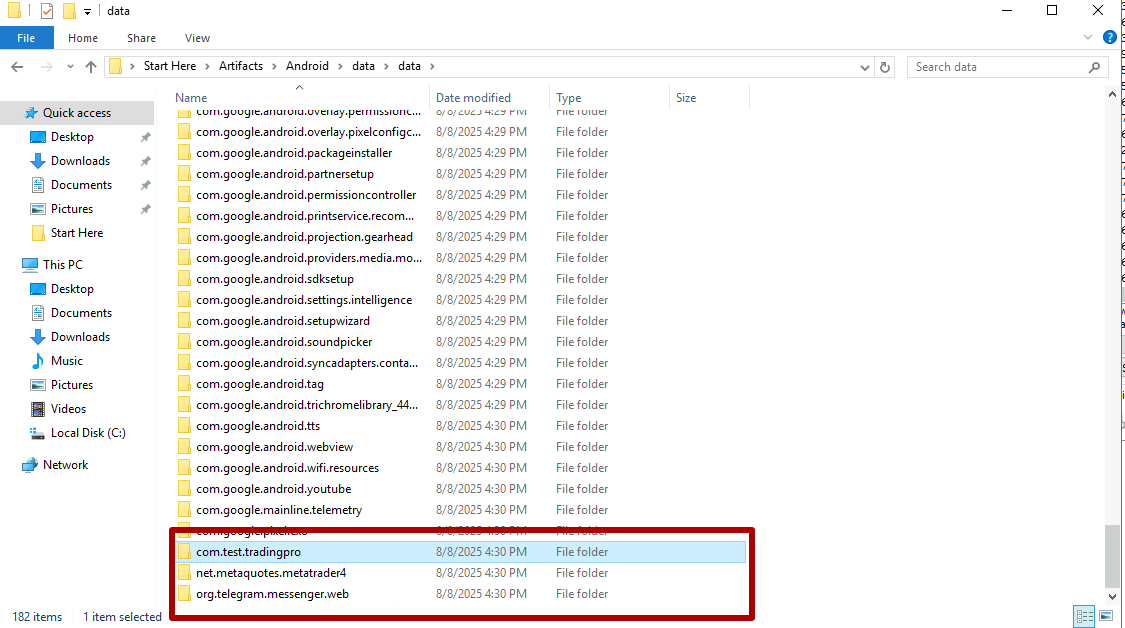
Using the Trading Pro name suggested by the Discord message, we can search the data/data directory for a package name similar to it.
These three bottom ones look particularly suspicious.Telegram by itself doesn't mean much, but it's rare that you see it without it being used in a not nefarious way. The answer they are looking for is com.test.tradingpro.
- When was the malicious application first installed on the device? (in UTC)?
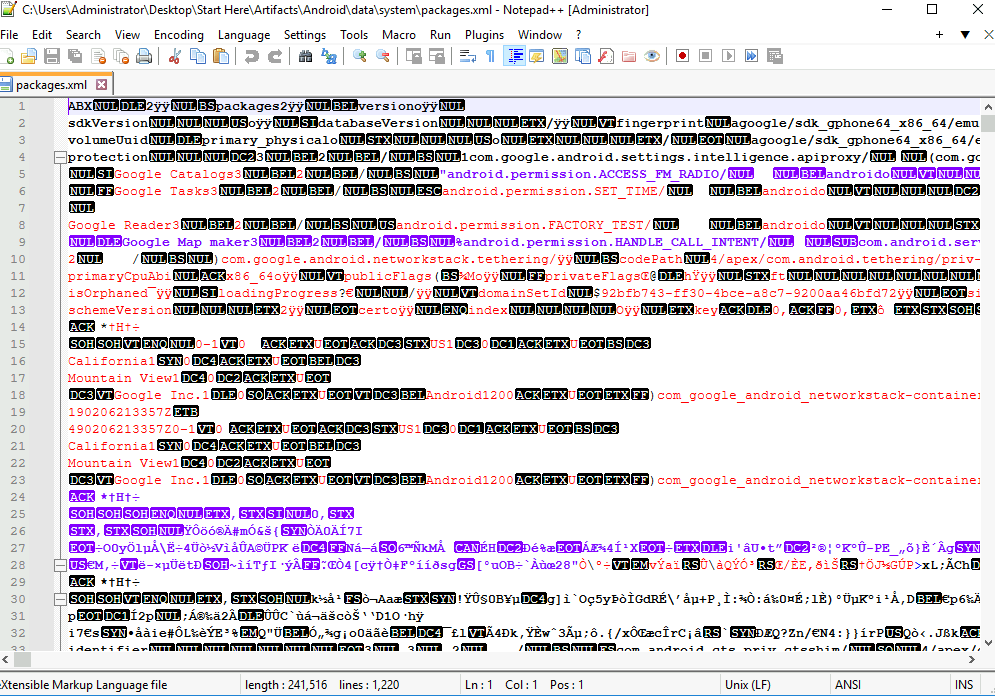
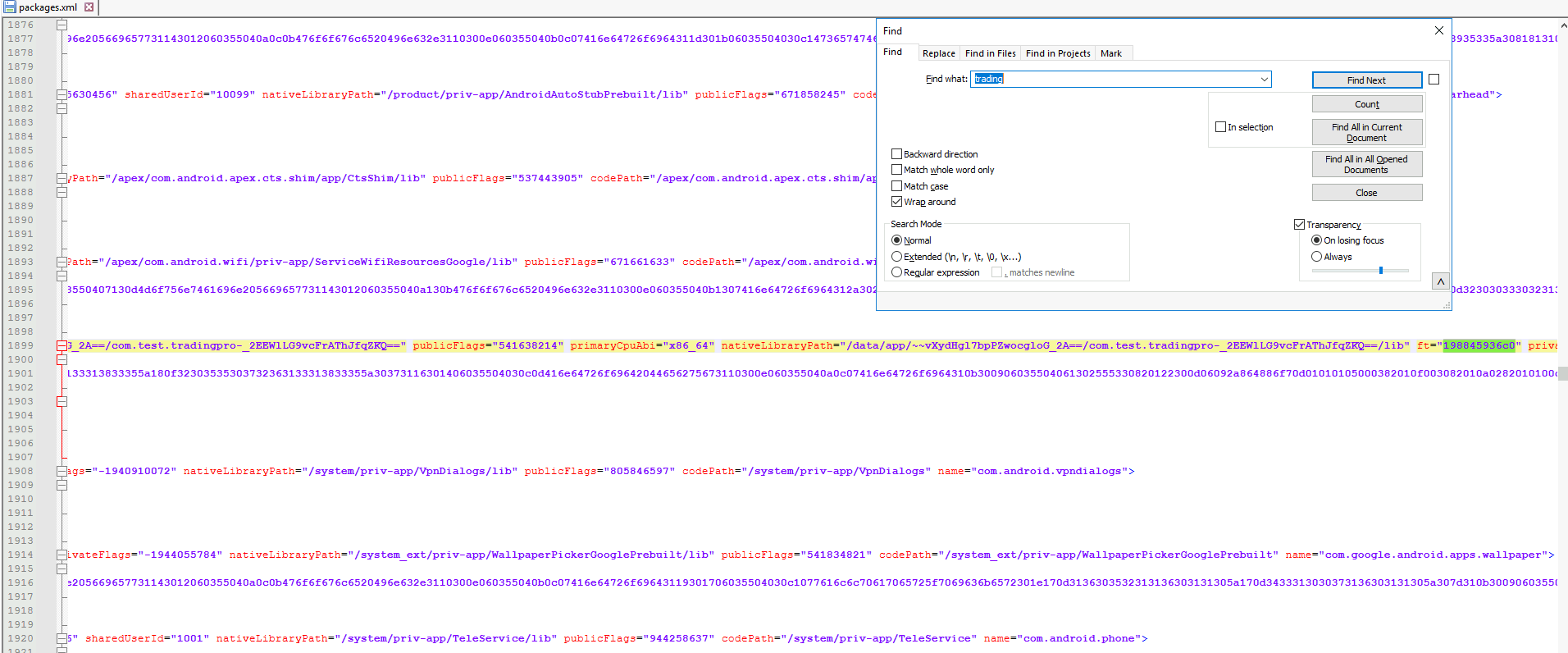
We can find out the the application was installed by analysing the packages.xml file, which we can find in the data/system folder. The file is ABX encoded by default (Android Binary XML), so we need to decode it using abx2xml.
This can be done like so:
PS C:\Users\Administrator\Desktop\Start Here\Tools\Mobile Forensics> .\abx2xml.exe ..\..\Artifacts\Android\data\system\p
ackages.xml
Successfully converted ..\..\Artifacts\Android\data\system\packages.xml to ..\..\Artifacts\Android\data\system\packages.
xml
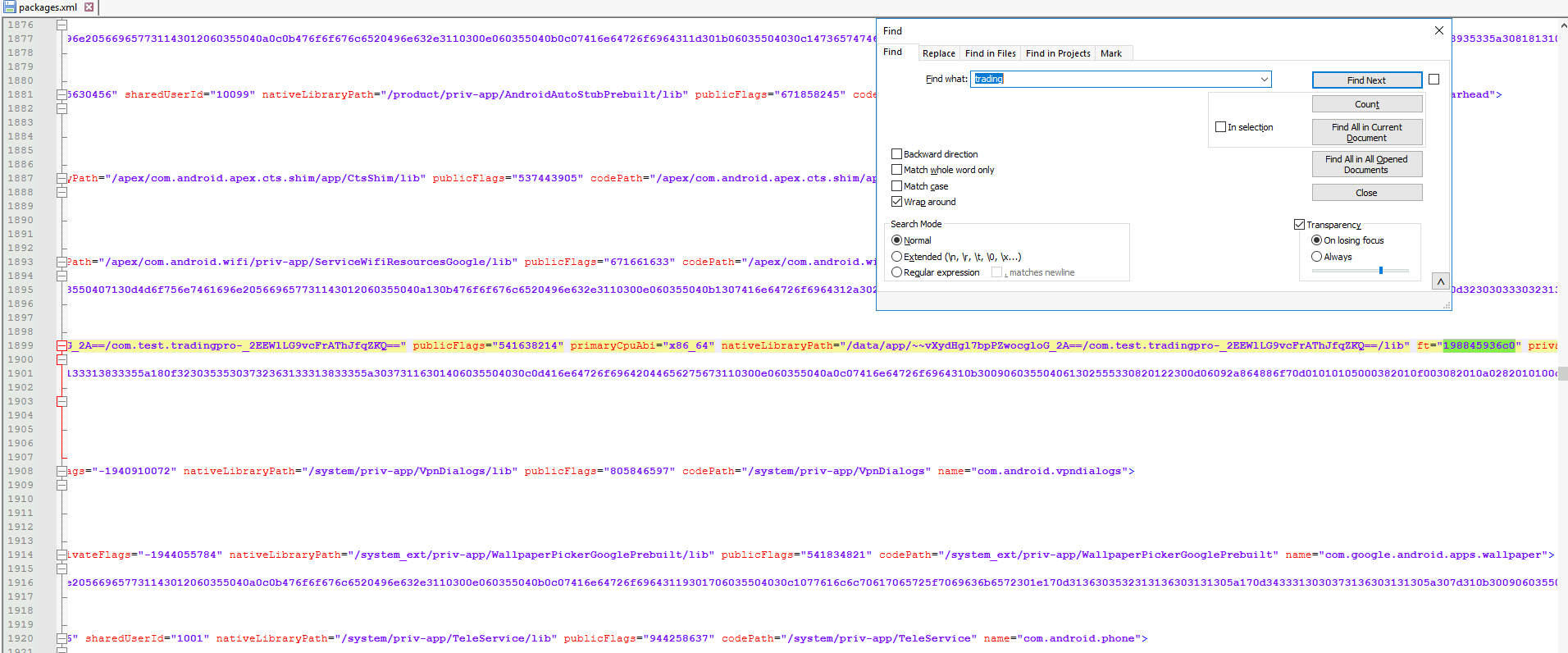
According to the data I found in this cheat-sheet, the ft field has the time when the application was last changed, which in our case should be the install time.
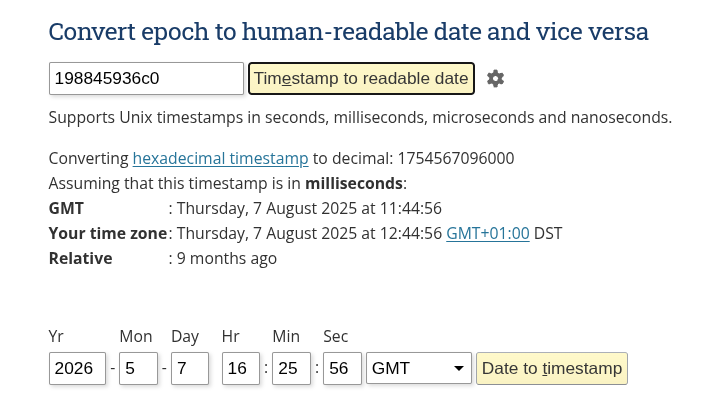
The data is represented as an UNIX timestamp 198845936c0, which we can use an online tool to decode into an human-readable UTC timestamp. So the timestamp would be 2025-08-07 11:44.
- The application registers an Accessibility Service to read sensitive on-screen content. What specific permission does the malware request to enable this capability?
In the data we observed for the last question, we could find the code path for the malicious application, so we can just find the application and open it in JADX.
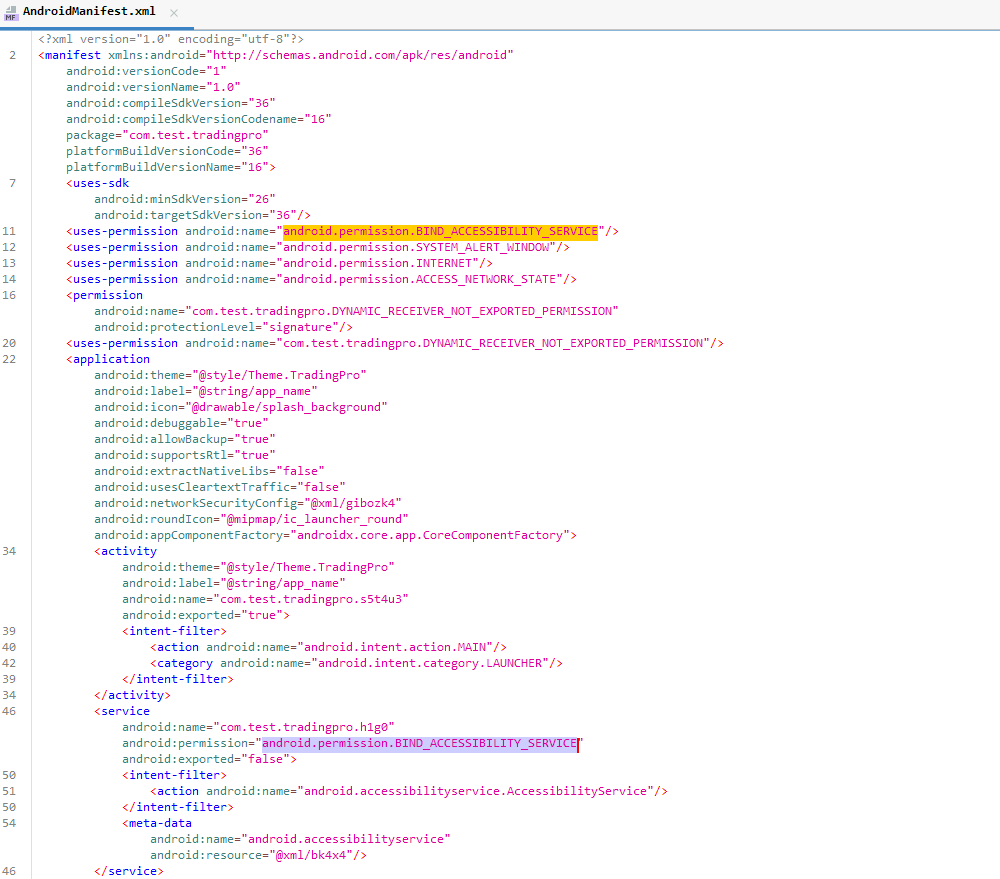
Inside the ApplicationManifest.xml file, we can see which permissions the app requests, the first one being android.permission.BIND_ACCESSIBILITY_SERVICE, which is the answer we are looking for.
Discovery
- The malware searches for remote desktop applications on the device to steal connection metadata. What is the package name of the targeted remote desktop application found on the victim’s device?
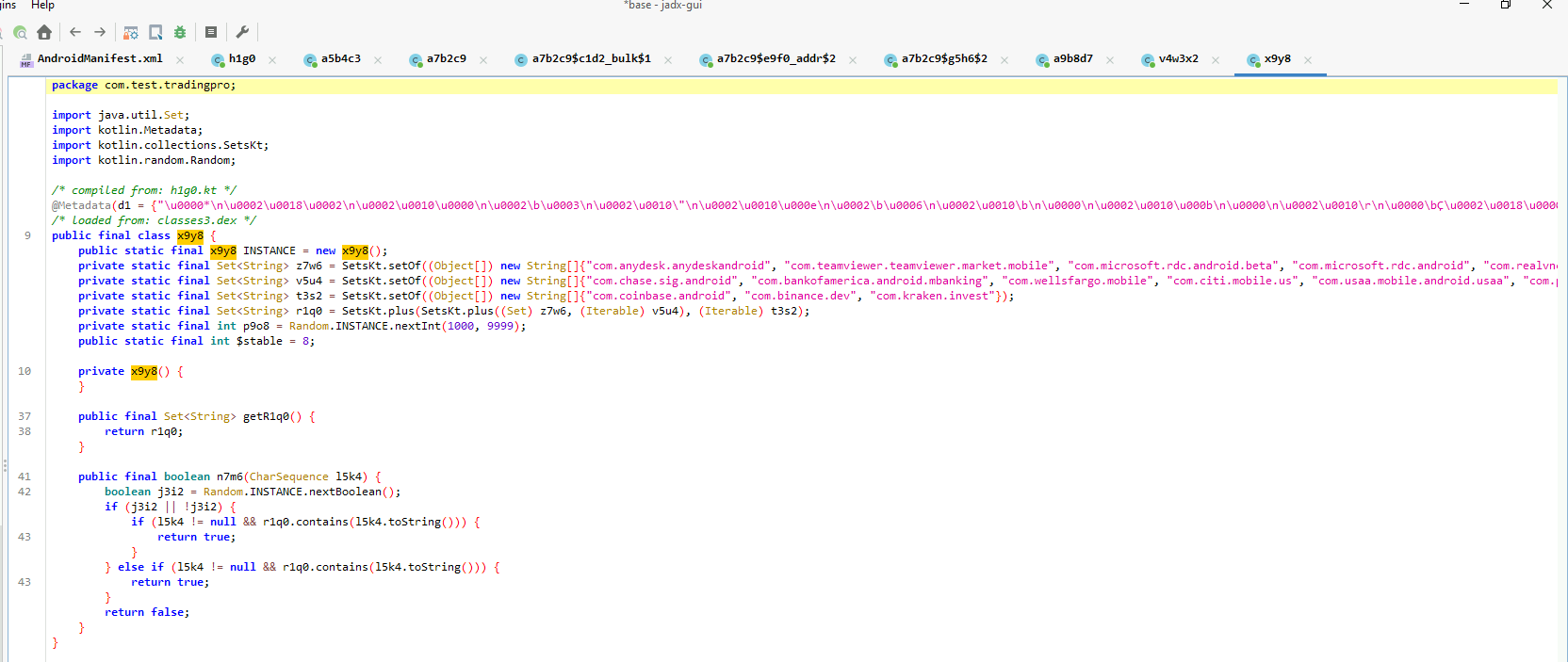
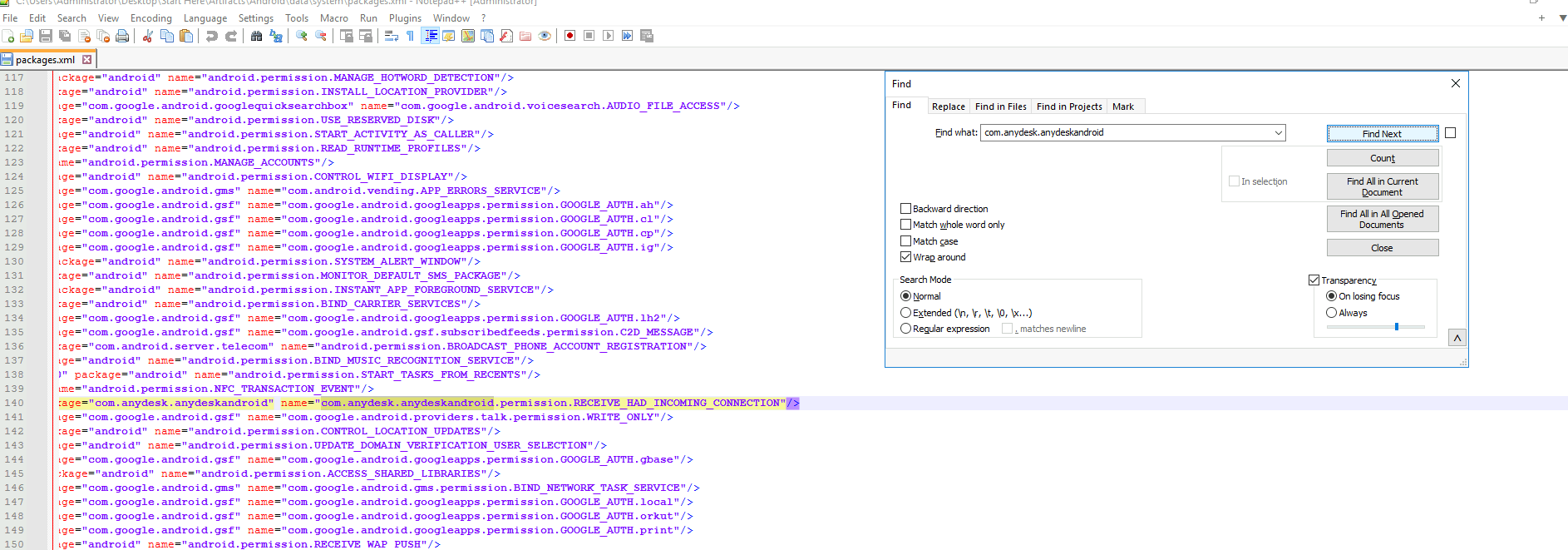
Poking around the decompiled app, we can find a file containing lists of applications, the first one being com.anydesk.anydeskandroid, which can also be found in the `packages.xml
file.
So from that, we can tell that the malware was able to find this application and try to use any data pertaining to it.
Exfiltration
- The malicious application sends harvested data to an exfiltration server. What IP address does it contact for exfiltration?
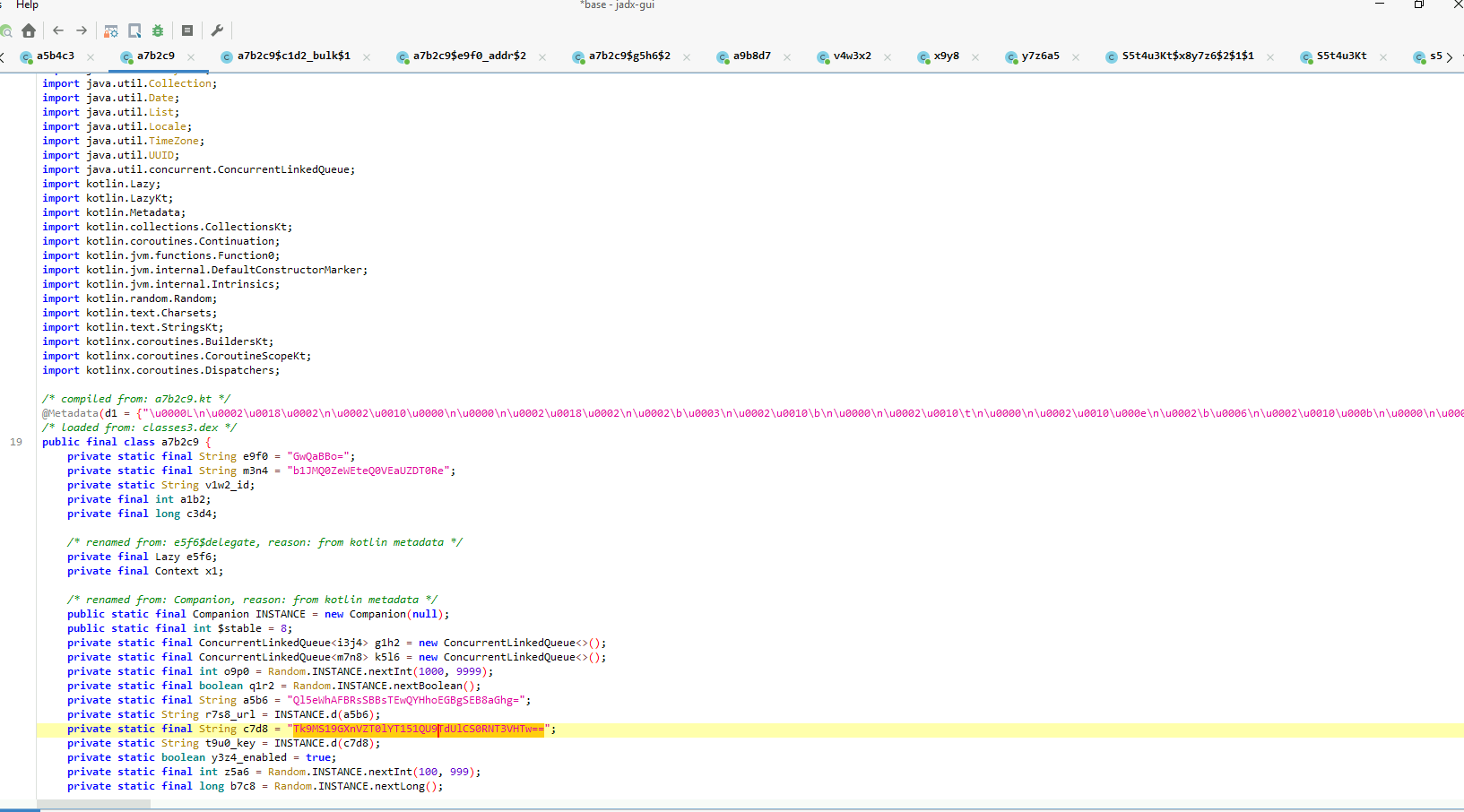
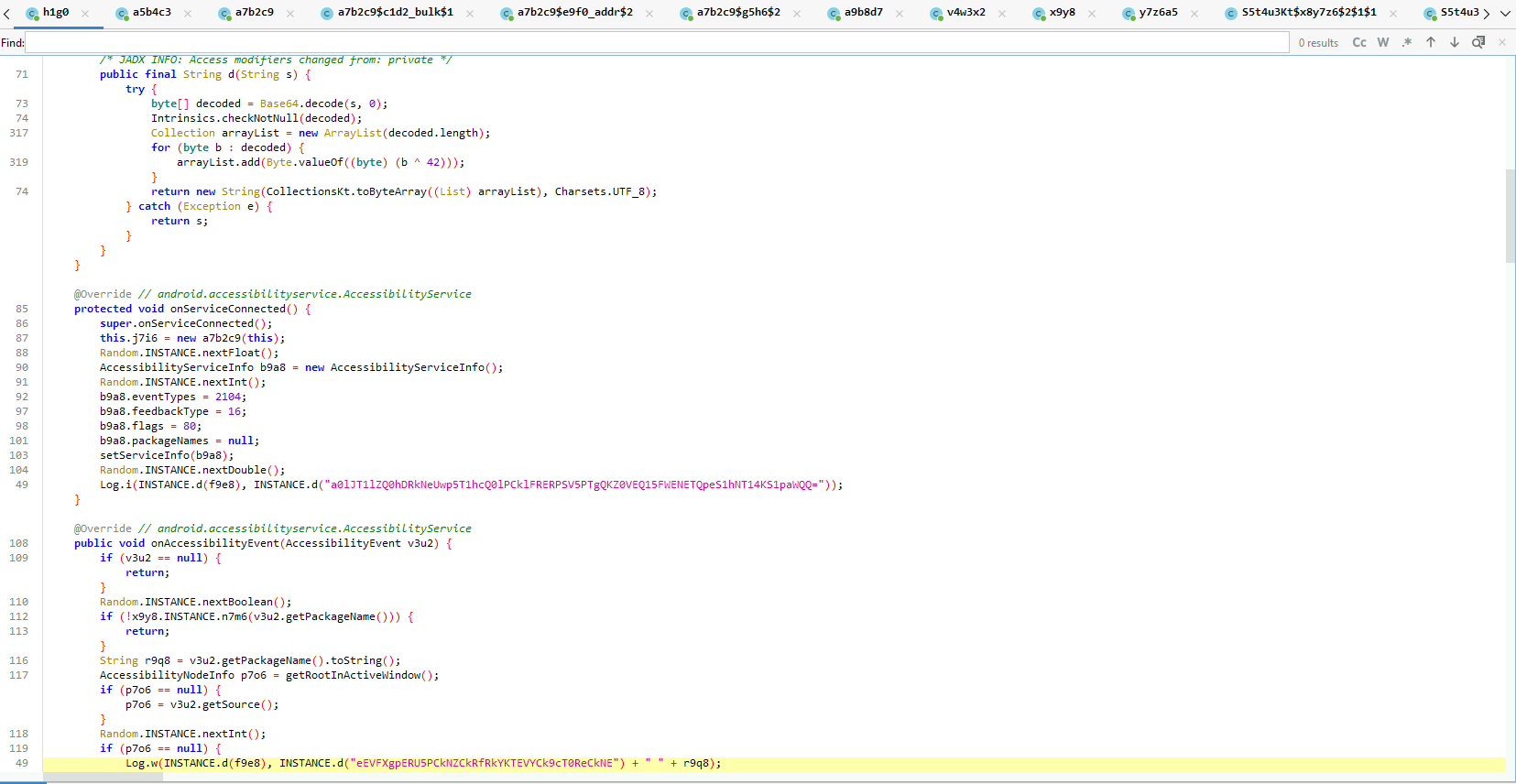
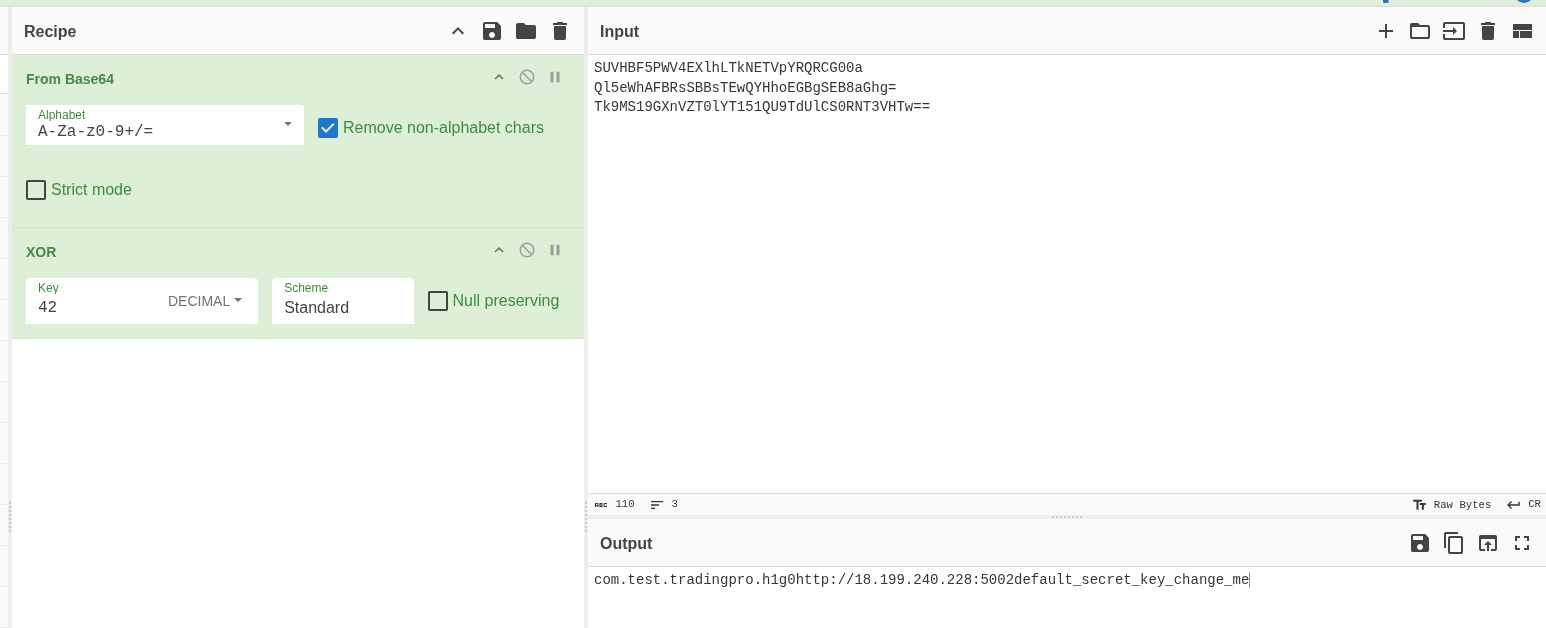
In the h1g0 file, we can find a bunch of strings that look Base64 encoded. If we try to decode them, all we get is a jumbled mess, but by looking further into the code, we can see that the data is supposed to be Base64 decoded and then XOR encoded with the 42 value.
	        /* JADX INFO: Access modifiers changed from: private */
        public final String d(String s) {
            try {
                byte[] decoded = Base64.decode(s, 0);
                Intrinsics.checkNotNull(decoded);
                Collection arrayList = new ArrayList(decoded.length);
                for (byte b : decoded) {
                    arrayList.add(Byte.valueOf((byte) (b ^ 42)));
                }
                return new String(CollectionsKt.toByteArray((List) arrayList), Charsets.UTF_8);
            } catch (Exception e) {
                return s;
            }
        }
The IP Address we want isn't found in the same file, but in one of the other decoded files. The address the application tries to connect itself to is http://18.199.240.228:5002
Lateral Movement
- Using the exfiltrated data, the threat actor connected to the corporate workstation through AnyDesk. What is the AnyDesk connection address of the compromised Windows host?
Now we move from the Android data into the Windows Host data. Looking into the AnyDesk data on the PC, we can find the Id in the
system.conffile.
- When did the threat actor first connect to the corporate Windows host? (in UTC)
By looking into the ad_svc.trace file, we can find a lot of connections, and looking into the ones happening in the 7th of August, we can find the following connection, starting at 2025-08-07 12:50 (Full disclosure, I tried some of the other connections first, not completely sure why this one was the one).