CyberDefenders - MeteorHit / Indra Lab
Reconstruct a wiper malware attack by analyzing registry, event logs, and USN journal artifacts using Registry Explorer, Event Log Explorer, and VirusTotal.
Intro Text
A critical network infrastructure has encountered significant operational disruptions, leading to system outages and compromised machines. Public message boards displayed politically charged messages, and several systems were wiped, causing widespread service failures. Initial investigations reveal that attackers compromised the Active Directory (AD) system and deployed wiper malware across multiple machines.
Fortunately, during the attack, an alert employee noticed suspicious activity and immediately powered down several key systems, preventing the malware from completing its wipe across the entire network. However, the damage has already been done, and your team has been tasked with investigating the extent of the compromise.
You have been provided with forensic artifacts collected via KAPE SANS Triage from one of the affected machines to determine how the attackers gained access, the scope of the malware's deployment, and what critical systems or data were impacted before the shutdown.
Link to lab: https://cyberdefenders.org/blueteam-ctf-challenges/meteorhit-indra/
Questions
-
The attack began with using a Group Policy Object (GPO) to execute a malicious batch file. What is the name of the malicious GPO responsible for initiating the attack by running a script?
To uncover the name of the malicious GPO, we can use Registry Explorer and look into the start-up scripts configured using GPOs, and we can find that
DeploySetupis the name of the malicious GPO.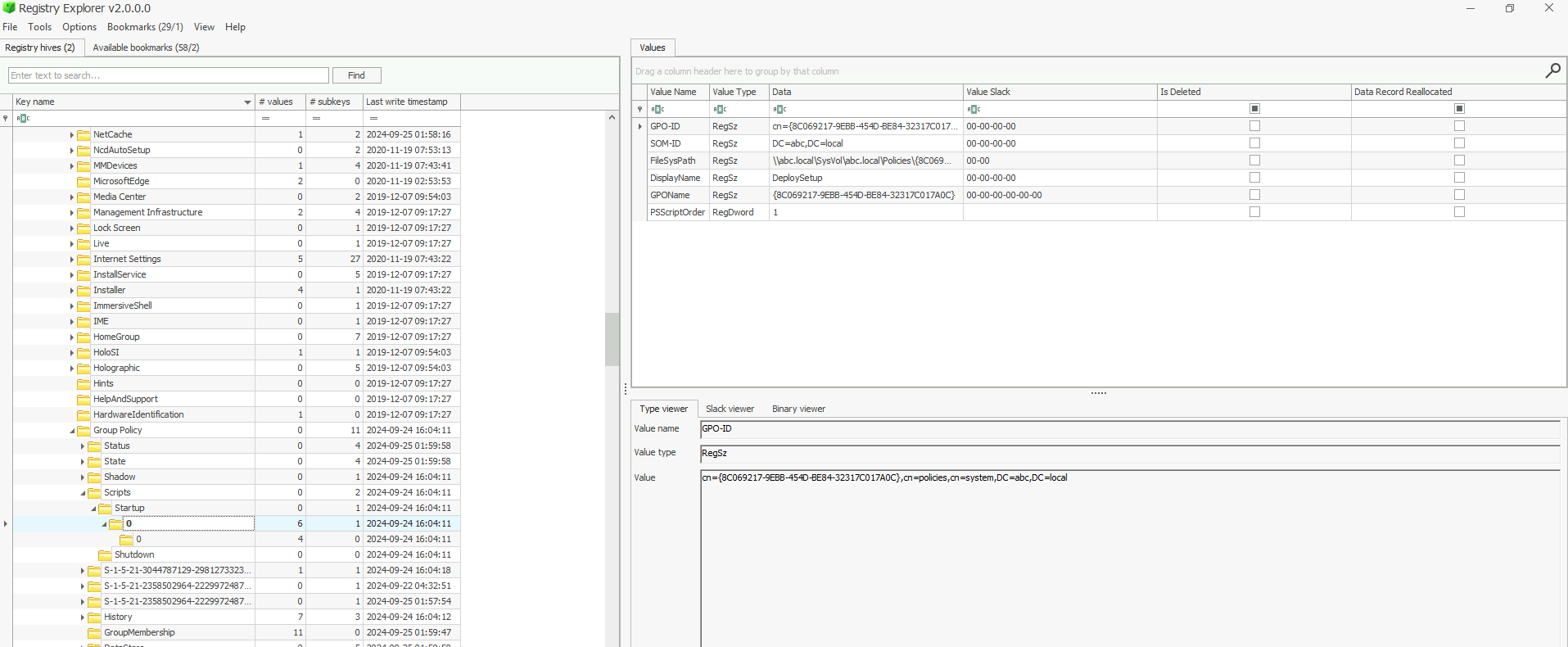
-
During the investigation, a specific file containing critical components necessary for the later stages of the attack was found on the system. This file, expanded using a built-in tool, played a crucial role in staging the malware. What is the name of the file, and where was it located on the system? Please provide the full file path.
To answer this question, I used Event Log Explorer, like the official walkthrough uses. I had never used this tool, but as far as I can tell, it's basically Windows Event Viewer but good 😭. Doing a Ctrl-F for "expand", we can find the file we want being expanded:
C:\ProgramData\Microsoft\env\env.cab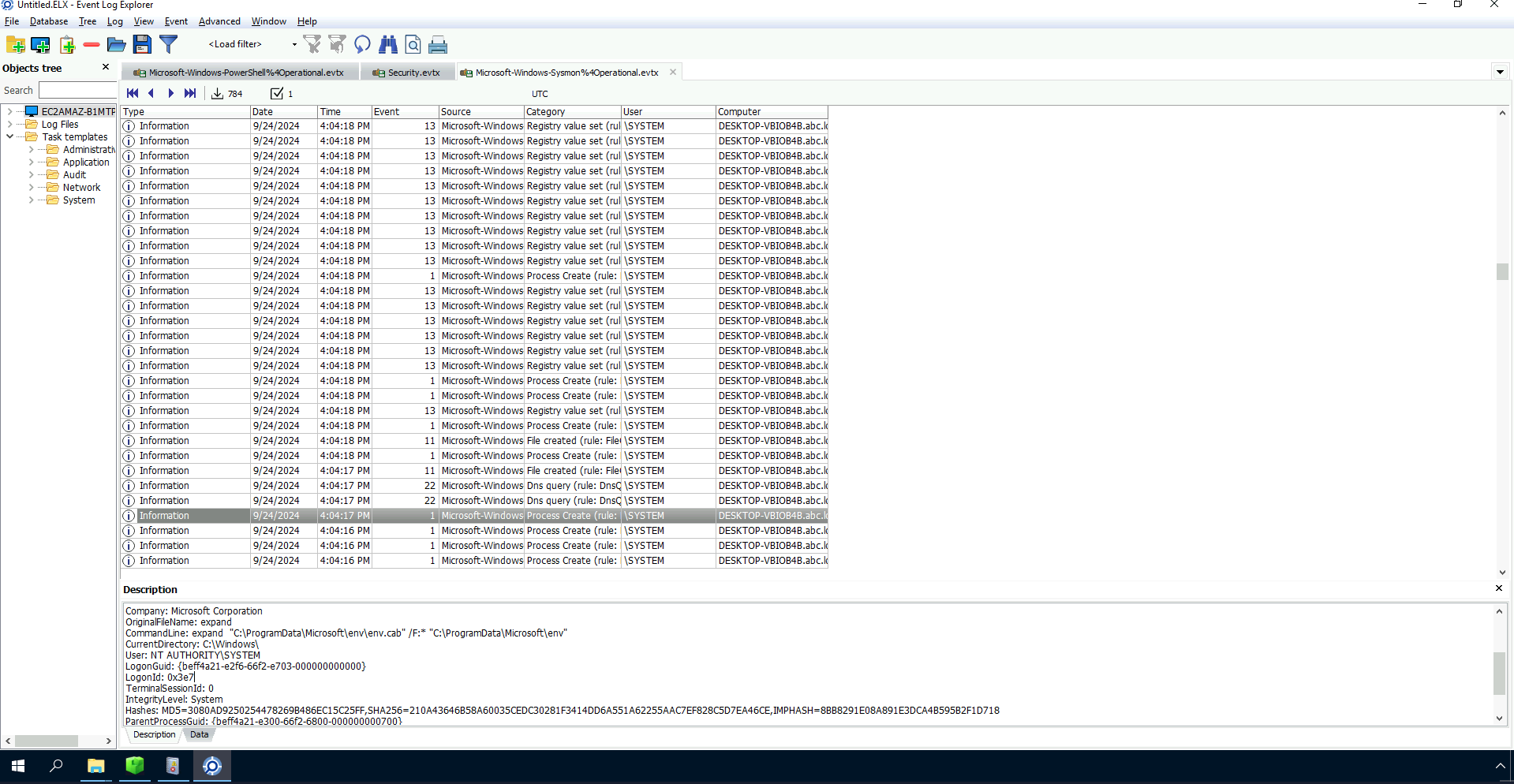
-
The attacker employed password-protected archives to conceal malicious files, making it important to uncover the password used for extraction. Identifying this password is key to accessing the contents and analyzing the attack further. What is the password used to extract the malicious files?
Hitting up a few times, we can see a rar file being extracted almost immediatly after the expanding of the archive, and we can see the command line parameters including the password
CommandLine: "Rar.exe" x "C:\ProgramData\Microsoft\env\programs.rar" -phackemall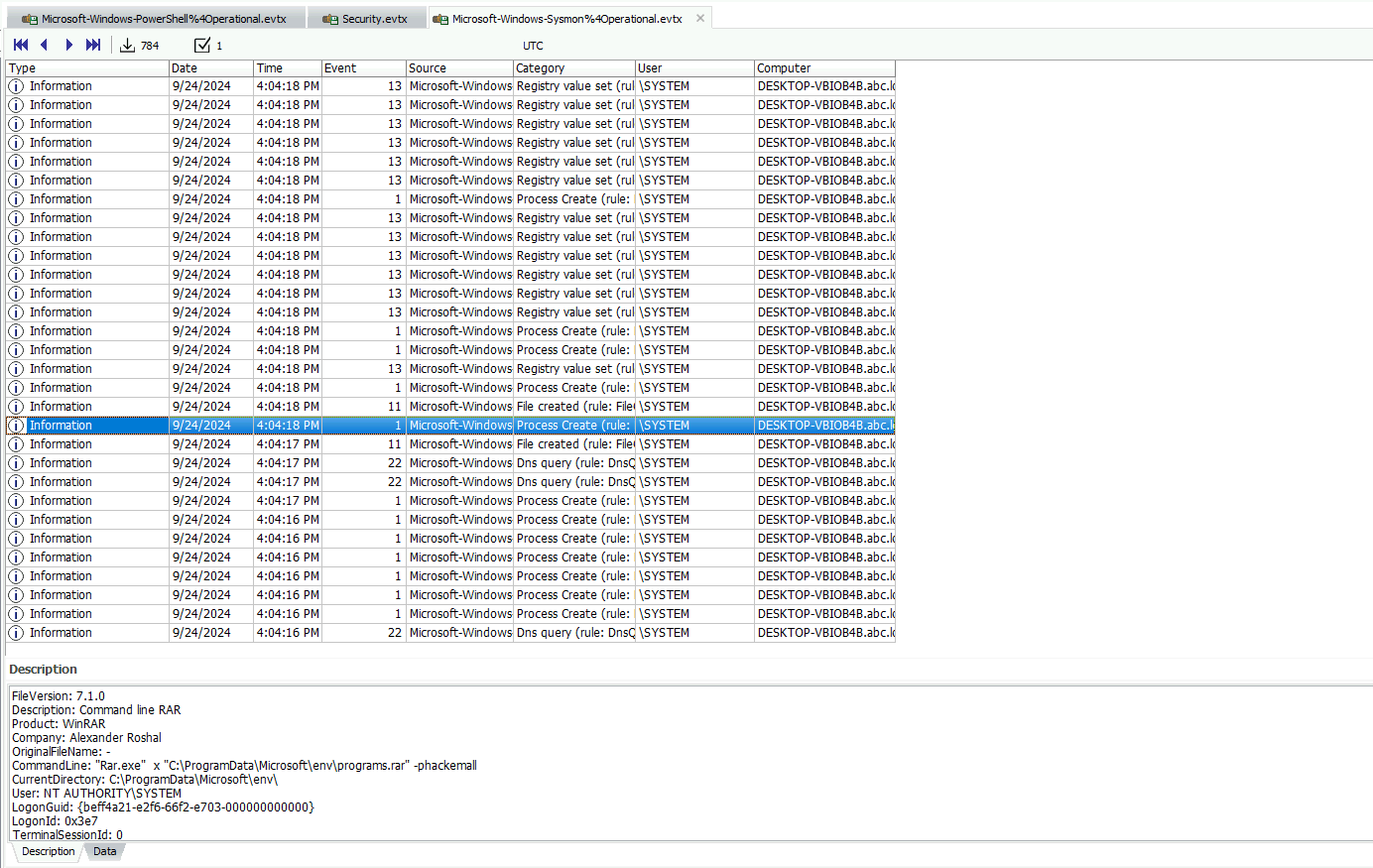
-
Several commands were executed to add exclusions to Windows Defender, preventing it from scanning specific files. This behavior is commonly used by attackers to ensure that malicious files are not detected by the system's built-in antivirus. Tracking these exclusion commands is crucial for identifying which files have been protected from antivirus scans. What is the name of the first file added to the Windows Defender exclusion list?
Because the last question's solution was so good, I went ahead and did it again, only this time I had to hit up a few more times 😅. But this method was good to have a little understanding of how the exploit works, at least at a high-level. Eventually we come to a powershell proccess being created with
powershell -Command "Add-MpPreference -Force -ExclusionPath '"C:\ProgramData\Microsoft\env"\update.bat'", so we can see thatupdate.batis the first file being added to the Windows Defender exclusion list. If we keep going, we can see that it also addsRar.exeto the exclusion list afterwards.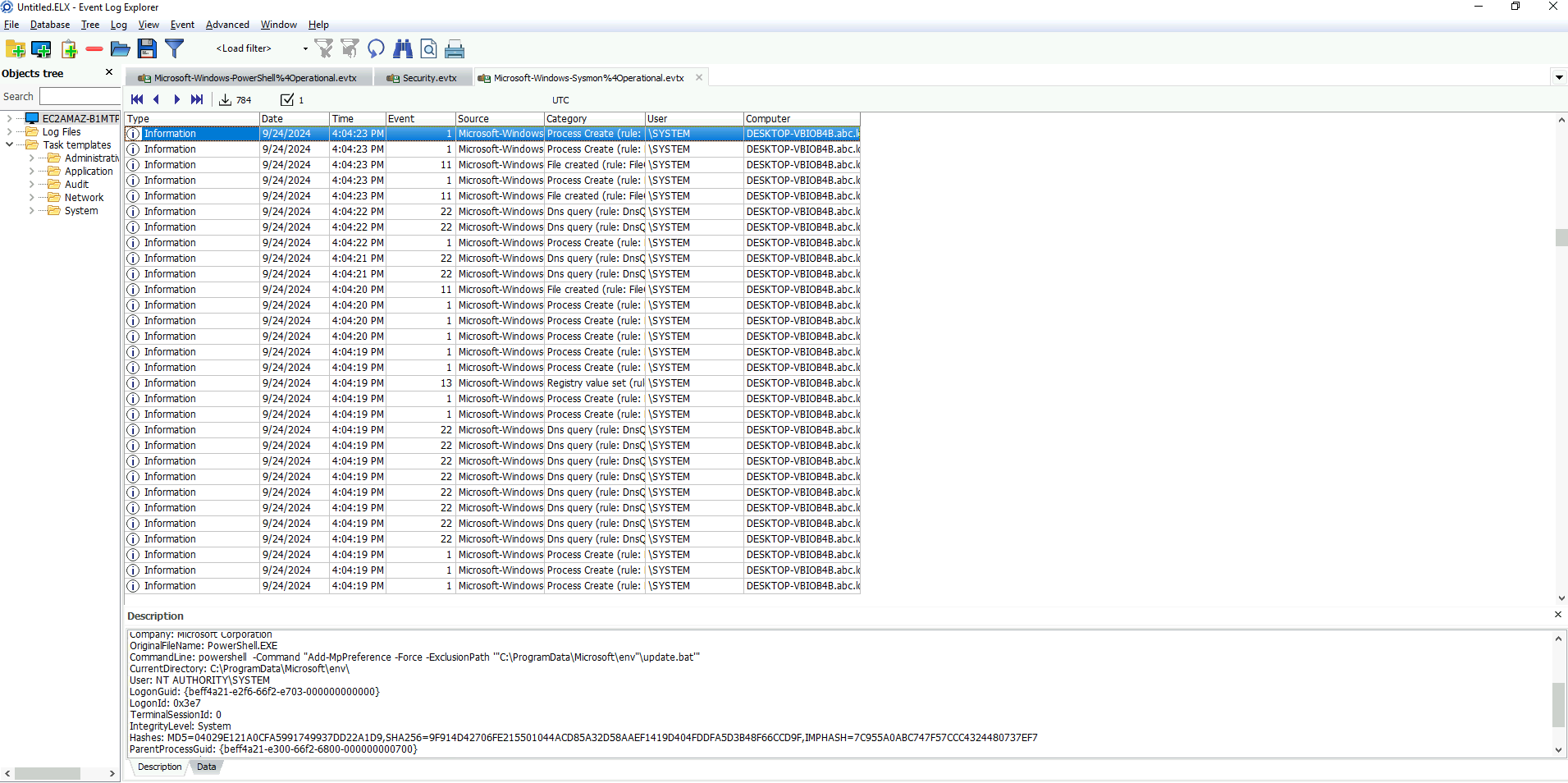
-
A scheduled task has been configured to execute a file after a set delay. Understanding this delay is important for investigating the timing of potential malicious activity. How many seconds after the task creation time is it scheduled to run?
Keeping up the same method, we can go up until we find a
schtasks.exeprocess being created, with the following command line arguments:schtasks /CREATE /SC ONCE /ST 09:08:13 /TN "mstask" /RL HIGHEST /RU SYSTEM /TR "\""C:\ProgramData\Microsoft\env\env.exe"\" C:\temp\msconf.conf, we can get the time from comparing the time, or by simply analysing the powershell command being ran just before this program, which just adds 3.5 minutes to the current time :grin: (powershell -command "(Get-Date).AddMinutes(3.5).ToString('HH:mm:ss')").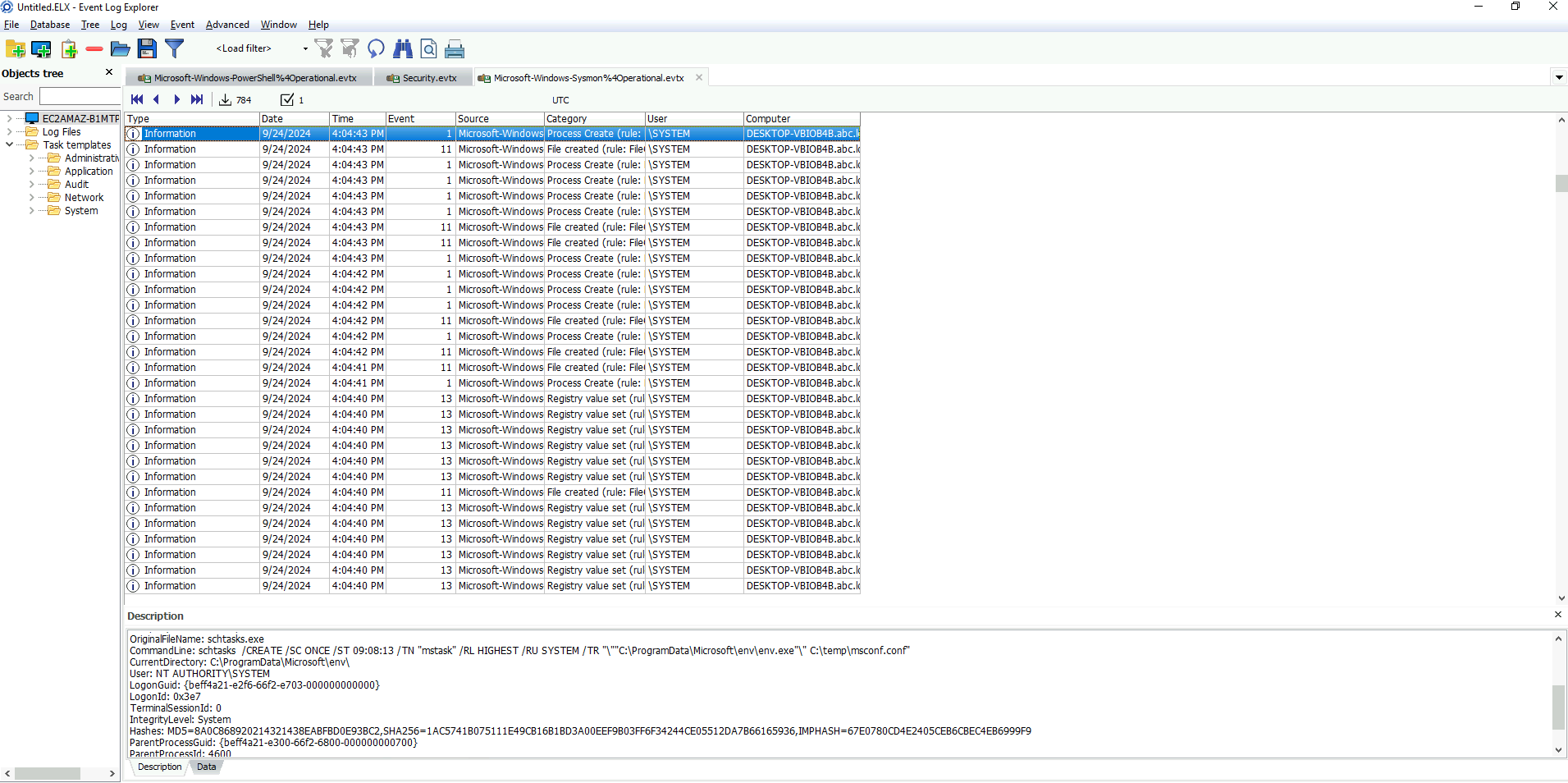
-
After the malware execution, the wmic utility was used to unjoin the computer system from a domain or workgroup. Tracking this operation is essential for identifying system reconfigurations or unauthorized changes. What is the Process ID (PID) of the utility responsible for performing this action?
For this one, I gave up the up-arrow, and simply ctrl-F'd for
wmic.exe, and we can quickly find the log containing the relevant information, for our purposes, the PID of wmic is 7492.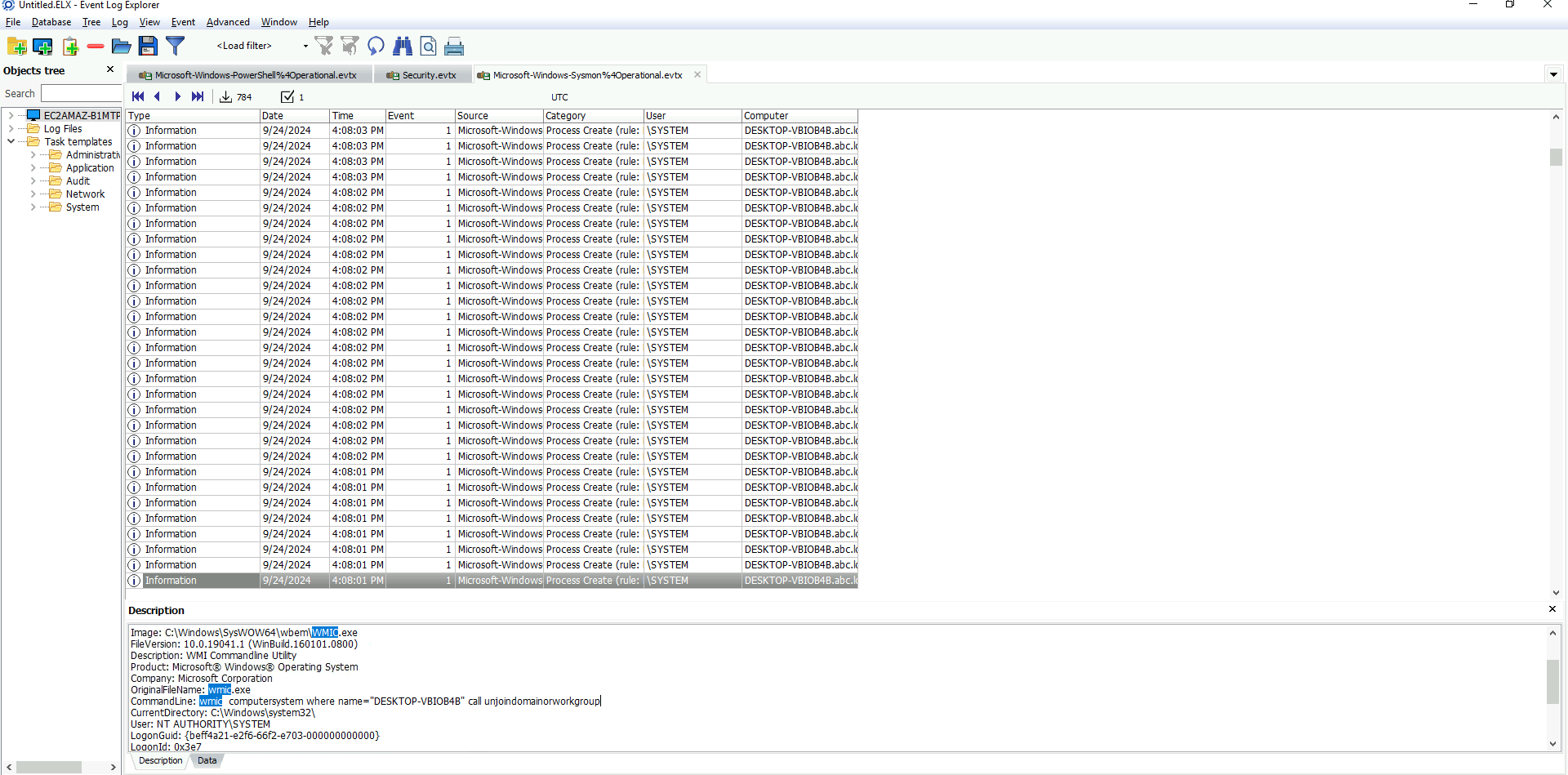
-
The malware executed a command to delete the Windows Boot Manager, a critical component responsible for loading the operating system during startup. This action can render the system unbootable, leading to serious operational disruptions and making recovery more difficult. What command did the malware use to delete the Windows Boot Manager?
Searching for
bcdedit.exe, we can find multiple references to it, I honestly just bruteforced this one and went on submitting all of the commands until one said it was good:C:\Windows\Sysnative\bcdedit.exe /delete {9dea862c-5cdd-4e70-acc1-f32b344d4795} /f. Searching the identifier on google tells me this is the Windows Boot Manager identifier, but searching it the other way around didn't work that well for me... Oh well, you live and you learn.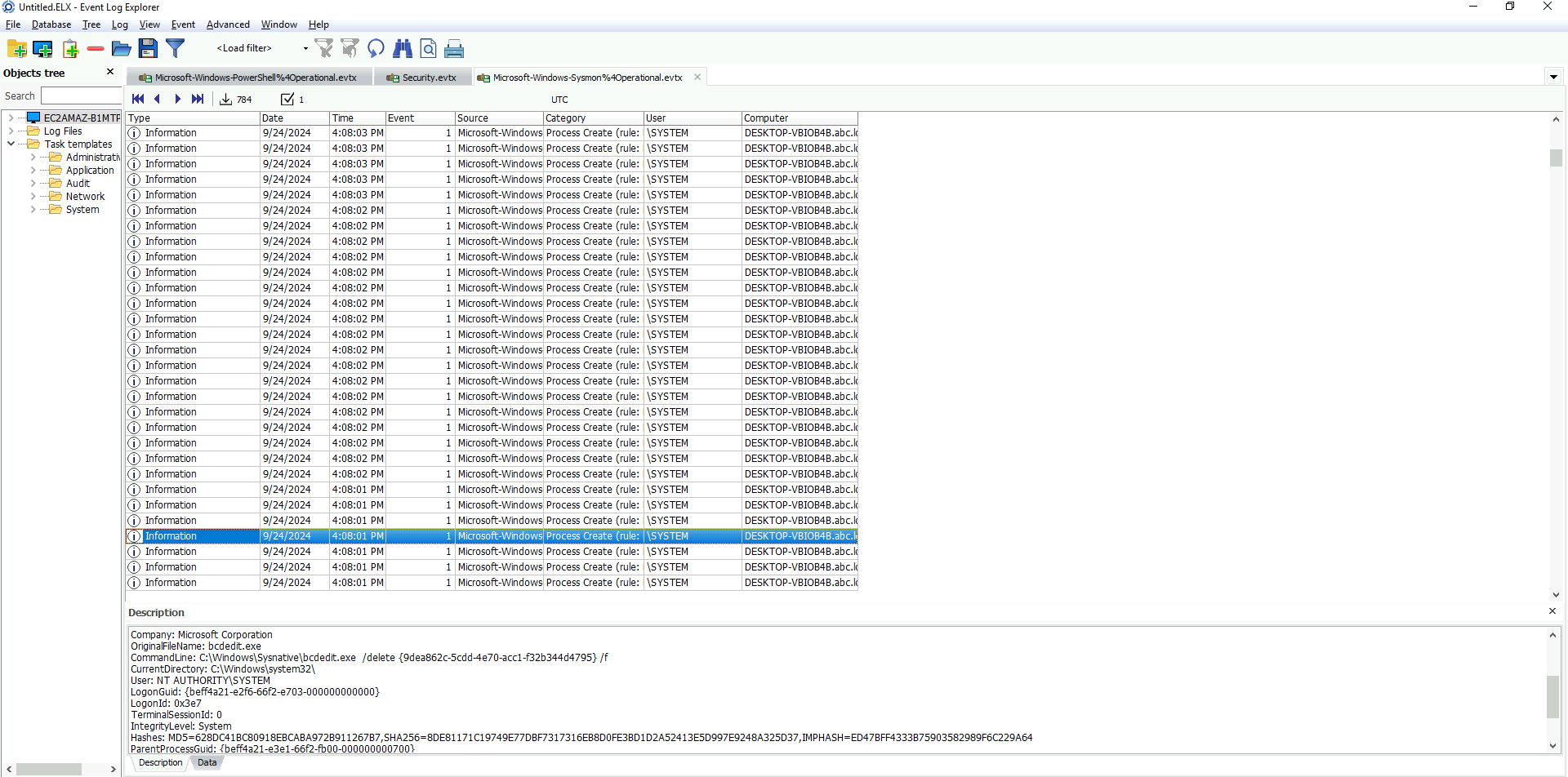
-
The malware created a scheduled task to ensure persistence and maintain control over the compromised system. This task is configured to run with elevated privileges every time the system starts, ensuring the malware continues to execute. What is the name of the scheduled task created by the malware to maintain persistence?
We can search for
schtasks.exeagain, and find a new commandParentCommandLine: C:\Windows\System32\cmd.exe /c schtasks /CREATE /SC ONSTART /TN "Aa153!EGzN" /RL HIGHEST /RU SYSTEM /TR "\"C:\ProgramData\Microsoft\env\env.exe\" \"C:\temp\msconf.conf\"" /F, so the name of the task isAa153!EGzN.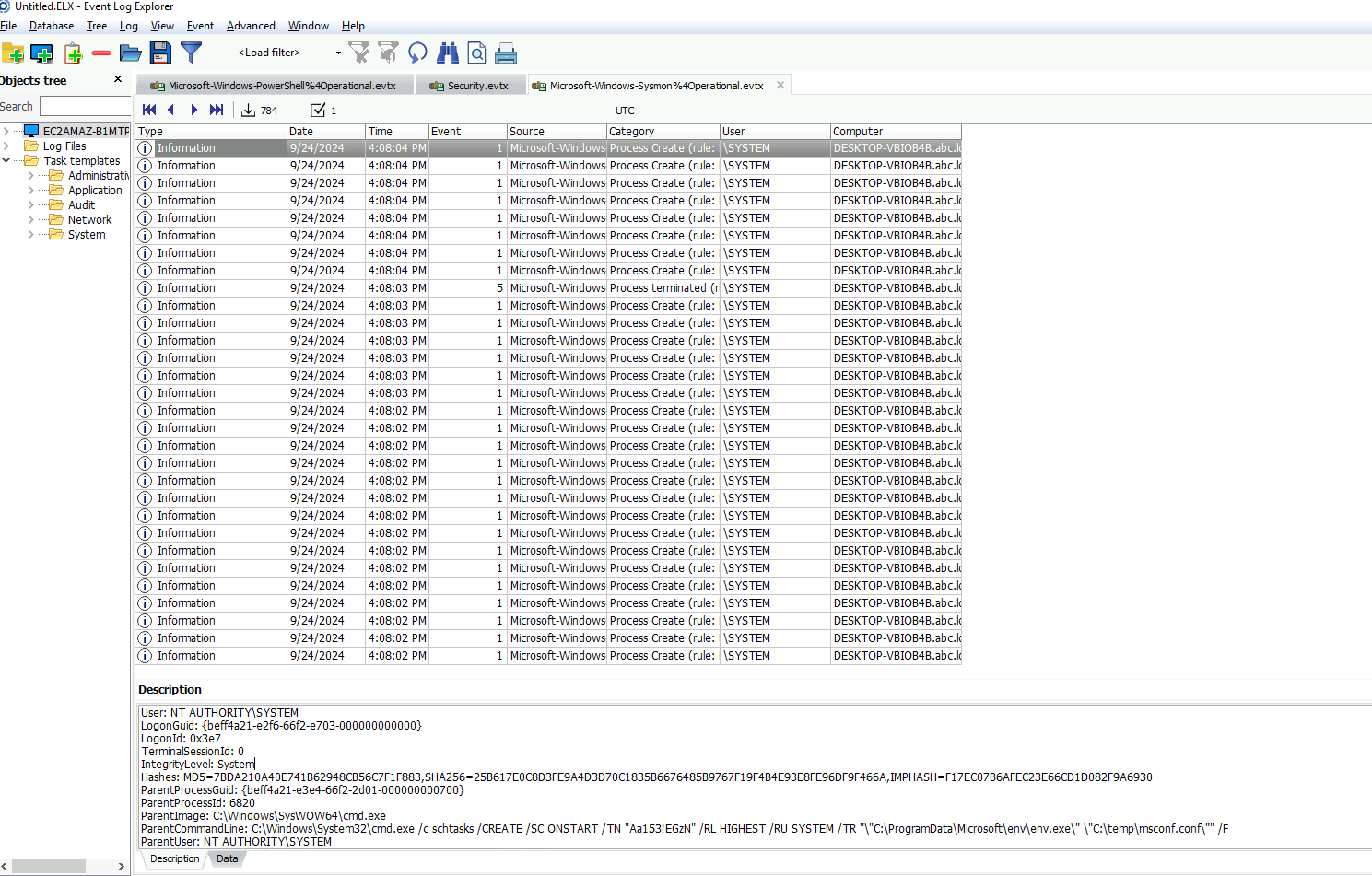
-
A malicious program was used to lock the screen, preventing users from accessing the system. Investigating this malware is important to identify its behavior and mitigate its impact. What is the name of this malware? (not the filename)
We can search the logs for
lockand then we can see the MD5 hash of the malware, and then plug it intoVirusTotal.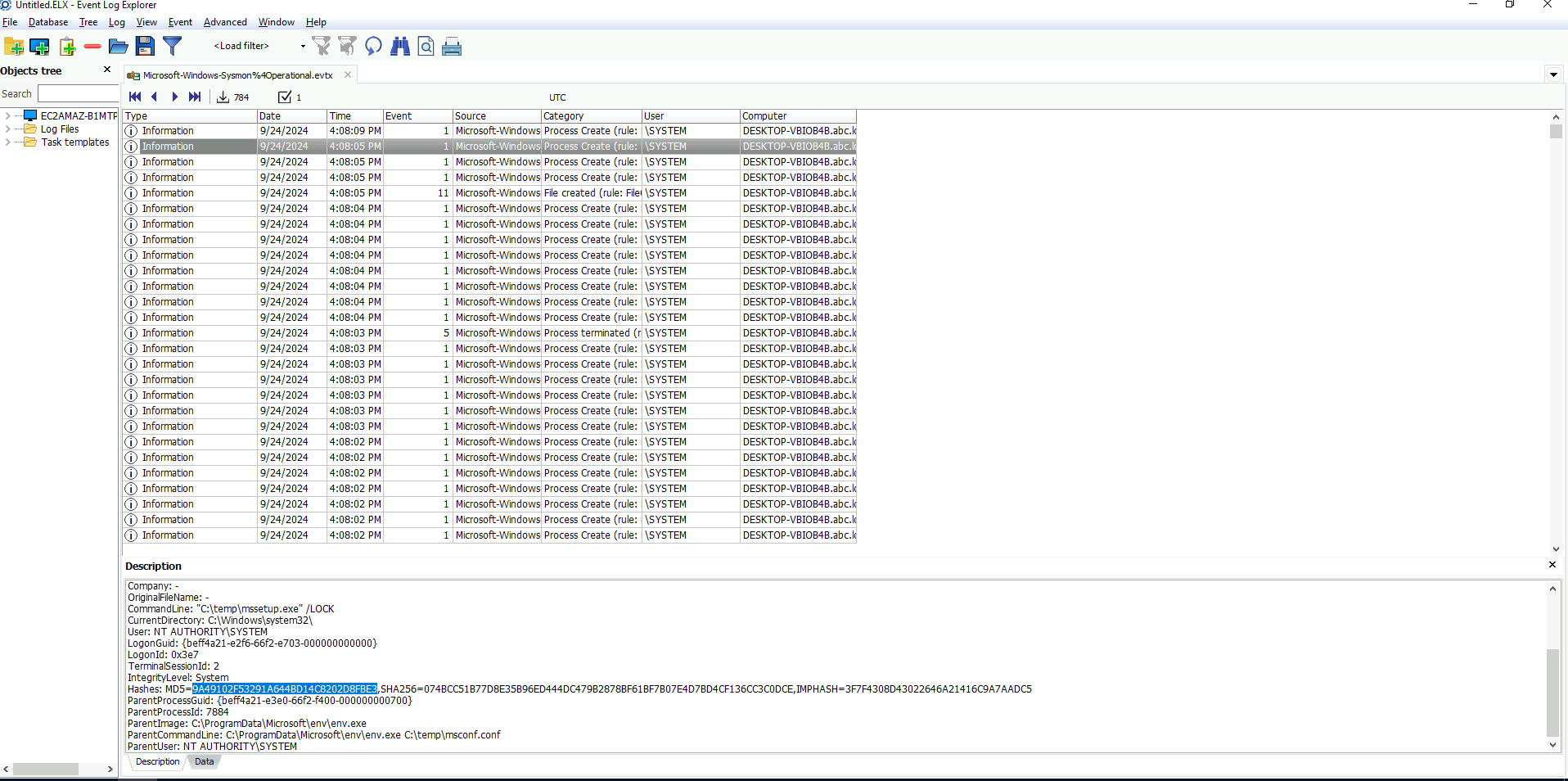
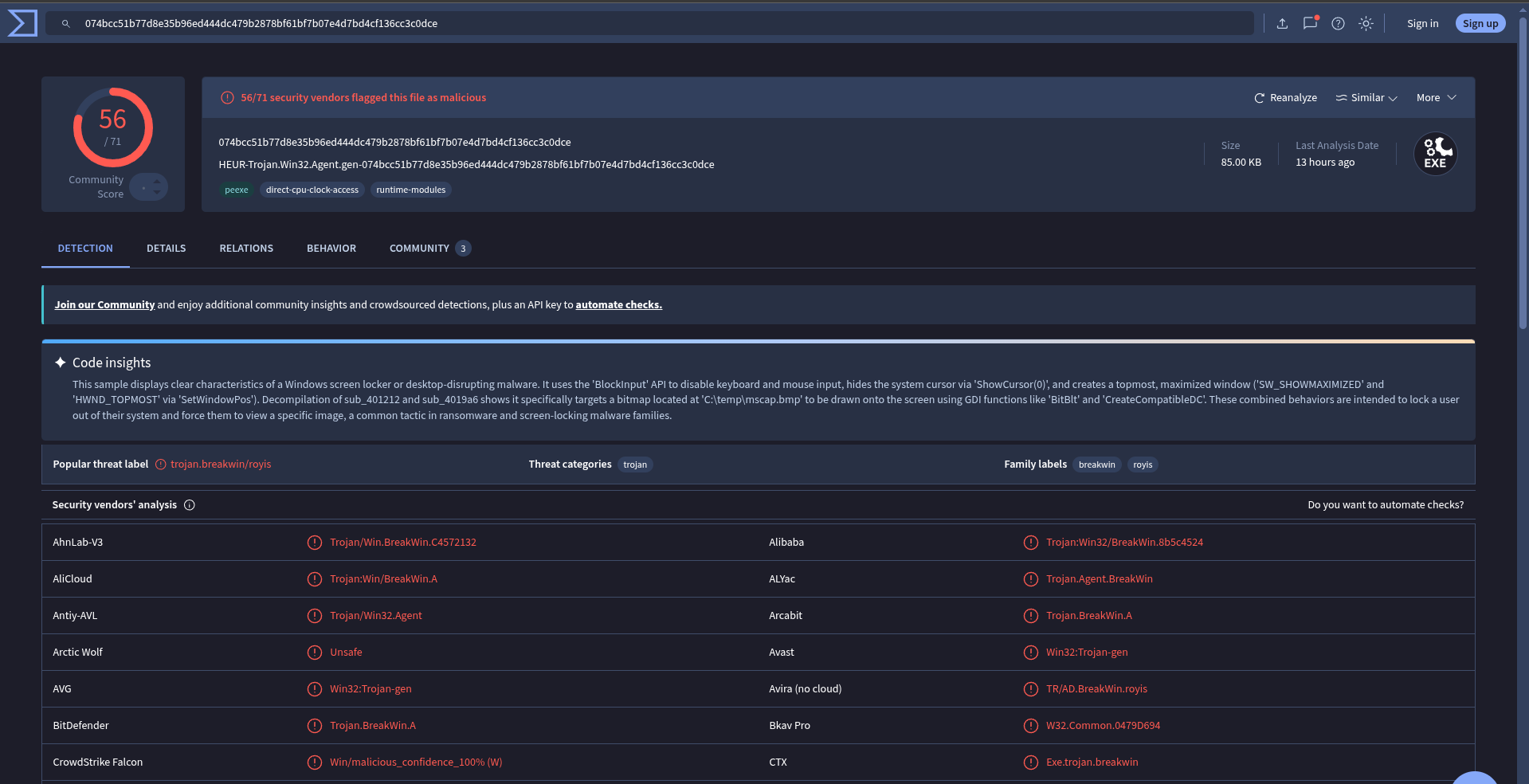
According to the sources, it's
breakwin