CyberDefenders - GoldenSpray
Reconstruct a multi-stage intrusion timeline by analyzing Windows and Sysmon event logs within Elastic SIEM to identify key attack tactics, techniques, and procedures.
Intro Text
As a cybersecurity analyst at SecureTech Industries, you've been alerted to unusual login attempts and unauthorized access within the company's network. Initial indicators suggest a potential brute-force attack on user accounts. Your mission is to analyze the provided log data to trace the attack's progression, determine the scope of the breach, and the attacker's TTPs.
A link to the lab can be found here: https://cyberdefenders.org/blueteam-ctf-challenges/goldenspray/
Questions
-
What is the attacker's IP address?
Searching the Internet, we can learn that the Windows Event ID that pertains to Failed Login Attempts is 4625, so we can filter our data by this event ID and analyze the data from there.
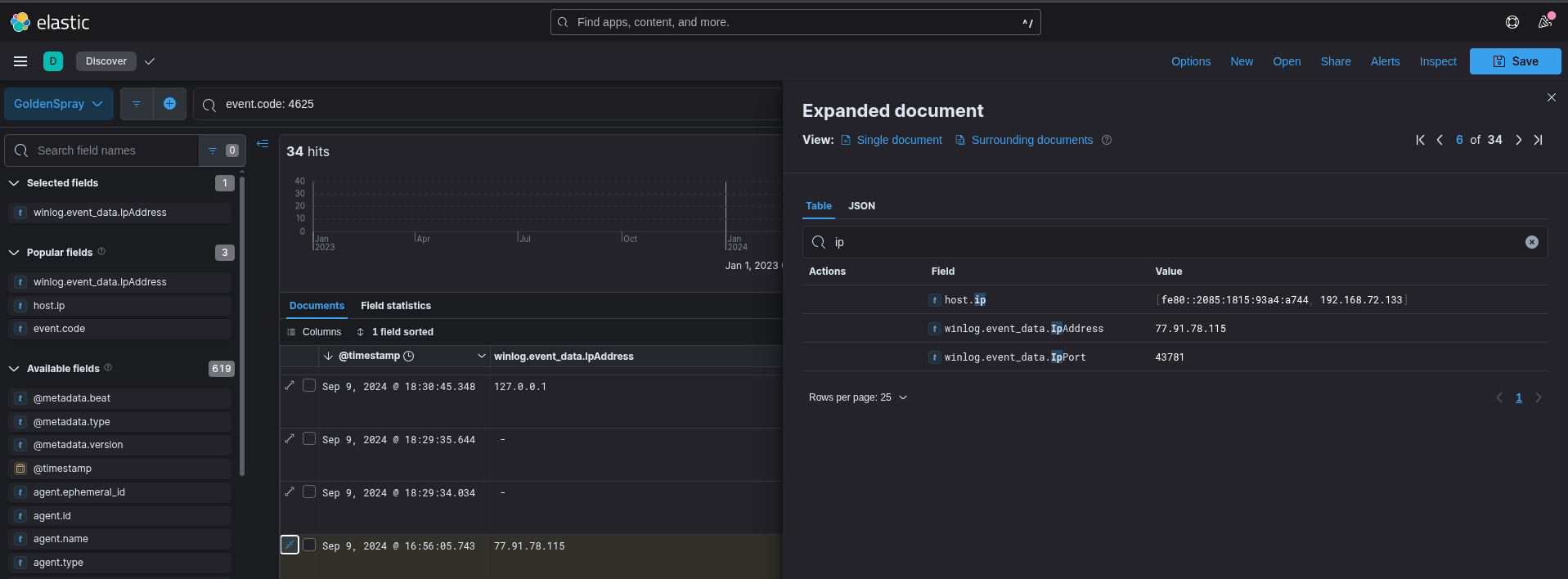
There are multiple fields containing IPs, but one of them is a local network IP (192.168.xxx.xxx), so we can focus on
winlog.event_data.IpAddress. Only one of the values present is77.91.78.115is a public IP, all the other ones are local IPs (technically one local and the other is a loopback address). -
What country is the attack originating from?
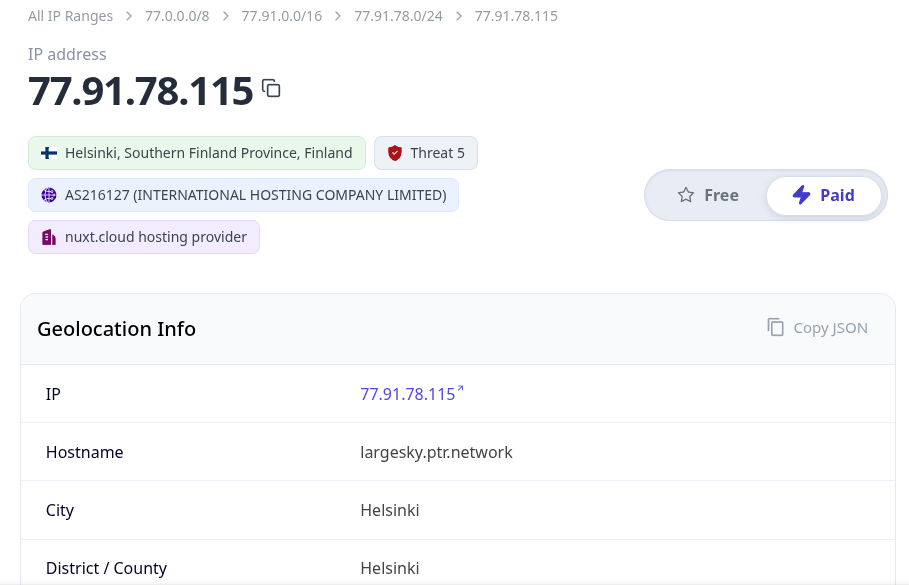
We just need to throw this into an IP Geolocator, and in this case, we can see it's from Finland.
-
What's the compromised account username used for initial access?
The event code for a successful login is 4624, so combining it with the detected IP, we can generate a filter to find out which accounts were logged into by our attacker. The filter should be
event.code: 4624 and winlog.event_data.IpAddress: 77.91.78.115.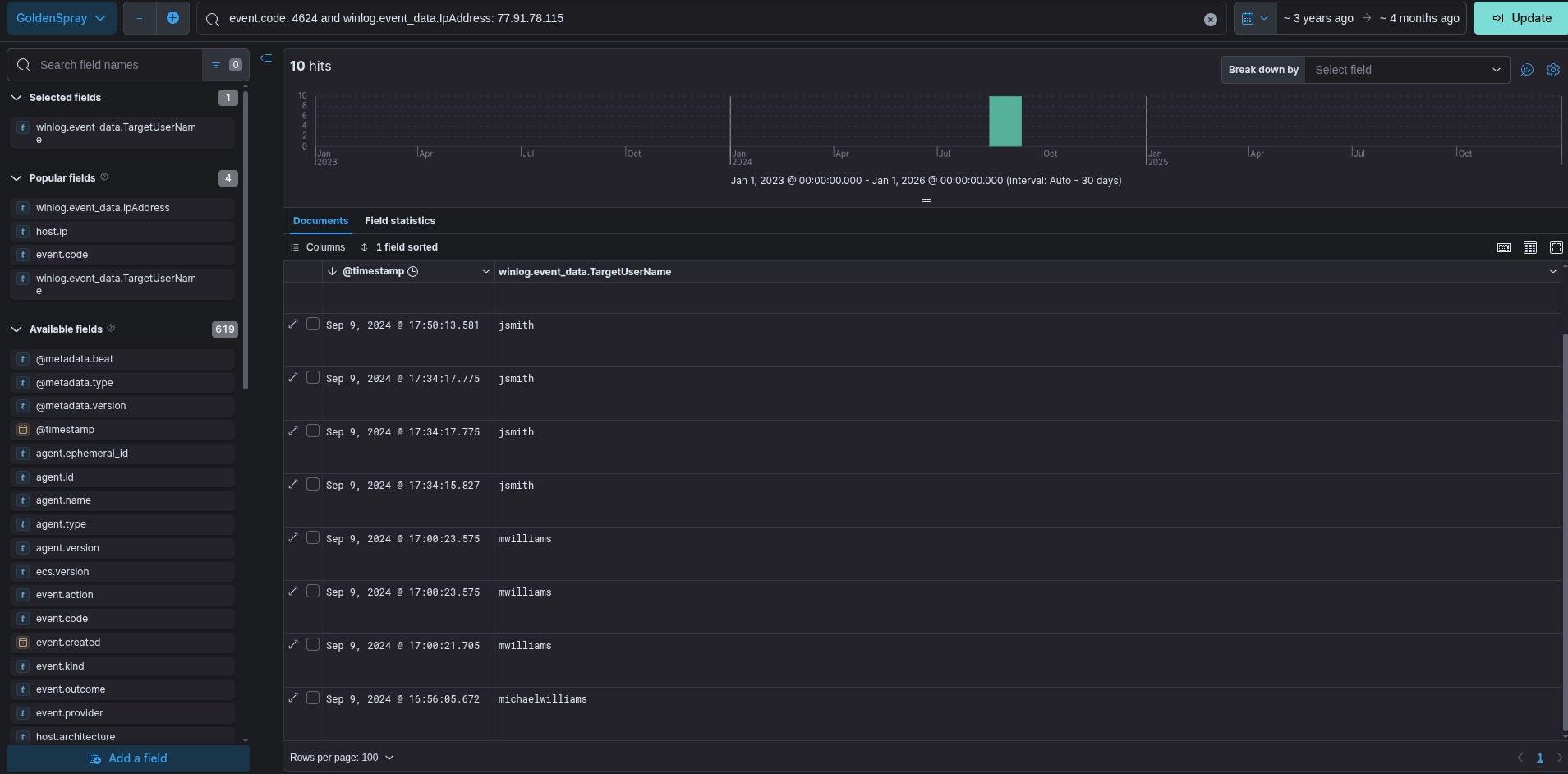
The first account used seems to be
michaelwilliamsbut it isn't the right answer, the first one is actuallymwilliams. The answer wants a domain attached to the name, so we can also find theSECURETECHdomain in the event data. -
What's the name of the malicious file utilized by the attacker for persistence on ST-WIN02?
We can use Sysmon Event Code 11 to detect created files, and starting from there we can filter for common file types that were created around the time of the attack (5-ish). The filter
event.code:11 and winlog.event_data.TargetFilename : *exereveals to us that anOfficeUpdater.exefile is created in the Temp directory.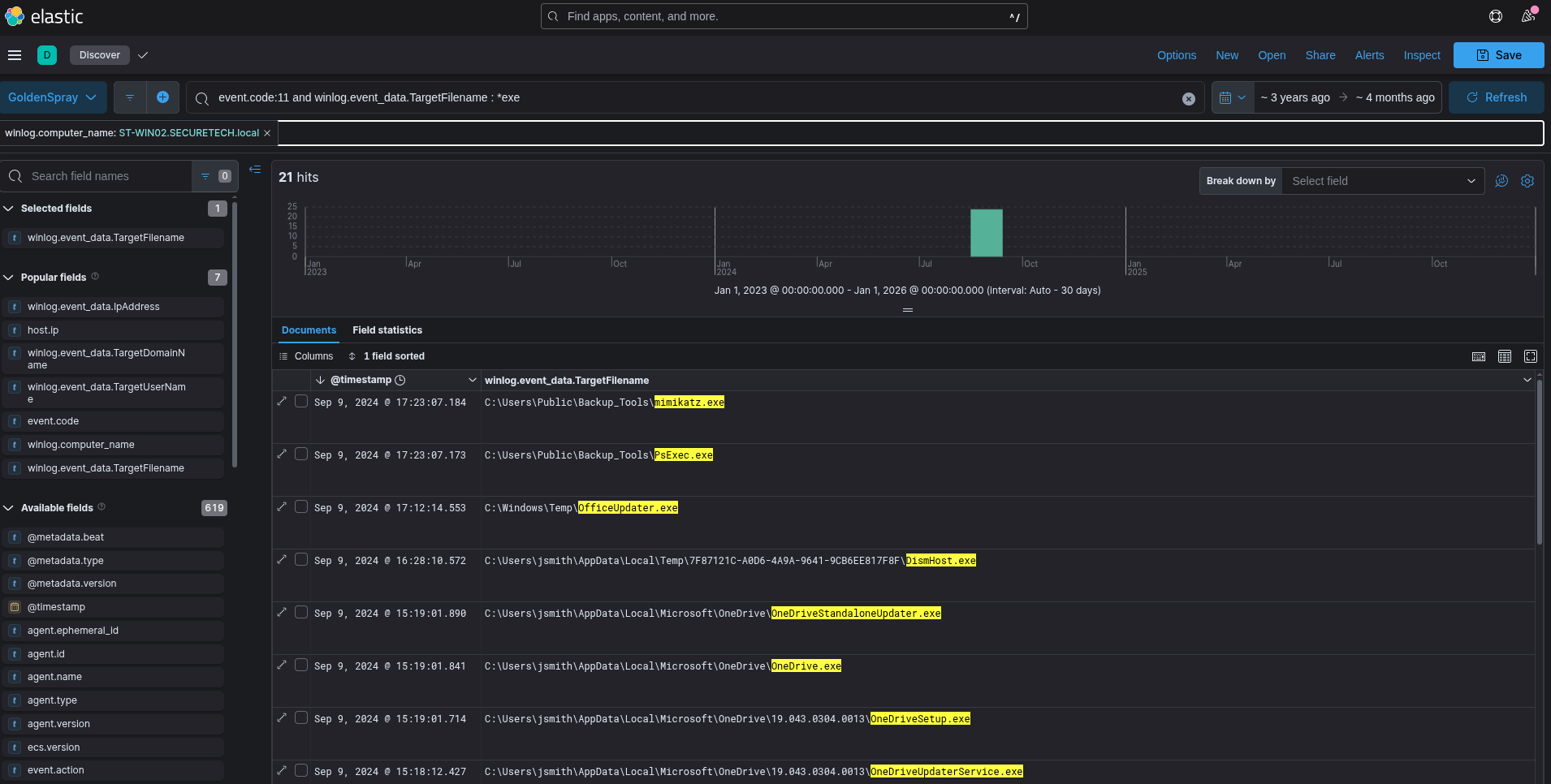
-
What is the complete path used by the attacker to store their tools?
Immediately above the previous answer's file, we can see that two tools were stored into
C:\Users\Public\Backup_Tools. -
What's the process ID of the tool responsible for dumping credentials on ST-WIN02?
From the two tools seen above,
mimikatz.exeis the one normally used for credential dumping, so we need to filter for it, and find the PID associated with its usage.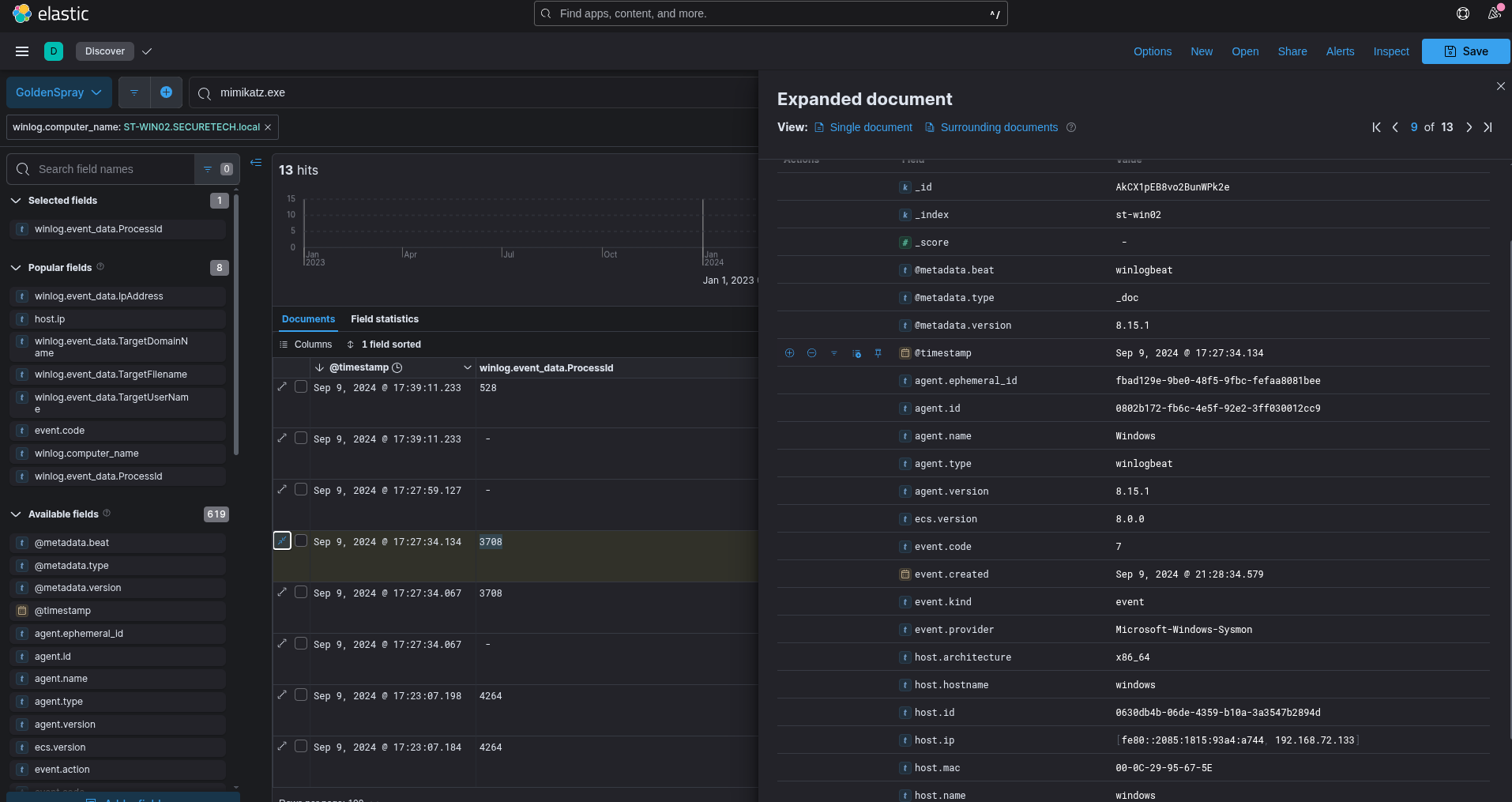
While we find multiple events associated with
mimikatz, the first one of them with sysmon event ID 1 (Process Created) has PID 3708. -
What's the second account username the attacker compromised and used for lateral movement?
Going back to the filter with event code 4624, we can find another username:
jsmith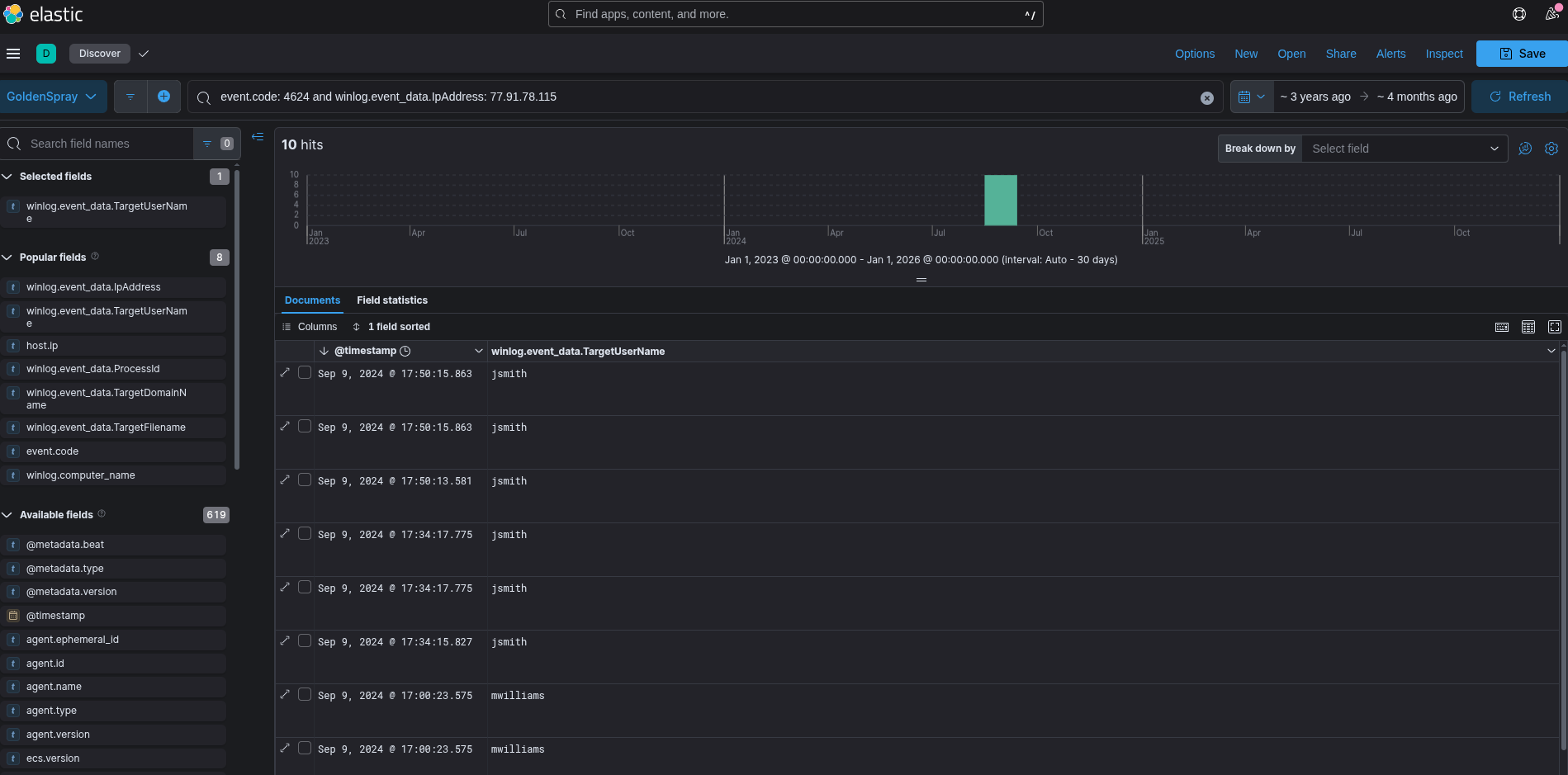
-
Can you provide the scheduled task created by the attacker for persistence on the domain controller?
schtasksis commonly used to create scheduled tasks, so I just filtered for it and immediately found the event we were looking for 😁. The task's name isFilesCheckand it runs a executable file hourly asSYSTEM.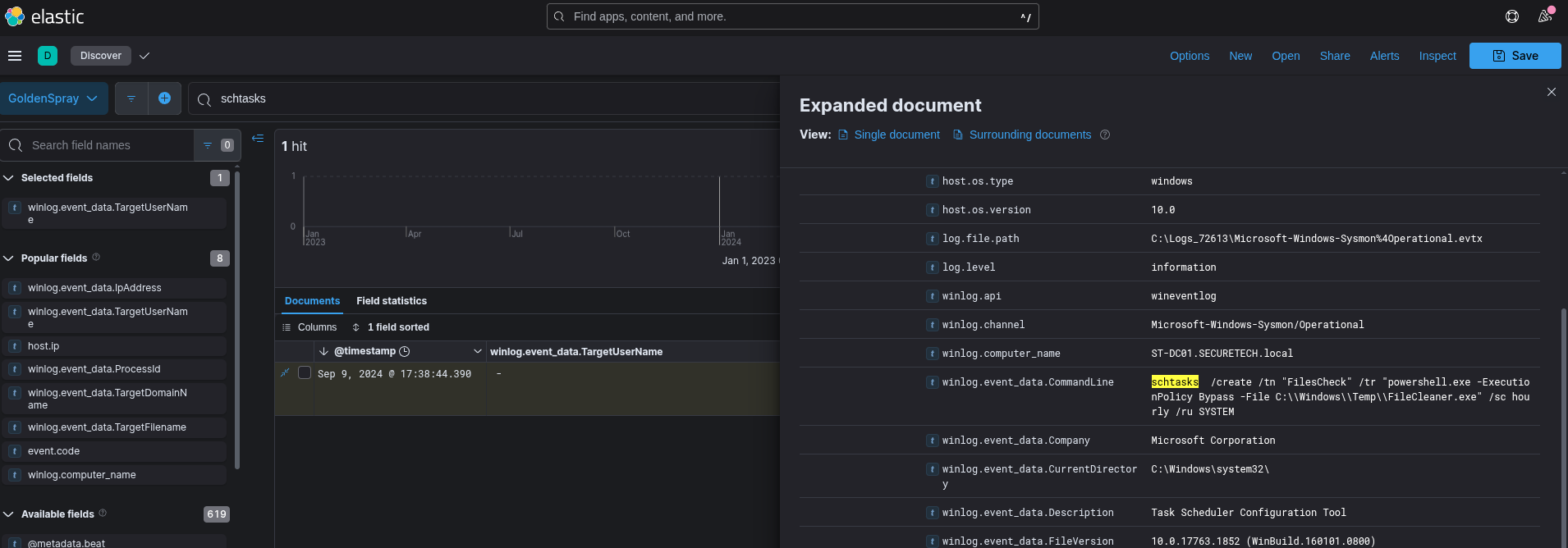
-
What type of encryption is used for Kerberos tickets in the environment?
The event IDS associated with Kerberos tickets being granted are 4768 and 4769, so we can filter for them and find the encryption being used, if we find any ticket being issued.
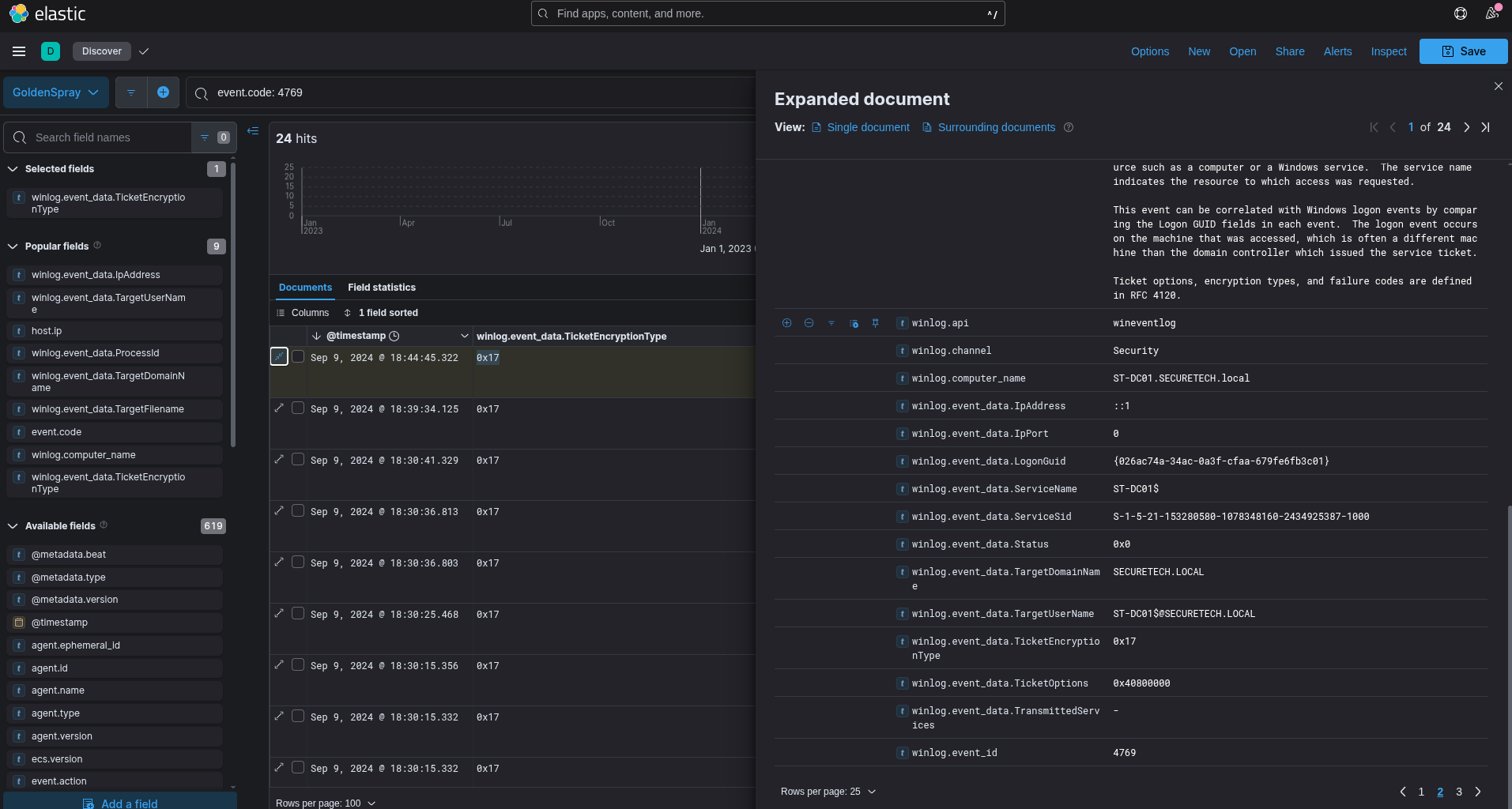
Looking at the encryption type, we can see that it's
0x17, searching online, we can see that this matches RC4-HMAC, an outdated encryption type. -
Can you provide the full path of the output file in preparation for data exfiltration?
We can filter for Sysmon event 11 (File Creation) and hopefully we can find something...
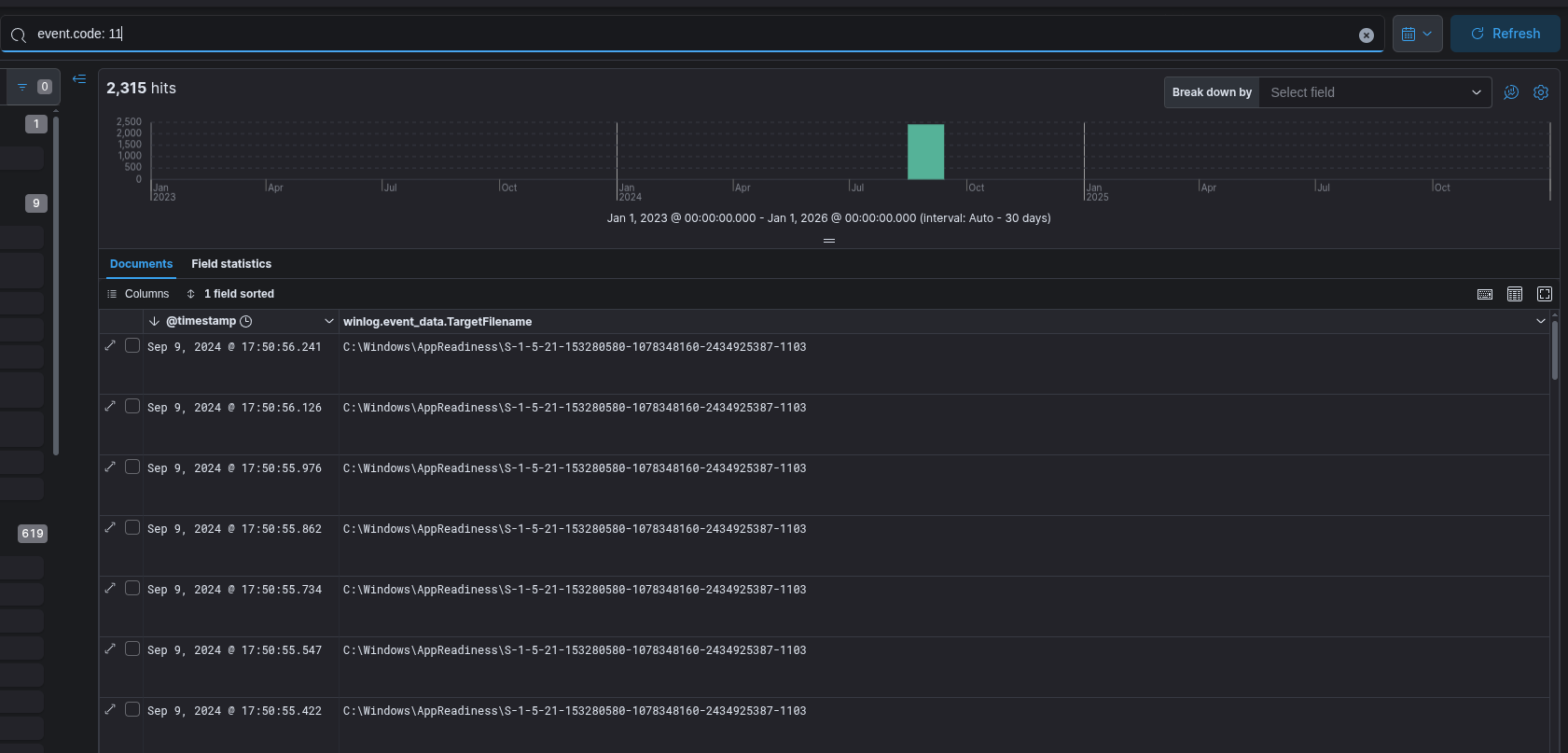
Yikes, that's a lot of files, what happens if we filter for zip files?
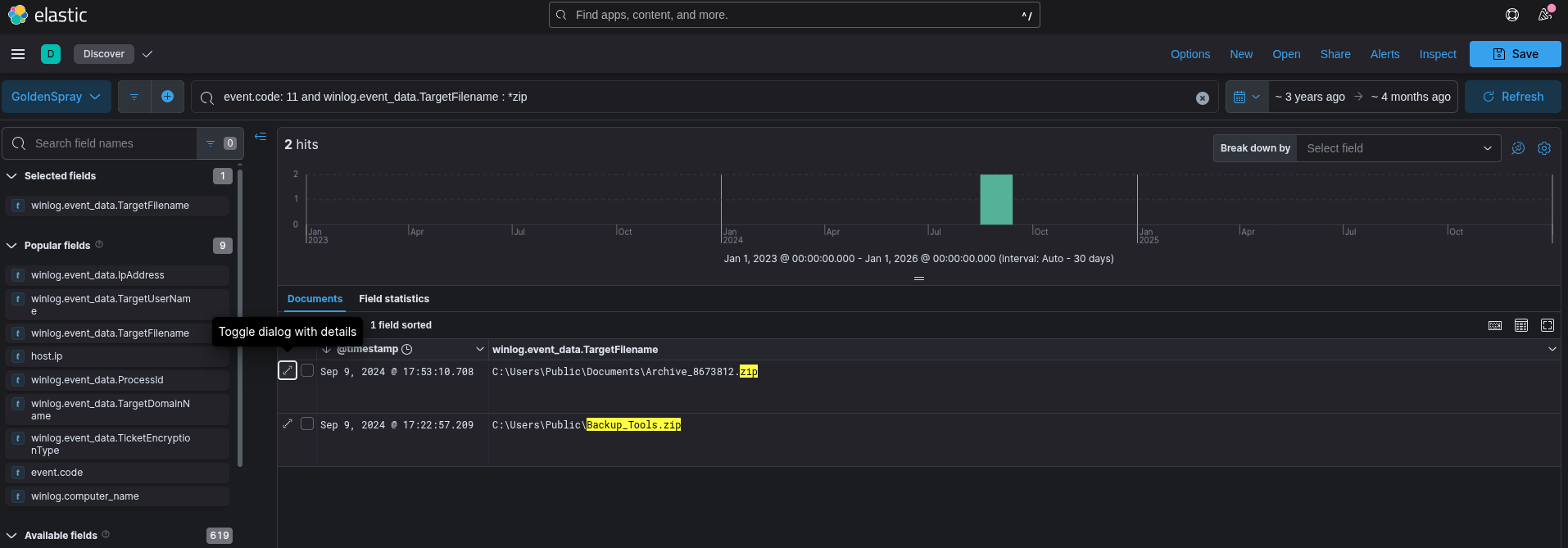
Much better, we can see that our file is
C:\Users\Public\Documents\Archive_8673812.zip
Another great lab to gain our SIEM and Windows Event Analysis legs! Thanks to CyberDefenders for creating this!
Have a good one,
Bernardo