CyberDefenders - ShadowRoast
Investigate and analyze malicious activity in an Active Directory environment using log analysis and Splunk queries to identify initial access, persistence, lateral movement, and data exfiltration techniques.
Intro Text
As a cybersecurity analyst at TechSecure Corp, you have been alerted to unusual activities within the company's Active Directory environment. Initial reports suggest unauthorized access and possible privilege escalation attempts.
Your task is to analyze the provided logs to uncover the attack's extent and identify the malicious actions taken by the attacker. Your investigation will be crucial in mitigating the threat and securing the network.
A link to the lab can be found here: https://cyberdefenders.org/blueteam-ctf-challenges/shadowroast/
To help with this search, I used this cheatsheet, as I found it to be a good list for important Event Ids, I haven't seen a lot of them with all the info on one page, that can be easily searchable.
Questions
-
What's the malicious file name utilized by the attacker for initial access?
We can get this information by filtering by the Event ID 1 from Sysmon, to filter for process creation and using
dedupto remove duplicate the duplicate Images (executables) being started. Doing this, we can parse the two pages of results to find out a single executable being ran from the downloads folder, namedAdobeInstaller.exe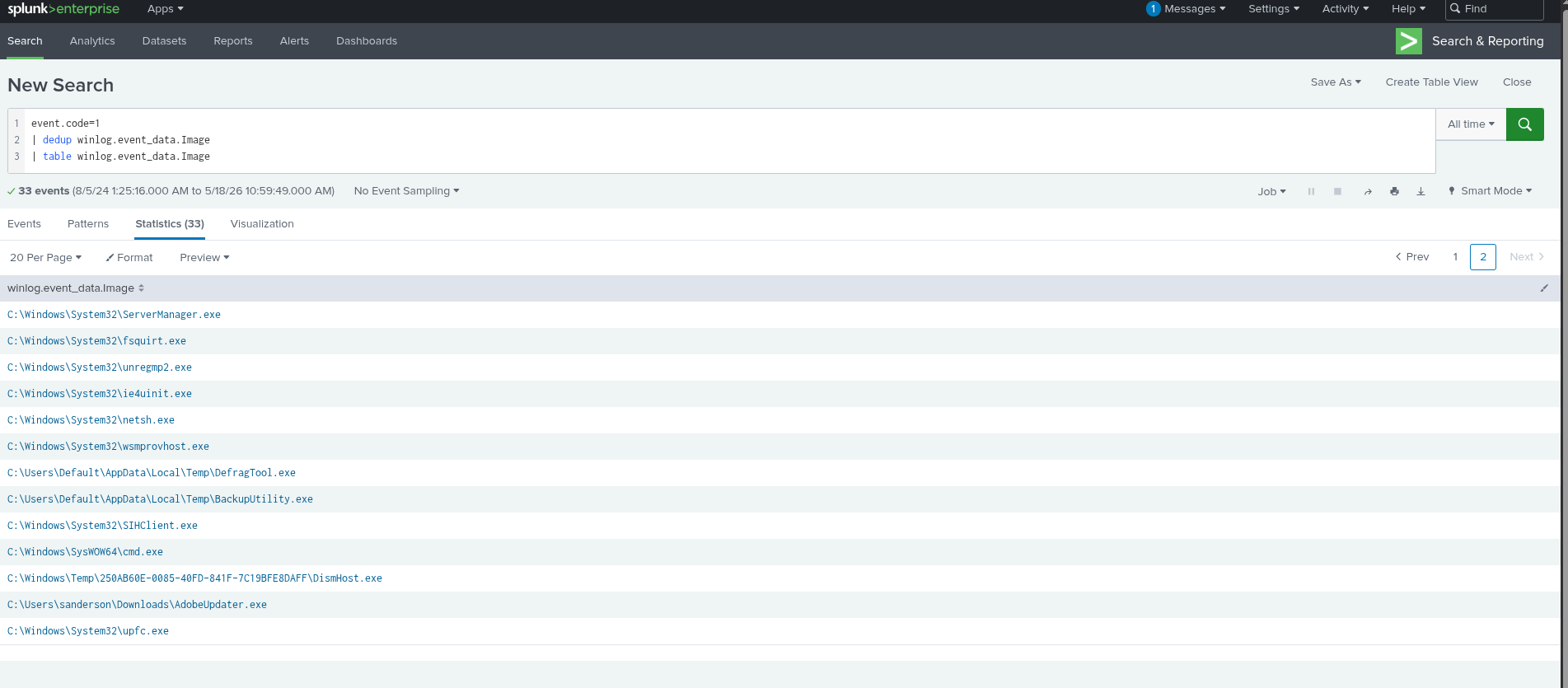
-
What's the registry run key name created by the attacker for maintaining persistence?
We can filter for Event ID 13 to find "Registry Key Access" events, and then by logs that have
AdobeInstaller.exeas their Image. The search query I used was:index="shadowroast" AND event.code=13 AND "winlog.event_data.Image"=*Adobe*. From here, we can see thatwyW5PZyFwas the key created.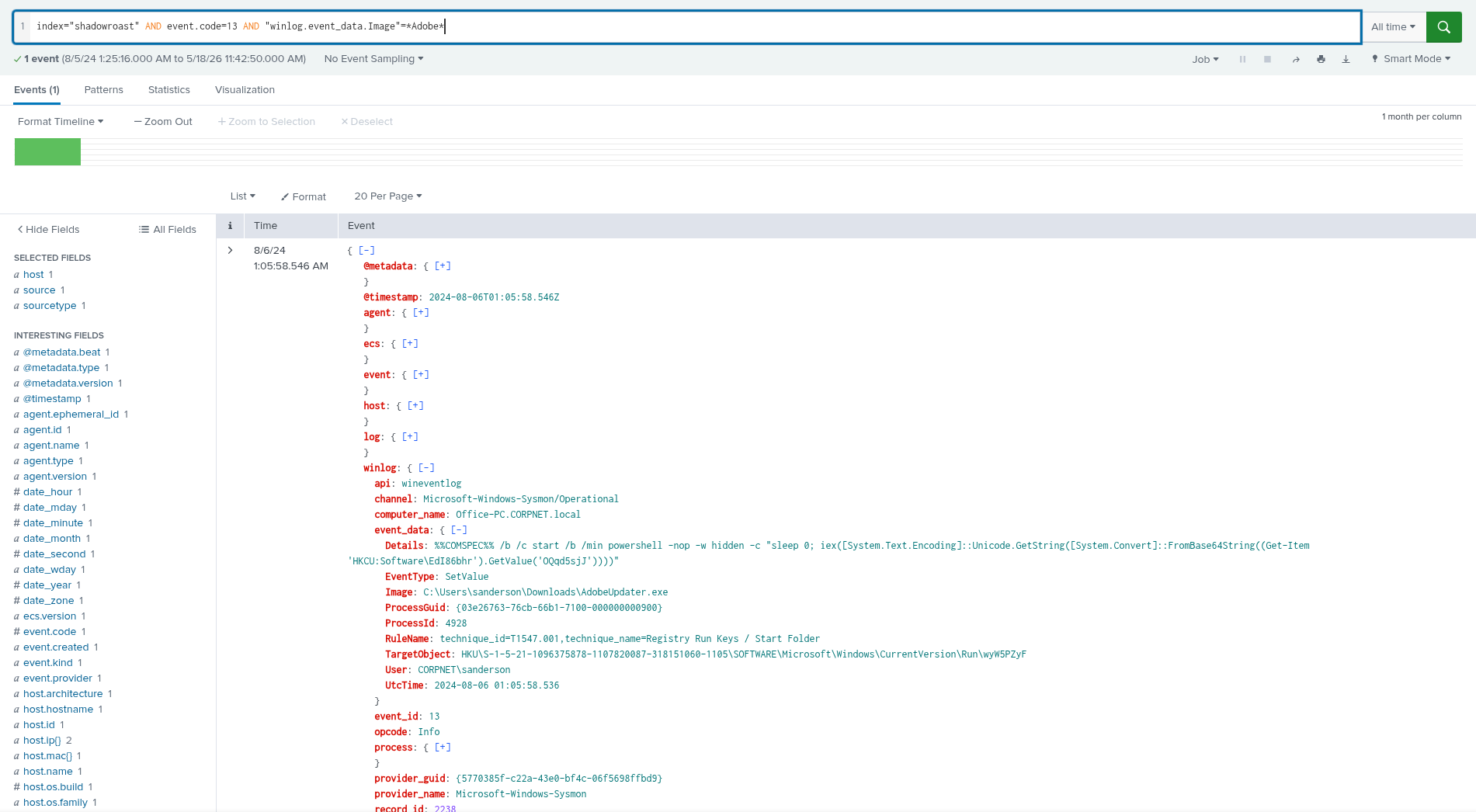
-
What's the full path of the directory used by the attacker for storing his dropped tools?
We can reuse the filter from the last question, we just need to change the Event Code from 13 to 11, as it is the Sysmon event ID for File Creation. There are only 3 events associated with it, so we can easily see that the path is
C:\Users\Default\AppData\Local\Temp\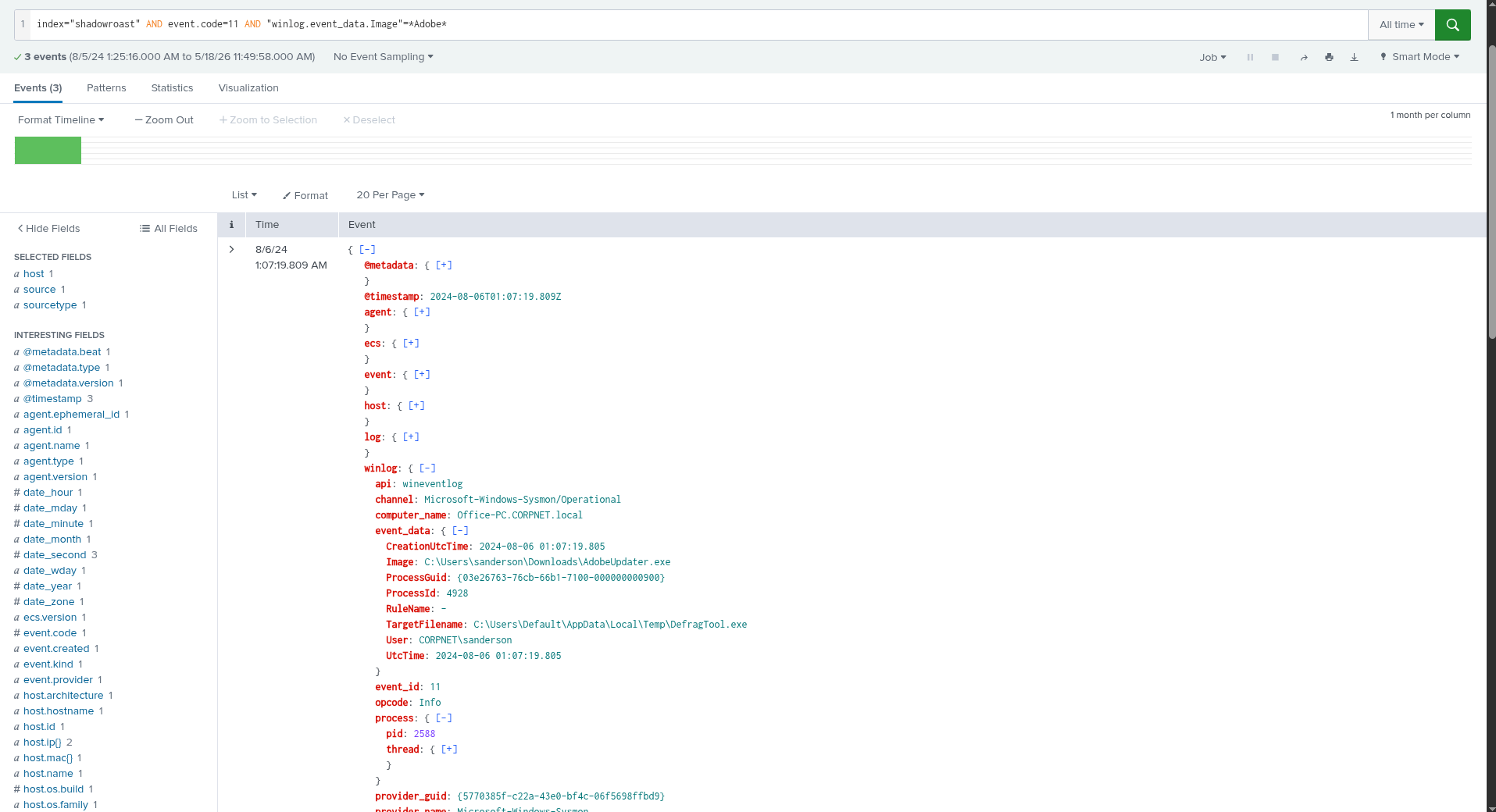
-
What tool was used by the attacker for privilege escalation and credential harvesting?
We can start by filtering by Event ID 1 and then using the file names of the tools we found in the last question. The query that finds the tool is:
index="shadowroast" AND event.code=1 AND "winlog.event_data.Image"=*BackupUtility*. Looking into the Original File Name of the file, we can see that it'sRubeus, a common tool used to extract credentials.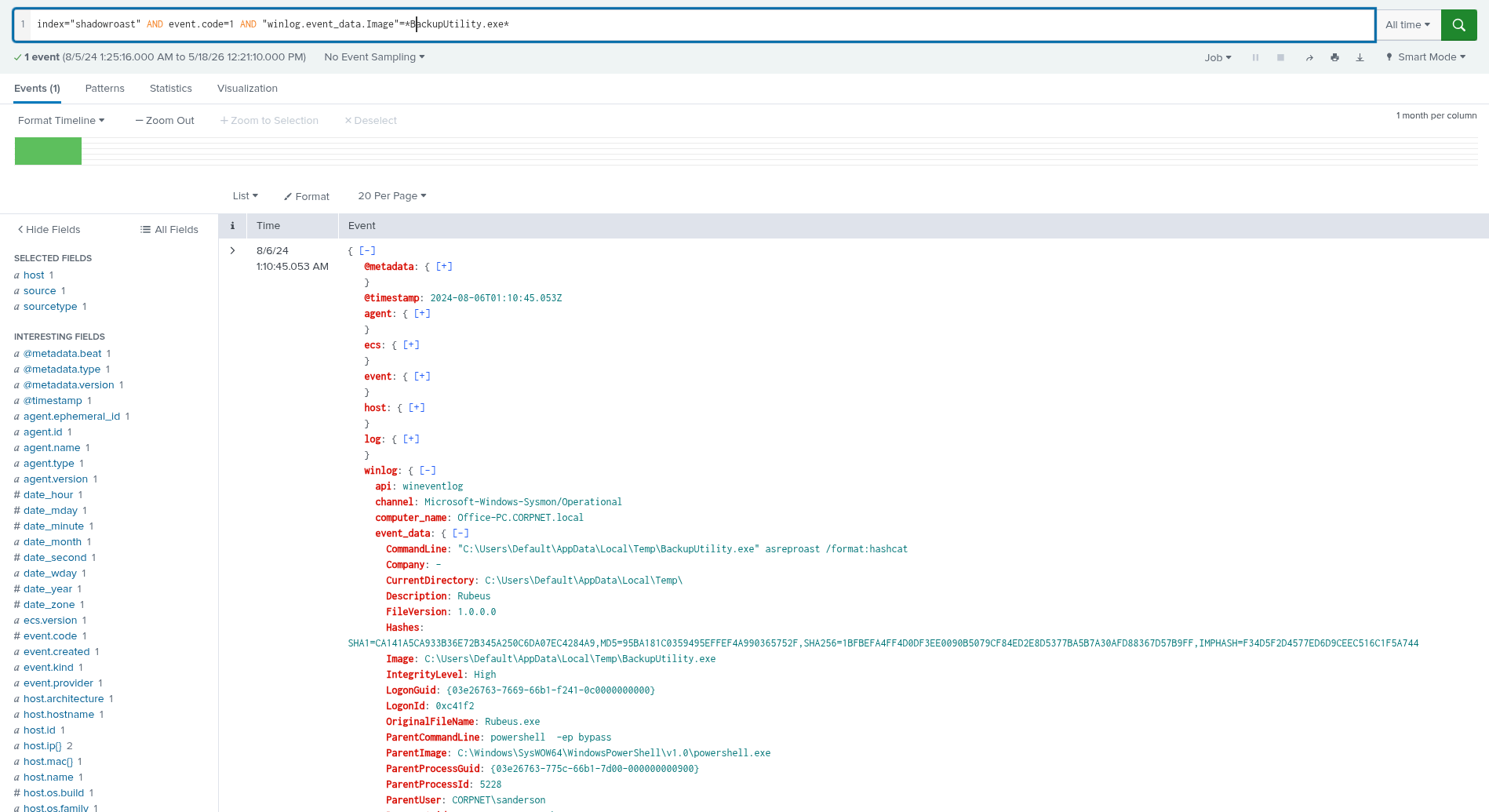
-
Was the attacker's credential harvesting successful? If so, can you provide the compromised domain account username?
If we keep analyzing the tools found in the Temp Folder, we can find that another of the files was executed, this one being a cover-up for
mimikatz, bu we can also see that the user that started the executable was a different one to the one we'd been seeing so far, which wassanderson. When executingmimikatz, the user istcooper! So from that, we can infer thatRubeuswas successful in compromising at least one other domain account.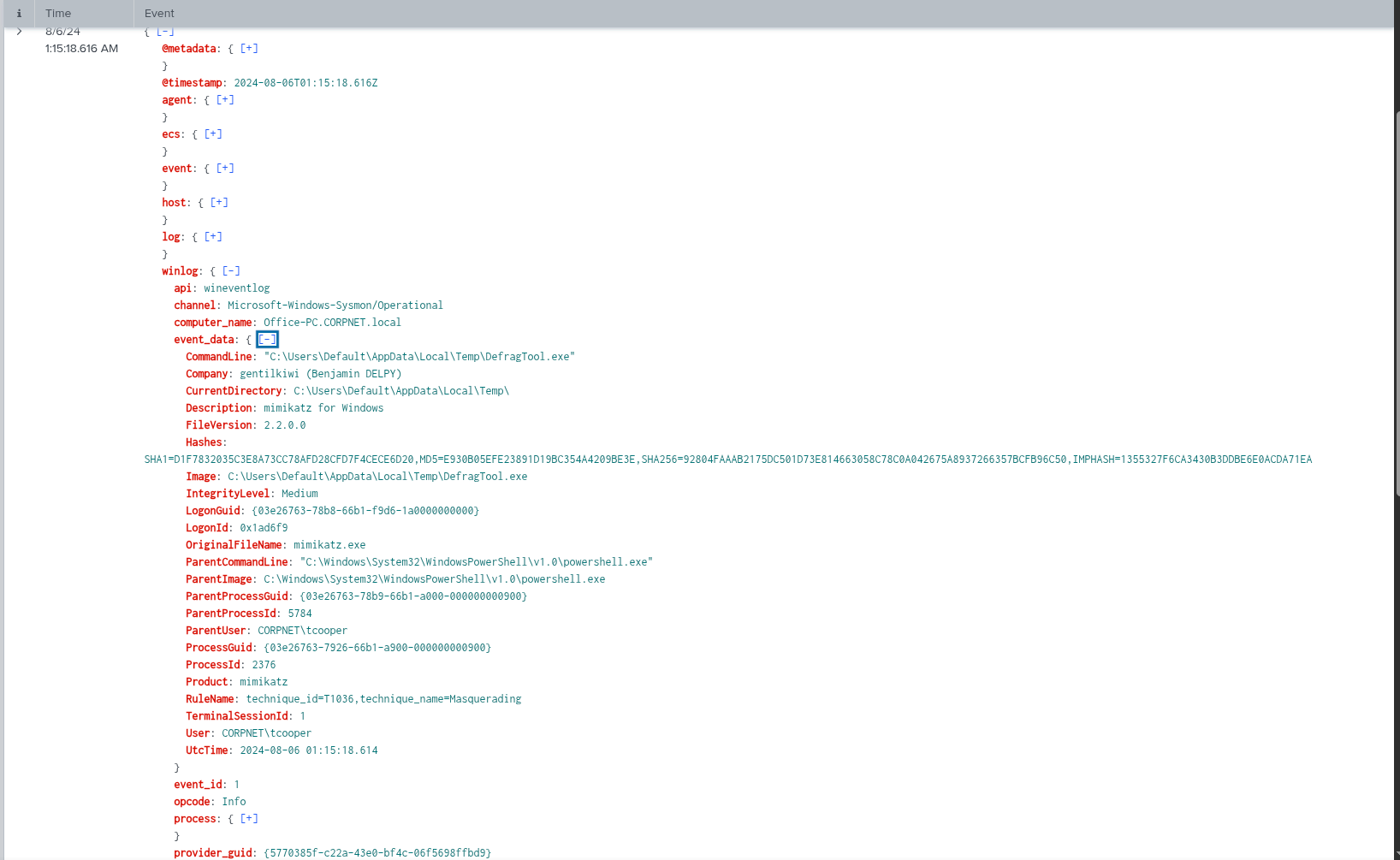
-
What's the tool used by the attacker for registering a rogue Domain Controller to manipulate Active Directory data?
Oops, we accidentally found this in the last question 😁, it's
mimikatz. There is probably more to it, but I just put it into the answer field and it hit 😅. -
What's the first command used by the attacker for enabling RDP on remote machines for lateral movement?
Searching on how to enable RDP from the command line, I found this information on Reddit, so I just filtered for Event ID 1 and then for
fDenyin the Command Line, which gave us the following command being ran (edited to fit the answer key):reg add "hklm\system\currentcontrolset\control\terminal server" /f /v fDenyTSConnections /t REG_DWORD /d 0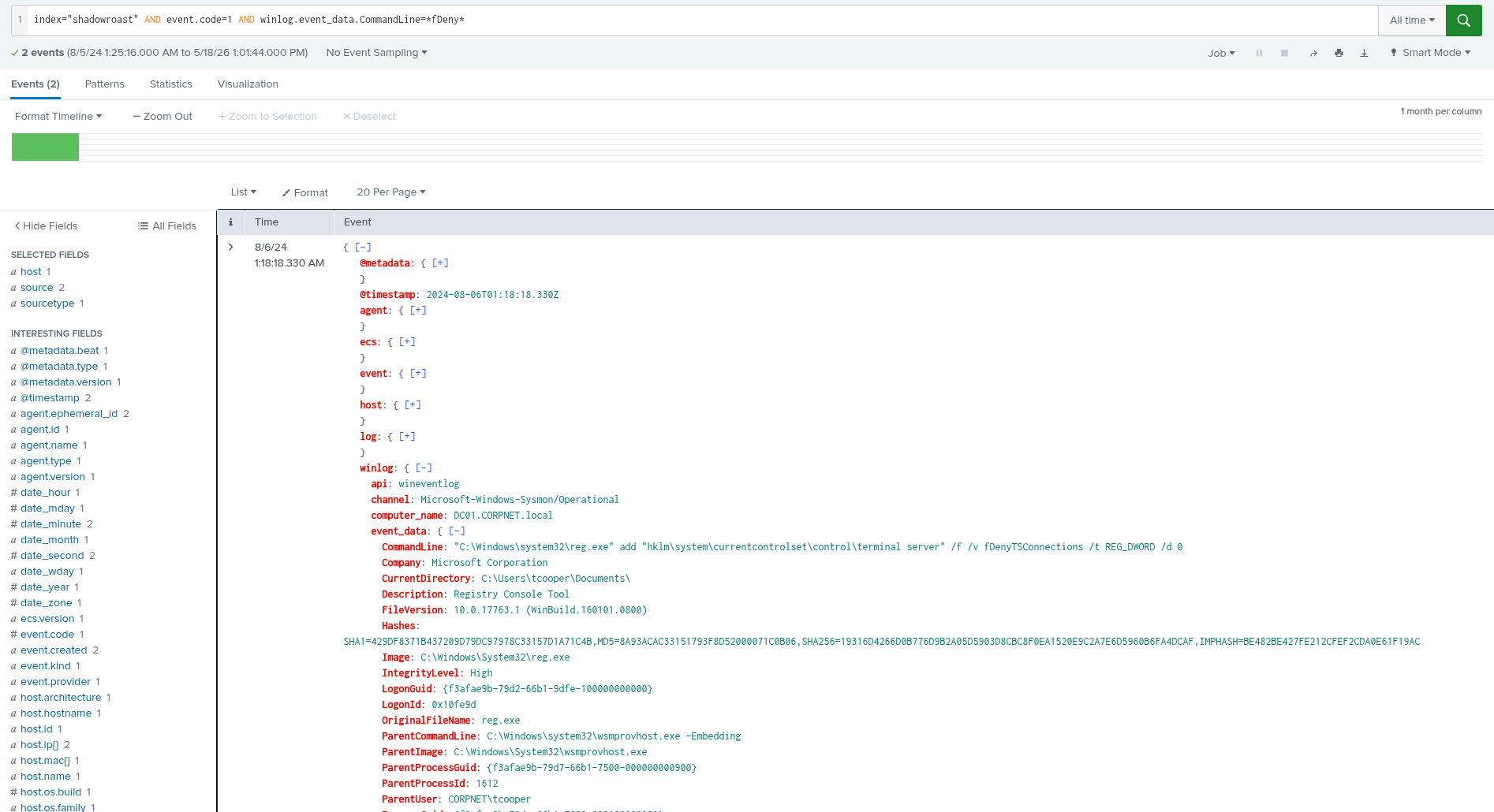
-
What's the file name created by the attacker after compressing confidential files?
This one is also pretty easy to solve, all we need to do is filter for
File Creationevents (ID 11), and then check the created filename for common archive extensions, in my case, I was lucky, and got it right on the first time, by searching for.zip. The created file is "CrashDump.zip"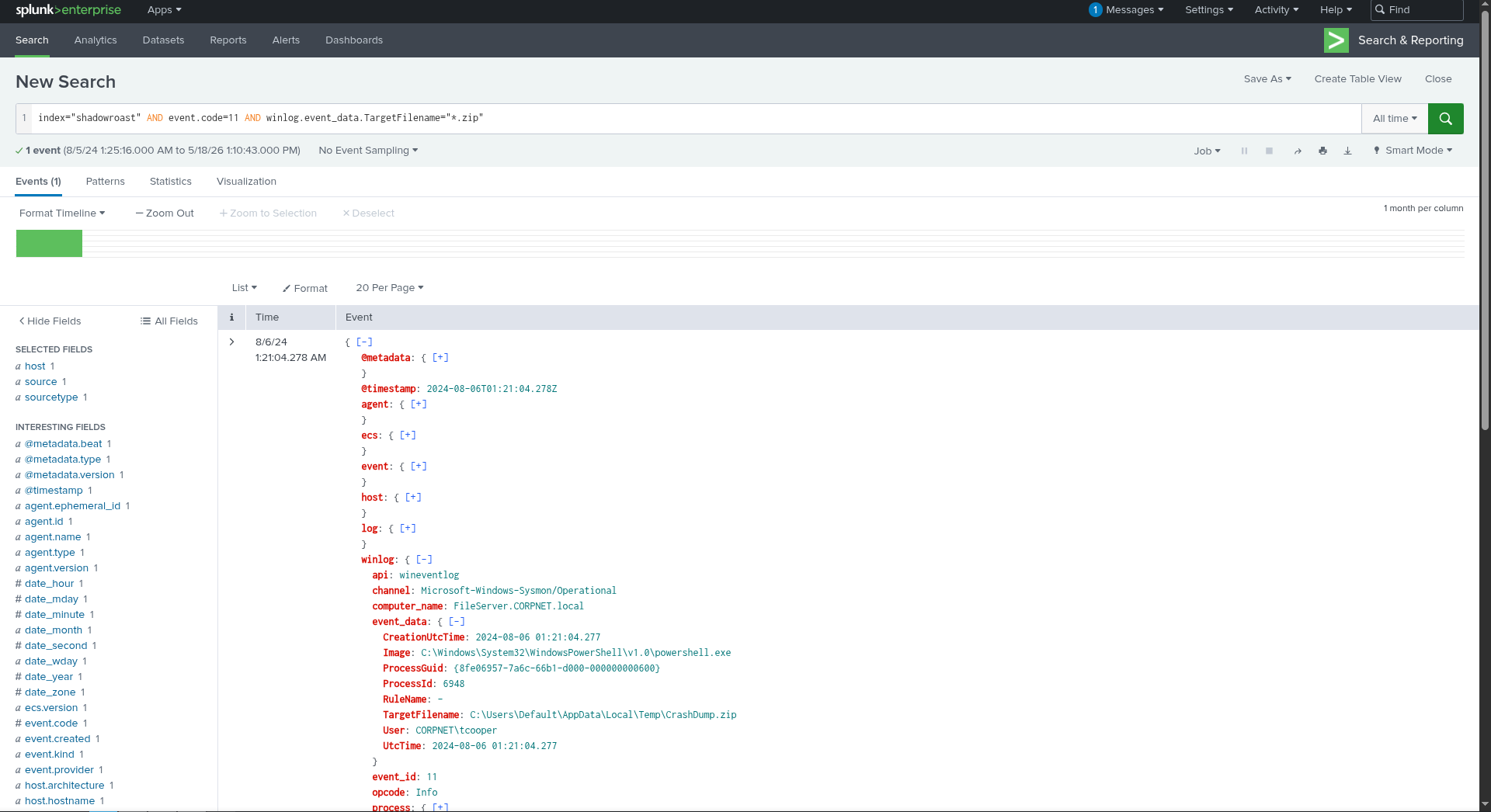
Conclusion
This one felt pretty easy for a medium lab, but was still pretty interesting, with the files being dropped with the altered names, to escape automatic detection, and with the filtering for the RDP information, I had never searched it this way.
Best Regards,
Bernardo